

Why Your Spreadsheet & WhatsApp Are Costing You Sales: The Case for an Email CRM

It's Sunday, around 8pm. Your phone buzzes. A new IndiaMart enquiry for 500 units, and the buyer sounds serious. You're at a family dinner, so you screenshot the details and send them to your sales rep on WhatsApp. Monday morning, he's busy with another client. The screenshot sits under 40 other messages. By Wednesday, the buyer has already ordered from someone else.
Sound familiar? We've all been there.
For most Indian MSMEs, leads don't come from one place. They trickle in from IndiaMart, TradeIndia, Facebook Ads and the contact form on your website. Then they land in a spreadsheet (or three). Someone forgets to update a row. Someone else has the latest version on their laptop. Honestly, it's a bit like trying to run a kitchen with five different recipe books and no head chef.
And then there's WhatsApp. It's fast and everyone uses it, so reps chat with buyers from their personal numbers. But the business owner can't see those chats. If a rep leaves, the whole conversation history walks out the door with him. No handover. No record. No idea what was promised.
Speed matters more than most of us think. A 2025 study of 939 B2B companies found that leads answered within five minutes closed at 32%, compared with just 15% when the reply took up to a day. Same lead. Same product. Half the result, only because of waiting.
So what's the fix? It isn't working harder or adding another spreadsheet tab.
An email CRM brings every lead into one place, assigns it to a person, and sends the first reply automatically. It also tracks every follow-up, so nothing sits and rots. Think of it as one source of truth for your whole sales team. Platforms like Leadopal are built around this idea for Indian MSMEs.
But first, let's look at what the current setup is really costing you.
Uncovering the Real Problem: The Hidden Costs of a Disconnected Sales Process

Most owners think they have a follow-up problem. Usually, it's a plumbing problem.
Lead Leakage: Paying for Leads You Never Work
Here's the deal. You pay for an IndiaMart plan. You pay for Facebook Ads. Maybe JustDial too. Each one sends leads to a different place, and nobody owns the full picture.
I call this lead leakage. A lead comes in, but no one is told, or two reps call the same buyer, or the row just never gets updated. The money you spent to get that lead is gone. Say you spend ₹30,000 a month on ads. If even a few of those enquiries go cold because they sat in the wrong inbox, you paid for nothing.
Sales research backs up the mess behind this. Regie.ai's 2025 report found that poor data quality was a problem for 55% of sales respondents, and 25% struggled to know which leads to chase first. Bad data and unclear priorities. Sound familiar?
Here's where the bucket leaks:
The leak | How it happens | What it costs you |
|---|---|---|
No follow-up | Leads land in a marketplace dashboard no one checks | Paid leads that never get a reply |
Lost in WhatsApp | Details sit in a rep's personal chat | No handover when he's busy or quits |
Spreadsheet errors | Old versions, missed rows, no reminders | Double calls, wrong numbers, late replies |
The Mixed-Message Problem
Now look at it from the buyer's side. Monday, he gets a polished email quote. Tuesday, a different rep texts him from a personal number with a different price. Wednesday, nobody replies at all.
That feels messy. And buyers notice. When your communication jumps between emails and personal WhatsApp chats, you look less like a company and more like three people working alone. Trust drops, and in B2B, trust is half the sale.
A proper lead management setup with email keeps every message in one thread, so any teammate can pick up where another left off.
Where Your Reps' Day Actually Goes
Then there's time. Salesforce's 2025 data suggests reps spend about 40% of the week on actual selling, and the other 60% goes to admin, data entry and internal meetings. SalesRabbit's 2025 report is harsher for field teams: admin work and data entry take 49% of their time.
These surveys count things differently, so don't treat them as one exact number. But the pattern is clear. Your best closers are copying phone numbers and hunting through chats when they could be talking to buyers.
That's the real bill: wasted ad spend, a messy brand image and slow, tired reps. A small business email CRM, like Leadopal, goes after all three at once. So let's get clear on what one actually is.
What is an Email CRM? A Practical Definition for Indian Business Owners
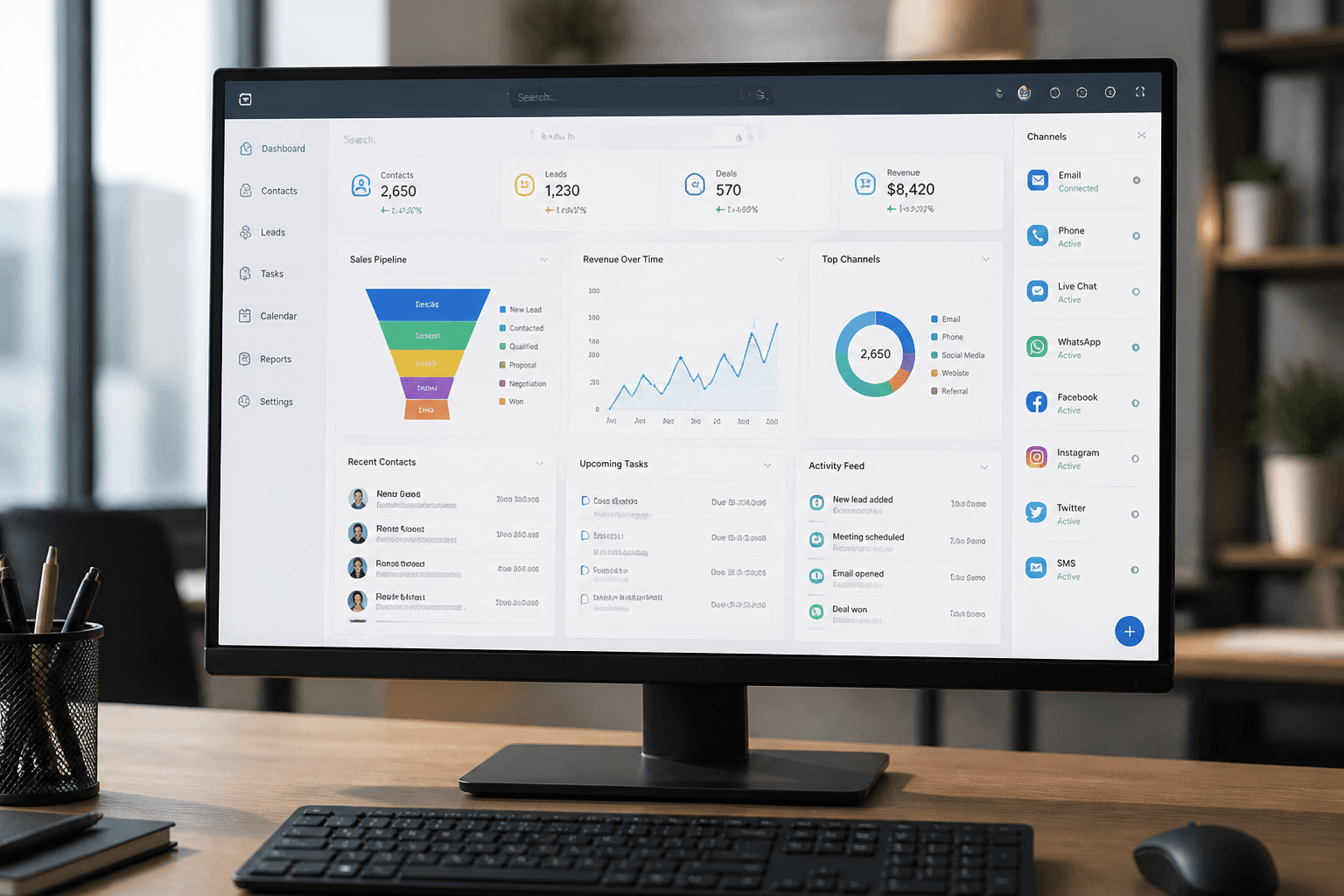
Let's keep this simple. An email CRM is one system that remembers every customer, every email and every next step. That's it.
But I don't think of it as just software. It's more of a habit for your whole team: every lead, every message and every follow-up lives in one place, and everyone can see it. The software just makes that habit easy to keep.
Here's the quick version of how the pieces connect:
Step | What happens |
|---|---|
1. Lead sources | IndiaMart, TradeIndia, Facebook Ads and website forms send in enquiries |
2. Central database | Every lead becomes one contact record with its full history |
3. Email and follow-ups | Segmented campaigns and automatic replies go out from that same record |
4. Pipeline tracking | You see each deal's stage, owner and next action |
The Three Pillars Inside
Every good email CRM stands on three legs. Miss one and the whole thing wobbles.
A central contact database. One record per person or company. It shows the enquiry, the quote you sent, the call notes and every email, so a new rep can pick up the thread in two minutes.
Built-in email marketing. You can send campaigns to the right groups, like "steel pipe buyers in Pune" or "quote sent, no reply." No exporting lists into another tool.
An automation engine. This sends the first reply, schedules the follow-up and reminds your rep to call. It's the part that works while you sleep (or sit at that Sunday family dinner).
A Day-One Example
Say a parent fills out a "Book a demo class" form on a Bengaluru tuition centre's website. The CRM creates a contact record and emails demo slots right away. If there's no booking after 2 days, it sends class timings and fees. Then it reminds the counsellor to call on day 3. Simple. Nothing falls through.
Swap in a buyer asking for 500 units and the same flow works for a trading company.
How It Differs From Mailchimp or a Contact List
A tool like Mailchimp is great at sending emails and counting opens. But it mostly knows names, emails and a few tags. It doesn't know which deal is stuck, who owns it or what price you quoted.
A plain contact list is even thinner. It's a phone book, not a memory.
An email CRM joins both to your sales pipeline. Email activity feeds the deal, and the deal decides which email goes next. That's why a small business email CRM like Leadopal combines lead capture, email campaigns and follow-ups in one login, instead of leaving you to stitch three tools together.
So what should such a tool actually do for you? Let's look at that next.
7 Essential Features Your Small Business Email CRM Must Have in 2026
Not every CRM is built for how Indian MSMEs sell. Plenty of global tools look great in a demo, then fall apart the first time you ask, "Can it pull my IndiaMart leads?" So here's a checklist you can carry into any demo call.
Features 1 to 3: Get Every Lead In and Talk to Buyers
1. Direct integrations with Indian marketplaces. This one's non-negotiable. If your CRM can't connect to IndiaMart, TradeIndia and JustDial, someone on your team will copy and paste leads all day. And that someone will miss a few. Ask for a live connection, not a promise that "a developer can set it up." Leadopal, for example, pulls these leads in automatically, along with Google Ads, Facebook Ads and website forms.
2. One inbox for WhatsApp and email. Your buyers live on WhatsApp. Your quotes live in email. Splitting them is how conversations get lost. The official API is the way to go here, because Meta's own comparison shows the Business app and the Business Platform serve very different needs. The API lets several people share one number and connect it to your CRM. A shared inbox also means you, as the owner, can finally see what your reps are promising. No more chats trapped on personal phones.
3. Email campaigns with segments and your own sender name. You want to mail "quote sent, no reply" buyers differently from "repeat customers." Look for segmentation plus a custom domain, so emails come from your brand and not a random address. That's the whole point of a CRM with email marketing built in.
Features 4 and 5: Quote Faster and Automate the Boring Stuff
4. GST-compliant quotes and invoices from the deal record. Picture this: the buyer says yes, and your accountant starts a fresh Word file. Painful. Your CRM should turn a deal into a quote, then an invoice, in a few clicks. Per CBIC's invoice rules, a tax invoice needs things like GSTIN, HSN or SAC codes, place of supply and a serial number unique for the financial year. If the tool can't handle CGST, SGST and IGST splits properly, skip it. A payment QR code on the invoice is a nice bonus too.
5. A drag-and-drop automation builder. Most owners I know aren't coders (and shouldn't need to be). You should be able to say, "When a lead arrives, assign it to Rahul, send a reply, remind him in 2 days." Then build that by dragging boxes. Not writing scripts. That's how automated email follow-up in a CRM becomes something you actually use.
Want to stop losing leads?
See how Lead Opal helps you capture, track, and follow up on every lead — automatically, across WhatsApp, Email & SMS.
Features 6 and 7: Keep Your Team Accountable
6. Lead assignment and sales targets. You need to hand leads to the right rep, set a monthly target for each person and see progress over time. Weekly, monthly, quarterly. Gut feel stops working once you have more than three reps.
7. Role-based access and one dashboard. Your accounts person shouldn't see everything, and your newest rep shouldn't export your whole customer list. Good permissions fix that. Add one dashboard showing lead sources, email results and WhatsApp activity, and you'll finally know which channel earns its money.
Your Quick Evaluation Checklist
Print this, or pull it up during your next demo. Global tools vary a lot, so the "generic" column shows what's common, not a rule.
Evaluating an Email CRM for Your Indian Business | Generic Global CRM | India-Focused CRM |
|---|---|---|
Native IndiaMart, TradeIndia, JustDial leads | ✘ Usually needs add-ons | ✔ Built in |
Official WhatsApp API in a shared inbox | Partial, often extra cost | ✔ Built in |
Email campaigns and segmentation | ✔ | ✔ |
GST-compliant quotes and invoices | ✘ Rarely | ✔ |
No-code automation builder | Partial, can be complex | ✔ |
Sales targets per rep with history | Partial, higher plans only | ✔ |
India-friendly pricing | ✘ Often priced in dollars | ✔ |
If a tool scores seven ticks, you've probably found your match. Next, let's see how these features work together once a lead is in.
From Lead to Loyal Customer: How an Email CRM Automates Your Sales Growth

Features are nice. But what does an email CRM actually do on a normal Tuesday? Let's walk through three everyday situations, one at a time.
Scenario 1: The Instant Follow-Up
A buyer fills out the quote form on your website at 9:40pm. Without a CRM, that form sits in an inbox until morning. With one, things move on their own.
The lead is assigned to a rep (say, Rahul) in seconds. Rahul gets a notification on his phone. The buyer gets a warm, personalised email that uses their name and the product they asked about. Rahul also gets a task to call the next morning.
Here's how the flow looks:
Step | What happens | Who does the work |
|---|---|---|
1. New lead | Website form is submitted | Buyer |
2. Auto-assign | Lead goes to the right rep | CRM |
3. Rep alert | Rahul gets a notification | CRM |
4. Welcome email | Personalised reply goes out at once | CRM |
5. Call task | Reminder is created for tomorrow | CRM |
Speed matters here. One B2B response-time playbook puts the average B2B reply time at 42 hours. Your buyer hears from you in under a minute. That alone sets you apart.
Scenario 2: Nurturing a Cold Lead
Not every buyer replies. Maybe they were just comparing prices. Maybe they got busy. Most owners give up after one call, and honestly, who has time to chase everyone?
Your CRM does, quietly. When a lead goes silent, it drops them into a 3-part email sequence over 15 days. For a manufacturer, that might look like this:
Day | Goal | |
|---|---|---|
Day 3 | A useful guide or specification sheet | Show you know your product |
Day 9 | A short customer story or quality proof | Build trust |
Day 15 | A special offer or a free sample | Invite a reply |
The sequence stops the moment the buyer answers, and the lead moves to the next pipeline stage. No awkward "just checking in" messages after they've already replied.
One tip: keep it helpful. A B2B nurture framework suggests roughly three value emails for every soft sales ask. So don't turn it into a sales blast. Also, only email people who've given you permission, and always include an unsubscribe link.
Scenario 3: Improving Sales Accountability
This one is for you, the owner or sales head. Picture asking, "Did anyone call that Pune buyer?" and getting a straight answer in ten seconds.
In a CRM, every lead has a timeline. You can see:
When the lead came in and who got it
When the first reply and first call happened
What was said in emails and WhatsApp chats
Which stage the deal is in right now
No more guessing. No more "I think I sent the quote."
This also changes how you coach. Say one rep takes six hours to respond while another takes twenty minutes. You can sit down together and look at real numbers, not hunches. Or maybe a rep is great at first calls but loses deals after the quote goes out. Now you know exactly where to help. Leadopal, for example, shows this in one dashboard with the pipeline, email and WhatsApp activity side by side.
Question you can answer | Where you find it |
|---|---|
How fast do we reply? | Lead activity timeline |
What did the rep promise? | Email and WhatsApp history |
Where do deals get stuck? | Pipeline stages |
Who needs coaching? | Rep-wise reports and targets |
So that's what it looks like in real life. Next, let's talk about how to set all of this up without chaos.
Getting Started: Your 5-Step Plan to Implement an Email CRM Successfully
Buying the software is the easy part. Getting it to stick? That's where most small teams stumble. Here's a simple plan you can follow, one step at a time.
Before You Buy: Map the Process and Pick the Platform
Step 1: Map your current sales process. Grab a pen and a blank page. Write down how a lead moves today, from first enquiry to money in the bank. Who gets the IndiaMart lead? Who calls? Who sends the quote? Where does it get stuck?
It takes about an hour, and it's worth it. A 2026 implementation review lists skipped discovery as a common reason first CRMs fail. Otherwise you just automate a messy process faster.
Keep your pipeline short. Something like New, Contacted, Quote Sent, Negotiation, Won, Lost is plenty.
Step 2: Choose a platform built for you. Now you know what you need, so shop with a purpose. Pick an India-focused tool over a generic global one. Check three things:
Budget: Is pricing in rupees, with no surprise add-ons?
Features: Does it connect to IndiaMart, TradeIndia and JustDial, and handle WhatsApp and GST invoices?
Local support: Can someone help you in your time zone, in a language you're comfortable with?
A small business email CRM like Leadopal covers all three, which is why it's on many MSME shortlists. Ask for a demo using your own lead sources.
Getting Your Data and First Automation Ready
Step 3: Import and clean your data. Don't upload your messy spreadsheet as is. Bad data kills trust fast. One 2025 data report is not needed here; the point is simple: dirty records make people stop using the system. Use this quick clean-up:
Back up the original file first.
Keep one row per contact, with headers in the first row.
Write phone numbers the same way, with +91.
Fix email typos and delete blank rows.
Remove duplicates, keeping the most complete record.
Save as a UTF-8 CSV, then test with 20 contacts before the full upload. GCORS has a handy spreadsheet checklist if you want more detail.
Start with basic fields only: name, company, phone, email, lead source, owner, stage and next action. You can add more later.
Step 4: Build your first automation. Keep it small. A welcome email for every new lead is the best place to begin. Set it up like this:
Trigger: a new lead arrives from any source.
Action 1: assign it to a rep.
Action 2: send a short, friendly email with the buyer's name and product.
Action 3: create a call task for the next morning.
That's it. With a drag-and-drop builder, it takes maybe 15 minutes. Add a 2-day follow-up once this works.
Making It Stick With Your Team
Step 5: Train your team and drive adoption. A CRM only works if people use it. Every day. So make it useful for them, not just for you.
Involve your reps early. Ask what annoys them today.
Start with the minimum fields, not a 30-field form.
Pick one champion who answers questions.
Run weekly pipeline reviews from the CRM, not from spreadsheets.
Praise fast follow-ups and clean updates.
Once reps see reminders saving them from missed calls, they usually stop grumbling.
Want all of this on one page? Download the CRM Implementation Checklist PDF, which sums up each step with action points you can tick off.
So that's the plan. Let's wrap up what it all means for your business.
Stop Juggling Tools and Start Closing Deals
Let's bring it back to that Sunday night enquiry. The buyer wasn't lost because your team is lazy. He was lost because the lead lived in a screenshot, a personal chat and a spreadsheet nobody trusted. That's a system problem. And systems can be fixed.
An email CRM built for Indian MSMEs fixes it in four ways:
Captures every lead. IndiaMart, TradeIndia, JustDial, ads and website forms all land in one pipeline.
Professionalizes communication. Emails and WhatsApp chats stay in one thread, under your brand, not on someone's personal phone.
Automates follow-ups. The first reply goes out in seconds, and reminders keep cold leads warm.
Holds the team accountable. You see who called, who didn't and where deals get stuck.
No more guessing. No more paying for leads and then watching them go cold.
You don't need to change everything this week. Map your process, clean 20 contacts and set up one welcome email. That's a real start. Then see how it feels when a new lead arrives and the system just handles the first step.
If you're ready to move past the chaos, Leadopal brings lead capture, email campaigns, WhatsApp, quotes, invoices and sales targets into one login. It's made for how Indian MSMEs actually sell.
See How Leadopal Unifies Your Sales & Marketing in One Platform