

Introduction: Are Your Email Inbox and Spreadsheets Costing You Sales?

It's 9:40 on a Tuesday morning. An IndiaMART enquiry just pinged your phone. A website form came in overnight. And a buyer replied to last week's quotation email, which is now buried under 60 other messages.
Sound familiar?
Here's the painful part. Speed wins deals. A 2025 survey of 939 B2B companies found that replying within five minutes led to a 32% close rate, while waiting up to 24 hours dropped it to 15%. That's less than half. Your team probably isn't lazy. The leads are just scattered across too many places.
And all that hopping around adds up. One analysis says workers switch between apps more than 1,100 times a day. Every switch is a chance to forget a follow-up.
That's where an email crm comes in. Think of it as the bridge between your inbox and your sales pipeline. Emails get linked to the right lead, so you can track emails in crm records without copying anything by hand. No more guessing who replied to whom.
Here's the difference at a glance:
The messy setup | The unified setup | |
|---|---|---|
Where leads live | Excel, Gmail, WhatsApp, marketplace dashboards | One pipeline |
Follow-ups | Remembered (or not) | Reminders and tasks |
Email history | Hunt through the inbox | Sits on the lead's record |
Who owns the lead | Unclear | Assigned to one person |
In this guide, we'll look at how email and crm integration works, what to look for in a crm for msme india, and how to get started. The goal is simple: unify email and sales pipeline so fewer leads slip away.
The High Cost of Disconnected Systems: Why Manual Email Tracking Fails
Picture your sales process as a bucket with holes in it. You pour leads in at the top, and some of them just drip out the bottom. Here's where the holes usually are:
The leak | What it looks like | What it costs you |
|---|---|---|
Slow response | A TradeIndia enquiry sits unread until evening | The buyer already talked to someone else |
No follow-up | One quote goes out, then silence | A warm lead goes cold |
Data errors | Wrong figure in a Word quote or Excel row | Lost trust, rework, missed reminders |
Let's look at each one.
Leads Go Cold While Nobody's Looking
IndiaMART, TradeIndia and JustDial leads are shared with other sellers too. Your buyer is probably messaging three suppliers at once. If your reply lands tomorrow, you're already behind.
And many leads never get a reply at all. One 2026 benchmark says 23% of B2B web leads receive no follow-up. Nearly one in four. Ouch.
There's an Indian story that shows how this adds up. A vendor-published case study (so take it with a pinch of salt) describes a business owner named Vikram who lost an estimated ₹80 lakh in deals over 18 months. He had 38 high-intent leads that got one proposal and one call, then nothing. Nobody was nudged to try again.
Managers Can't See What the Team Is Saying
Here's a question. If your best salesperson quit tomorrow, would you know what they promised your top ten buyers?
For a lot of MSMEs, the honest answer is no. Quotes sit in personal inboxes. Price talks happen on personal WhatsApp numbers. The manager hears about a deal only when it's won, or lost. By then it's too late to help.
That's not a trust problem. It's a visibility problem. You can't coach what you can't see.
Copy-Paste Work Creates Mistakes
Manual data entry feels harmless. Copy a name here, paste a number there. But it's where small slips creep in. Common manual entry errors include swapped digits, missing phone numbers, duplicate contacts and stale records.
Now picture a quote built in Word. You type ₹4.20 lakh instead of ₹4.02 lakh. Or the follow-up date never makes it into the sheet. The lead isn't lost on purpose. It just becomes invisible to every reminder you have.
The fix isn't working harder. It's making email, leads and follow-ups live in one place, which is what an email CRM does. Next, we'll look at how that actually works.
What is an Email CRM Integration? A Simple Explanation for Business Owners
Let's skip the tech talk. An email CRM just means your inbox and your sales pipeline work as one system. Whether you use Gmail, Outlook or an address like sales@yourcompany.in, the emails don't sit alone anymore. They attach themselves to the right lead.
One simple definition: email and crm integration connects your email and CRM so messages, contacts, lead status and follow-up tasks stay linked in one customer record.
Think of a Digital Filing Cabinet
Picture an old office cabinet. Every customer has a folder. Quotes, letters and notes all go inside.
Now imagine a helper who drops every email into the correct folder. Automatically. And the whole team can open that cabinet, not just one person.
That's basically what happens when you track emails in crm records. A buyer in Rajkot replies to your quote, and the reply shows up on their lead card. Nobody copies or pastes anything. Nobody has to ask, "Did we reply to him?"
Here's the before and after:
Before: separate tools | After: one email CRM | |
|---|---|---|
Lives in each person's inbox | Linked to the lead's record | |
Spreadsheet | Updated by hand (sometimes) | Replaced by one pipeline |
Lead sources | IndiaMART, TradeIndia, forms, all checked separately | All feed into one place |
Team view | Only the person who wrote the email | Everyone with access sees the history |
Email Client vs. True Integration
Gmail and Outlook are great email clients. But they don't know who your lead is, which stage the deal is in, or what was promised last week.
A unified CRM inbox is different from a shared mailbox. A shared inbox answers, "Who can see this email?" A real integration also answers, "Which lead is this, who owns it, and what happens next?"
So what should a proper setup give you?
Shared visibility: the whole team sees the same thread, not just one inbox.
Automation: emails get matched to contacts, and follow-up tasks get created without manual work.
Sales context: you see deal stage, owner and past messages beside every email.
Some tools only copy messages into the CRM. That's not the same thing. Look for two-way sync, where replies sent from the CRM also show up in your mailbox.
A platform like Lead Opal builds this in, with a unified inbox for email conversations right next to your leads. Next, let's look at what that unified setup actually does for your business.
5 Game-Changing Benefits of a Unified Email and CRM Platform
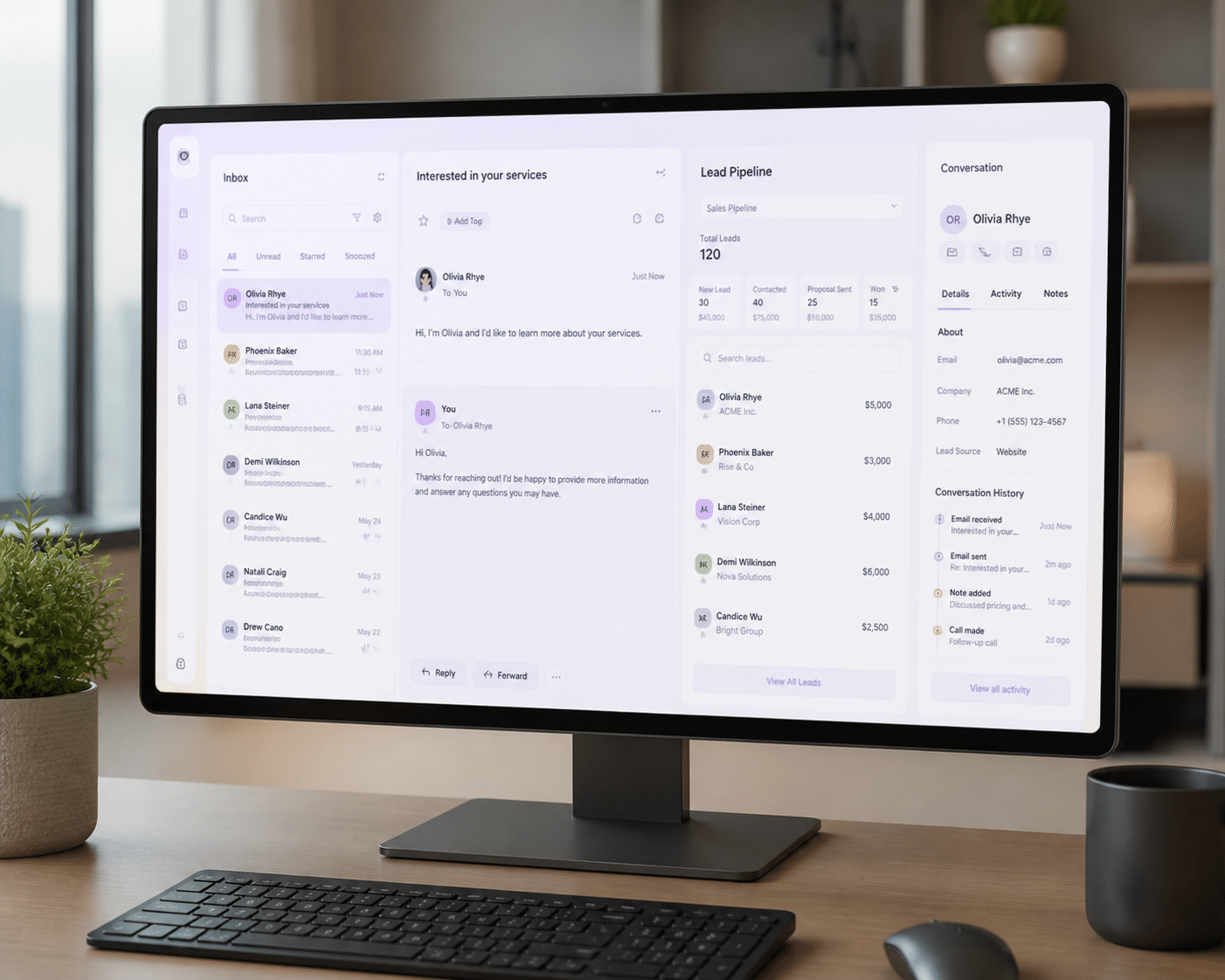
So what do you actually get when your inbox and pipeline finally work together? Here are five things I'd put at the top of the list. Some are big. Some are small but sneaky.
Benefits 1 and 2: Nothing Gets Lost, Nothing Gets Late
Benefit 1: One place for the whole conversation. Every email, quote and note sits on the lead's record. Say Anil from your Ludhiana team goes on leave. Priya picks up his buyer and reads the full history in two minutes. No "Can you forward me that old mail?" messages. That matters, because sellers spend roughly 60% of their week on non-selling work, and hunting for context is a big piece of it.
Benefit 2: Follow-ups that start without you. A new lead arrives from IndiaMART at 11pm. A good setup sends a first email right away, then creates a call task for the morning. Automated email follow-up in crm tools means the buyer hears from you while they're still interested. One vendor-published manufacturing case (so, a pinch of salt again) reported 45% faster lead response after automating lead capture and assignment. Speed without extra headcount. Nice.
Benefits 3 and 4: Visibility and Smarter Campaigns
Benefit 3: Managers can finally see what's going on. When you track emails in crm records, you can check which quotes went out, which replies are waiting and which deals have gone quiet. Coaching gets easier because you're looking at real messages, not guessing. It also keeps the sales process the same for everyone. (And nobody has to feel watched. It's just a shared window.)
Benefit 4: Email campaigns that match the buyer. This is where crm with email marketing really shines. Your pipeline already knows who is a hot lead, who got a quote and who just became a customer. So you can send each group a different message. A lead-nurturing case study reported 50% more sales-ready leads and 33% lower costs after a company matched content to funnel stages and shared CRM data with sales. Results vary, of course. But the idea is solid: don't send the same newsletter to everyone.
Benefit 5: Quotes and Invoices Without the Word-Document Dance
Remember the ₹4.20 lakh vs ₹4.02 lakh typo from earlier? Building quotes by hand invites that. When quoting lives inside your sales crm with email tracking, you pick the lead, pick the items, and send a branded quotation straight from the record. Then you see when the buyer replies.
Lead Opal, for example, handles quotations (including variations), tax invoices and payment QR codes in the same system as the lead. Fewer tabs. Fewer mistakes. A shorter gap between "send me a price" and "here's the payment."
Quick Recap
Benefit | Pain Point Solved | Impact on Your Business |
|---|---|---|
Centralized communication history | Emails buried in personal inboxes, messy handovers | Anyone can pick up a lead without starting over |
Automated, timely follow-ups | Slow replies and forgotten second calls | Faster first response, even at night |
Full team visibility | Managers hearing about deals only when won or lost | Easier coaching and a consistent process |
Data-driven email marketing | One generic email sent to everybody | Better targeted campaigns and warmer leads |
Faster quoting and invoicing | Typos, slow documents, delayed payments | Shorter sales cycle and a more professional look |
Benefits are nice, but only if the tool fits how Indian MSMEs actually sell. Let's look at what to check before you pick one.
What to Look For: Key Features of an Email CRM Built for India in 2026

Not every email crm fits an Indian MSME. Some are built for big US sales teams with a full-time admin. You don't have that. So here are the four features I'd check first, before you look at anything else.
Feature 1: A Unified Inbox the Whole Team Can Use
This one comes first for a reason. You want a shared inbox where managers can see every rep's email conversations, and reps can work on a lead together without leaving the CRM. No forwarding. No "CC me on that."
Ask the vendor one simple thing: is the sync two-way? A reply sent from the CRM should also show in the mailbox. If it doesn't, you're back to copy-paste. Lead Opal, for example, keeps all email conversations in one unified inbox right beside your leads, which is the setup you're after.
Want to stop losing leads?
See how Lead Opal helps you capture, track, and follow up on every lead — automatically, across WhatsApp, Email & SMS.
Feature 2: A Drag-and-Drop Automation Builder
Most MSME teams don't have a coder on staff. And honestly, you shouldn't need one. A good tool lets you build automated email follow-up crm workflows by dragging blocks around, like "new lead arrives, send email, create call task for tomorrow."
Try building one during the demo. If it takes more than 10 minutes, or the vendor says "we'll set it up for you at extra cost," that's a warning sign.
Feature 3: Native Links to IndiaMART, TradeIndia and JustDial
This is where global tools often struggle. IndiaMART's own API needs a CRM key, and its Pull method checks for leads only every five minutes at the fastest. Add Zapier in the middle and you get more things that can break: expired keys, bad field mapping, duplicate contacts.
So pick a crm for msme india that connects to these portals directly. Leads should land in your pipeline and get assigned on their own. Lead Opal connects with IndiaMART, TradeIndia, JustDial, Google Ads and Facebook Ads, so nobody has to copy anything from a dashboard.
Feature 4: Email Templates for Quotes and Invoices
You send the same kinds of mails every day. Quote attached. Invoice attached. Payment reminder. So you want ready-made, editable templates with your logo, GST details and items filled in from the lead's record.
That's what makes a sales crm with email tracking useful, since you can also see when the buyer replied. Less typing, fewer typos.
Your Email CRM Evaluation Checklist
Print this, or just keep it open during demos. Tick off what you can.
Feature | Ask this during the demo | Tick |
|---|---|---|
Unified inbox | Can my whole team see and reply to the same thread, with two-way sync? | ☐ |
Can I build a follow-up workflow myself, with no code? | ☐ | |
Indian lead sources | Does it connect natively to IndiaMART, TradeIndia and JustDial? | ☐ |
Duplicate handling | What happens when one buyer sends three enquiries? | ☐ |
Sales documents | Can I send a GST-ready quote or invoice from the lead record? | ☐ |
Permissions | Can I show each person only the modules they need? | ☐ |
Four or more ticks? You're in good shape. Next, let's talk about how to actually connect your email, step by step.
How to Integrate Your Email with a CRM: A 4-Step Action Plan
Good news. You don't need a six-month IT project to get this working. For a small team, the basic setup can take an afternoon. One 2026 MSME guide puts initial setup at two to four hours, though the harder part is building the daily habit. So here's the plan, one step at a time.
Step 1: Pick One All-in-One Platform
This is the step that saves you the most headaches. Don't buy a CRM, then an email tool, then a connector to glue them together. Every extra tool is one more thing that can break on a busy Monday.
Look for a platform where crm with email marketing comes built in. Lead Opal, for example, puts leads, email campaigns, a unified inbox, WhatsApp and invoicing under one login. Nothing to wire together.
Start small, though. Plan one pipeline, one sales team and a short list of must-have fields. You can add more later.
Step 2: Connect Your Email Accounts
Next, link your mailbox. It's usually quicker than people expect.
Here's the usual flow:
Open the email settings in your CRM.
Choose your provider, such as Google Workspace or Microsoft 365.
Sign in and click "Allow" on the permission screen.
Add your custom sender name, like sales@yourcompany.in, if you want branded sending.
Send a test email to yourself and check that it shows up on the lead's record.
One safety tip. Never share your mailbox password with anyone, and skip any tutorial that asks you to switch off security settings. Proper setups use a sign-in permission screen instead. Some mailboxes use IMAP and SMTP, but your CRM will tell you if that applies.
I can't point you to one perfect video for every mailbox type (they all differ a bit). So search your CRM vendor's own help channel for your exact provider, and you'll get the right clicks.
Step 3: Set Up Your First Automated Follow-Up
Now the fun part. Don't build ten automations. Build one.
The highest-impact first move is usually simple: capture the lead, give it an owner, and send a quick reply. Here's a starter workflow for automated email follow-up crm teams can copy:
Block | What it does |
|---|---|
Trigger | A new lead arrives from Facebook Ads |
Wait | Pause for 5 minutes |
Action 1 | Send your Welcome Email template |
Action 2 | Assign the lead to a sales rep |
Action 3 | Create a call task for that rep, due in 30 minutes |
Why wait 5 minutes? It feels human, and it still beats the 24-hour crowd by a mile. Build it with drag and drop. If it takes you more than 10 minutes, something's off.
Then run a test lead through it. Watch it land, get the email and show a task. And when it works? Pretty satisfying.
Step 4: Get Your Team Using It (Not Their Personal Inboxes)
The tool is the easy bit. Habits are harder. Teams often stall because staff keep working the old way, and managers keep accepting old reports.
A few things that help with centralized email management:
Set a go-live date. After that day, quotes and follow-ups go from the CRM only.
Run pipeline meetings from the CRM. If the spreadsheet still gets reviewed, nobody will update the CRM.
Pilot first. Try it with one small group before the whole company.
Ask your reps. What do they actually use today? Build around that.
Show the "what's in it for me." Faster access to history, fewer missed follow-ups, clearer credit for wins.
Train in short bursts. A 20-minute huddle each week beats one long session.
Track one simple number: how many open leads have an owner, a stage and a next action. When that climbs, you're winning.
Setup is done. But does this really move the needle for a business like yours? Let's look at a real-world picture next.
Real-World Example: How a Pune-Based Wholesaler Grew 25% with Email CRM

Quick note first. This is an illustrative story, not a named company. I built it from the patterns in the research so you can picture the change. Real results will vary.
Meet Kulkarni Traders, a made-up fastener and hardware wholesaler in Pune. Nine people, two sales reps, and about 300 enquiries a month.
Before: Five Places, Zero Clear Owners
Enquiries came from IndiaMART, TradeIndia and the website. Each one got typed into an Excel sheet by whoever had a free minute. Quotes went out from personal Gmail accounts. Follow-ups lived in people's heads.
The owner, Mr. Kulkarni, had a nagging feeling that money was slipping away. He just couldn't prove it. First replies took around six hours, and no one could say which quotes were still waiting.
After: One Pipeline and a 2 Minute Reply
They moved to an email CRM and connected their mailboxes. Then they built one simple workflow:
An IndiaMART enquiry arrives and gets assigned to a rep.
A welcome email goes out within 2 minutes.
A call task appears for the rep.
A reminder fires three days after every quote.
The sales manager could now open any lead and read every email on it. No more "Did we reply to him?" questions. Quotes and invoices went out from the same record, with payment QR codes attached.
"We didn't realize how much money we were leaving on the table until we could see and respond to every email in one place."
Mr. Kulkarni, owner (fictional)
The Results After Six Months
Measure | Before | After |
|---|---|---|
Lead-to-order conversion | 16 in 100 leads | 20 in 100 leads (a 25% rise) |
First reply time | About 6 hours | About 2 minutes |
Time on manual data entry | About 10 hours a week | About 5 hours a week (50% less) |
Average invoice payment time | 38 days | 29 days |
Small numbers on paper. Big difference on the shop floor.
A Quick Reality Check
Why did it work? Mostly because of faster replies, a clear owner for every lead, and steady quote follow-up. Not because of fancy newsletters.
Other Indian cases point the same way. One CRM consultancy's audit reported follow-up completion rising from 55% to 82% after 90 days once reminders were automated. That's also vendor-published, so take it lightly. And honestly, 25% is on the happy side for a first CRM. A 10 to 20% lift is the more realistic plan.
So what would your own numbers look like? Let's wrap this up and figure out your next move.
Conclusion: Stop Juggling Tools, Start Closing Deals
Let's bring it home. A split-up email and sales process quietly drains money from most Indian MSMEs. Not with a loud crash. More like a slow drip, one cold lead and one forgotten quote at a time.
The good news? The fix is simpler than you'd think. When you unify email and sales pipeline in one place, three big things change:
You never miss a lead. IndiaMART, TradeIndia, JustDial, ads and web forms all land in one pipeline with a clear owner.
Follow-ups run themselves. A quick welcome email, a call task and a reminder after every quote. No memory needed.
You see everything. Every email sits on the lead's record, so managers can coach with real messages instead of guesses.
And you don't need to do it all at once. Pick one painful workflow. Maybe it's the 9:40am enquiry that sits unanswered. Fix that first, watch the numbers for a month, then add more. Honestly, that's how most good changes stick.
Here's the thing about doing nothing. It isn't free. You're already paying for it in slow replies, lost quotes and hours spent hunting through inboxes. A single platform turns that hidden leak into one predictable monthly cost.
So what's your next move? Take the checklist from earlier into a demo. Ask the hard questions. Build one automation yourself. If you want to see how an all-in-one email CRM built for Indian MSMEs feels, Lead Opal is a good place to start.
Ready to Unify Your Sales & Marketing?
Your leads, emails, WhatsApp chats and invoices can live in one place. Stop juggling tools and start closing deals.
Explore an All-in-One Platform Today