

Stop Juggling Tools: The Case for an Integrated SMS CRM in Your MSME
Picture a trader in Ludhiana. Let's call him Rakesh. Last month, a big buyer sent an enquiry through TradeIndia. It landed in a shared email inbox, right between a GST reminder and a supplier newsletter. Nobody saw it for three days. By then, the buyer had already ordered from someone else.
Sound familiar? I'd bet it does.
How Most Indian MSMEs Handle Leads Today

Here's the usual setup. Leads come in from IndiaMart, Facebook ads, Google ads and website forms. Someone copies them into a spreadsheet. Sales reps chat with buyers on personal WhatsApp. Emails go out from a separate account. Nothing talks to anything else.
It works, kind of. Until lead volume grows.
What This Mess Actually Costs You
When tools don't connect, three things go wrong. Leads get lost. Follow-ups come late. And you can't see who's selling what.
The numbers are rough. One India-focused benchmark found that leads contacted within 5 minutes converted at 21%, while leads contacted after 24 hours converted at just 2.3%. The same report put the median response time among Indian businesses at 42 hours. (That's a long time to keep a buyer waiting.)
To be fair, that's an industry benchmark, not a government survey. But the direction is hard to argue with.
One Hub Instead of Five Tools
So what's the fix? An integrated SMS CRM. Think of it as a central hub. Your lead sources feed into one pipeline. Texts, follow-ups and reminders fire automatically. Your team sees every conversation and every deal in one place.
That's the idea behind platforms like Leadopal, built for Indian MSMEs that want sms marketing automation without stitching together five different apps. Actually, scratch that, no need to look at any one platform yet. First, let's get clear on what an SMS CRM really is, and why it's more than a bulk message sender.
What is an SMS CRM? More Than Just Bulk Messaging
Quick question. If a tool can blast 10,000 texts at once, is it an SMS CRM? Nope. Not even close.
It's a Lead System First, a Text Tool Second

An SMS CRM is a lead management system where text messages are one of your main ways to talk to buyers. The CRM part keeps every contact, deal and note in one record. The SMS part reaches people on a channel they actually read. One 2026 benchmark estimated SMS open rates at roughly 45 to 55% for Indian D2C brands, against 18 to 25% for email. Treat that as a vendor estimate, since results shift with consent quality and message type. Still, texts get seen.
Bulk Sender vs. a Real SMS CRM
A basic SMS blaster, like MSG91 or Textlocal, does one job. You upload a list, press send, and check a delivery report. Fine for a festival offer.
But what happens when a buyer replies, "Send price for 500 pieces"? With a blaster, that reply goes nowhere useful. A true SMS CRM catches it, links it to the right contact, and tells your rep. Tools like CallHippo log messages against the contact record and connect with HubSpot, Salesforce and Zoho. Others add a shared team inbox for two-way conversations, so anyone can see the history.
Here's the simple version of how it grows:
Stage | What it does | What's missing |
|---|---|---|
Bulk SMS sender | Sends one message to a big list | No replies, no history, no follow-up |
SMS with automation | Triggers texts after forms or events | Still sits apart from your leads |
SMS CRM | Two-way chats, contact records, segments | Needs lead sources connected |
Integrated all-in-one platform | Leads, SMS, WhatsApp, email and invoices together | Nothing left to copy by hand |
Integration Is What Changes the Game
Sorry, I know that phrase gets overused. But here it's true. Without integration, even a smart SMS CRM is just another tab. Connect it to your lead sources, and it becomes the command center. An IndiaMART enquiry lands, gets assigned, and gets an automated SMS follow-up within minutes. Your team sees everything in one place.
That's the gap platforms like Leadopal try to close for Indian MSMEs. Before we get to how, let's look at what the disconnected version really costs you.
The Real Cost of Disconnected Systems for Indian MSMEs
A messy setup feels harmless when you're busy. But the bill shows up in lost orders, not in your software invoice. Here's where the money quietly leaks out.
Lead Leakage From IndiaMART, TradeIndia and JustDial
Every marketplace has its own dashboard. Someone checks IndiaMART in the morning, TradeIndia after lunch, and JustDial... whenever they remember. Then they copy details into a sheet. Phone numbers get mistyped. Duplicates pile up. A hot enquiry sits unseen.
This isn't just an Indian problem. A 2026 test of 1,000 B2B companies, shared by GetRespondly on LinkedIn, found that 63% never replied to an enquiry at all. Only 20% replied within the first hour.
So what does that cost? One scenario model from Calliyo imagines a 10-agent Indian business with 400 eligible leads a month. If only 40 to 50% get timely follow-up, it could lose ₹3 to 8 lakh monthly. That's a model, not an audit. Still, it's worth running your own numbers.
Sales Chats Stuck on Personal WhatsApp
Here's one I see a lot. A rep negotiates a big order on their own phone. Prices, promises, delivery dates, all sitting in one chat. Then the rep quits. The new person starts from zero.
Enquiries that never get copied into a CRM can also vanish from your pipeline reports. You can't fix a leak you can't see. A 2026 survey of 5,000+ business leaders by Zenzap found 35% worried about protecting company data when staff leave. (It's a vendor survey, so read it as a signal.)
Reports That Don't Add Up
Say you spent ₹50,000 on Facebook ads this month. Leads went to a sheet. Deals got closed on WhatsApp. Invoices came from Tally. Which ad actually made money? Nobody knows.
McKinsey calls this kind of setup a "patchwork" of platforms and says true ROI has to count integration, upkeep and staff time, not just subscriptions. Without that, you're guessing where to put next month's budget.
Manual vs. Integrated: Side by Side
Metric | Manual workflow | Integrated workflow |
|---|---|---|
Lead response time | Hours or days, depends on who checks the dashboard | Minutes, with automated SMS acknowledgement |
Data entry errors | Typos, duplicates, missing numbers | Leads flow in directly, fewer hand edits |
Sales team accountability | Hard to see who did what | Every follow-up logged per rep |
Rep handover | Chat history leaves with the person | Full history stays on the contact record |
Reporting | Ad spend, sales and invoices live apart | One view from ad click to invoice |
Seeing the cost is the easy part. Next comes the fun bit: what a connected setup actually needs.
The 4 Pillars of a Powerful SMS CRM Integration Strategy
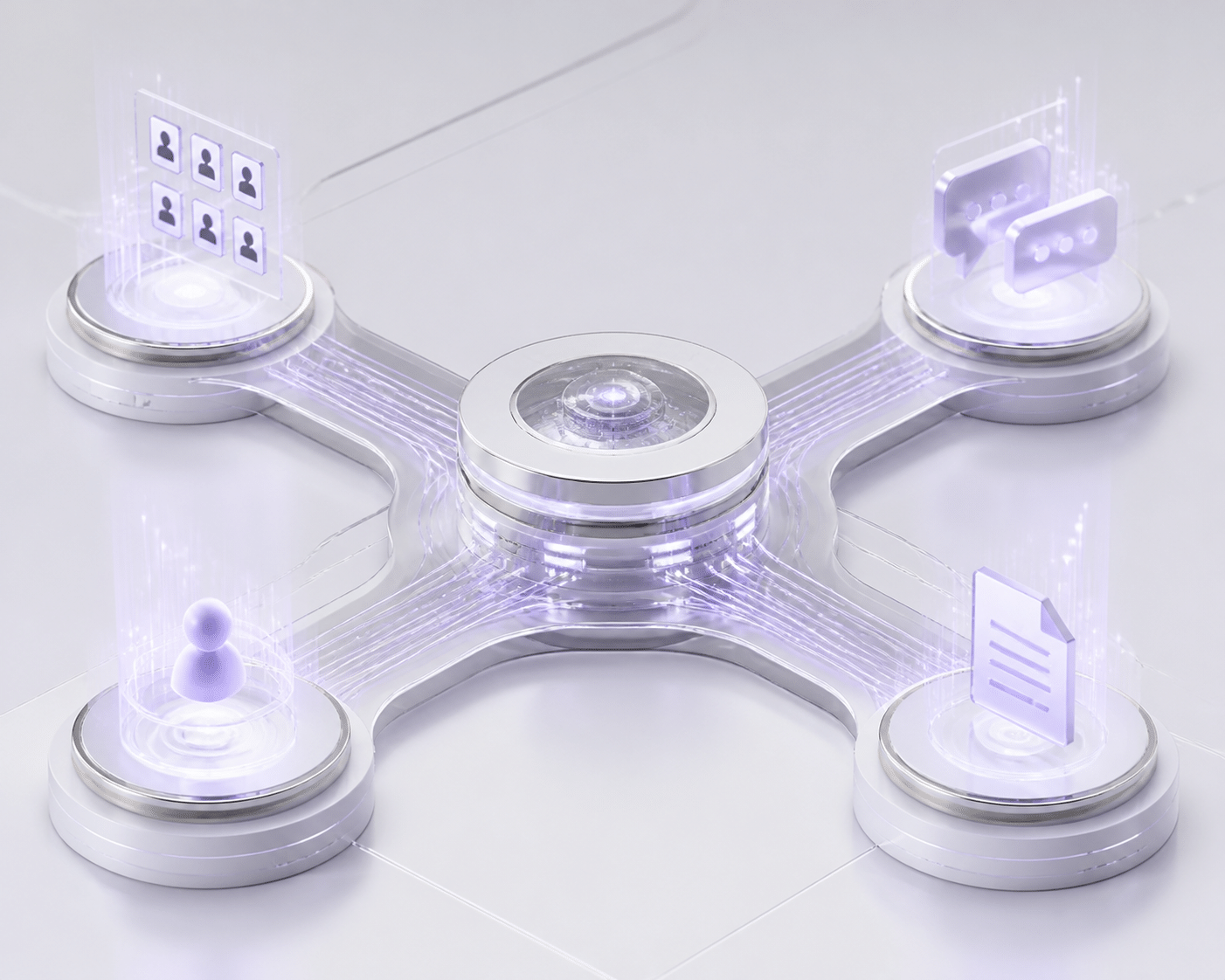
OK, so you've seen what the mess costs. Now let's build the fix. I think of it as four pillars. Skip one and the whole thing wobbles.
Pillar 1: Centralize Your Lead Sources
Start where the leads start. Every marketplace, ad account and web form should feed one pipeline. No exceptions.
For an Indian MSME, that usually means IndiaMart lead integration first, then TradeIndia and JustDial. Next come Google Ads and Facebook Ads lead forms. Last, your website forms. Most platforms connect these through a built-in link, a webhook or a connector tool. A webhook is just an automatic ping that says "hey, new lead!" when something happens. (Sounds fancy. It's really not.)
Here's a quick map of what flows where:
Lead source | What arrives | What should happen next |
|---|---|---|
IndiaMart, TradeIndia, JustDial | Buyer name, phone, product enquiry | Lands in one pipeline, no dashboard hopping |
Facebook and Google Ads | Form fills with campaign details | Tagged by campaign, so you see which ad pays |
Website and custom forms | Contact details, consent | Logged with source, ready for a text |
One tip: test for missing phone numbers and duplicates before you go live. Bad data breaks SMS fast.
Pillar 2: Unify Every Conversation
Leads are only half the story. The other half is what your team says to them.
When SMS, WhatsApp and email all land in the same contact record, you get one timeline. Oldest message to newest. Who said what, and when. A new rep opens the record and knows the whole story in about 30 seconds. That also fixes the personal WhatsApp problem from earlier, since the chat history stays with the company, not the phone.
Plus, you can pick the right channel for the job. A short text for a quick nudge. A WhatsApp message for photos of your catalogue. Email for the formal quote. Same buyer, one record.
Pillar 3: Automate the Boring Sales Work
Here's where speed comes from. You don't need a giant setup. Start with two or three simple rules.
A new lead arrives and gets assigned to a rep by product, city or turn.
The buyer gets an automated SMS follow-up: "We got your enquiry for [product]. Our team will call you shortly."
The rep gets an instant SMS alert so they can act in minutes.
If nobody touches the lead in a set time, a reminder goes out.
That's it. It sounds small, but remember the benchmark from earlier: replying in 5 minutes versus 24 hours is the difference between 21% and 2.3% conversion. Even if your own numbers differ, speed clearly matters. Always check consent and opt-out handling before turning any text automation on.
Want to stop losing leads?
See how Lead Opal helps you capture, track, and follow up on every lead — automatically, across WhatsApp, Email & SMS.
Pillar 4: Connect Sales to Finance
This one gets forgotten. A deal isn't done when the buyer says yes. It's done when the money lands.
So link quotations and invoices to the same CRM record. When a quote goes out, you can schedule a follow-up text. When the deal closes, an invoice is created. When payment arrives, the deal is marked paid. Nobody chases a spreadsheet, and you can finally see which lead source turned into real revenue.
Some MSMEs keep Tally or Zoho Books for accounts, and that's fine. Just confirm how it connects before you commit. Others pick an all-in-one sales platform that has invoicing built in, which is one less thing to sync.
Four pillars, one hub. Now comes the practical part: how to actually plan and roll this out without breaking your day-to-day sales.
How to Plan and Execute Your Integration: A 5-Step Guide
OK, time to actually do this. Good news: you don't need a developer or a three-month project plan. You need a notebook, a free afternoon and a bit of patience.
Get Your House in Order First
Step 1: Audit your tools and find the bottlenecks
Write down every tool your team touches. Spreadsheets, the IndiaMART dashboard, personal WhatsApp, the email account, Tally, all of it. Next to each one, note who uses it and where someone copies data by hand. That copy-paste spot is your bottleneck.
Want a head start? A free tech stack audit template from HelloGrowthCRM covers cost, usage and integrations. But honestly, a plain sheet works fine.
Two checks that save headaches later: are phone numbers saved in one format, and do you know which contacts agreed to get texts?
Step 2: Pick one painful problem
Resist the urge to fix everything. Choose the single most annoying leak. For lots of traders, it sounds like this: "Capture every IndiaMART lead automatically and send an instant welcome SMS."
That's a goal you can measure. Note your current first-response time for 30 days before you change anything. Otherwise you won't know if it got better. (I've skipped this step before. Regretted it.)
Choose and Connect
Step 3: Choose a platform with ready-made connections
Here's where a lot of MSMEs lose weeks. A generic global CRM may need a freelancer, a connector tool or custom code just to read an IndiaMART enquiry. Pre-built connections skip all that.
So look for native links to IndiaMART, TradeIndia, JustDial, Facebook Ads and Google Ads. Leadopal, for example, ships with these built in, plus custom webhooks and a form builder. Whatever you shortlist, ask the vendor to show you a live demo of your exact workflow. Also ask about opt-out handling, test numbers and whether you can export your data later.
Step 4: Connect your accounts
This part is less scary than it sounds. For most native integrations, it goes like this:
Log in to your platform.
Open the Integrations page.
Click the lead source you want, like IndiaMART.
Sign in to that account and click authorize.
Check the fields, such as name, phone and product enquiry, land in the right spots.
Switch on your automated SMS follow-up rule.
For tools without a native link, connectors like Make offer a Facebook Lead Ads module where you pick "Create a connection" and follow the prompts. Same idea, one extra step.
Test It, Then Grow It
Step 5: Test, monitor and expand
Before a real buyer touches this, run a fake one through. Submit a test enquiry using your own number. Then check five things:
Did the lead appear in the pipeline, with the right source?
Did a rep get assigned and alerted?
Did the welcome SMS arrive, and how fast?
When you reply, does it show on the contact record?
When you reply STOP, does the system stop texting you?
Found a bug? Good. Better you than a customer. Watch the first week closely, then add the next source. IndiaMART first, then TradeIndia, then ads, then invoicing. One at a time.
Here's a simple checklist to copy into your notebook:
Stage | Question to answer | Done? |
|---|---|---|
Audit | Have I listed every tool and every manual copy step? | |
Goal | Is my first goal one sentence with a number attached? | |
Data | Are phone numbers clean, duplicates removed, consent known? | |
Platform | Does it connect to my lead sources without custom code? | |
Connect | Are fields mapped and the welcome SMS rule switched on? | |
Test | Did a test lead pass all five checks above? | |
Expand | Do I know which source I'm adding next, and when? |
Once this runs smoothly, the interesting part begins: seeing what changes for businesses like yours.
Before and After: Real-World Scenarios for Integrated MSMEs

Theory is nice. But what does this look like on a Tuesday morning in an actual office? Here are three examples. They're composite pictures built from common MSME setups, not named customers, so treat them as illustrations rather than audited results.
Scenario 1: The Building Materials Wholesaler
Picture a cement and tiles wholesaler in Jaipur. Enquiries come from IndiaMart and a few local directories. One person types them into Excel at the end of the day. Some get a call. Some don't. It depends on who's busy.
Now switch on an integrated SMS CRM. Every enquiry drops straight into one pipeline, no typing. The system checks the buyer's city and hands the lead to the right territory rep. The buyer gets a quick text within minutes, and the rep gets a reminder if nothing happens.
Before
- Leads copied into Excel by hand, often a day late
- Follow-ups depend on memory
- No one knows which directory brings real orders
After
- Leads captured automatically from every source
- Assigned by territory, no arguing over who owns what
- Automated SMS follow-up and rep reminders scheduled
Scenario 2: The B2B Service Provider
Next, a small facilities and maintenance company. The sales team writes quotes in Word. They send them from personal email. Payments? Tracked in a separate sheet that someone updates "when they get time." Honestly, I've seen this exact setup more than once, and the client never knows if the quote even arrived.
With everything connected, the CRM builds a clean, professional quote from the deal record. It goes out by integrated email. A triggered SMS a day later nudges the client to take a look. And when payment comes in, the deal status flips on its own.
Before
- Quotes made in Word, sent from personal inboxes
- Payment status lives in a separate sheet
- Clients chased by whoever remembers
After
- Quotes generated inside the CRM and emailed from it
- SMS reminder prompts the client to review
- Deal marked paid automatically when money lands
Scenario 3: The FMCG Distributor
Last one. A distributor with eight field reps. Monthly targets sit on a whiteboard in the manager's cabin. Talking to retailers happens over phone calls and personal WhatsApp. When a rep is on leave, nobody knows what was promised.
Here the dashboard shows target achievement as it happens, rep by rep. SMS and WhatsApp conversations are logged against each contact record. The manager can open any retailer and read the history in a minute.
Before
- Targets tracked on a whiteboard, updated weekly (maybe)
- Conversations scattered across calls and personal chats
- Manager reviews depend on what reps remember
After
- Live target view on one dashboard
- SMS and WhatsApp history saved on the contact record
- Manager reviews based on facts, not guesses
Do These Gains Show Up in Real Numbers?
Sometimes, yes. One vendor-published manufacturing case study reported a 97% cut in lead response time, 40% lower manual sales costs and 25% higher revenue after automating sales work. That's a vendor's own story, not an independent audit, so don't expect the same results. Your own baseline matters more, which is why that 30-day measurement from the planning steps pays off.
Platforms like Leadopal are built around exactly these three patterns: lead capture, quotes with invoicing, and rep targets in one place. So what's the bigger picture once all of this is running together?
From Scattered Data to a Unified Growth Engine
Remember Rakesh from Ludhiana? His buyer didn't walk away because Rakesh was a bad businessman. The enquiry just got buried. That's the whole story, really.
Here's what I hope you take from all this. Integrating an SMS CRM isn't a scary tech project. You don't need a developer or a three-month plan. It's a business decision: stop paying for slow replies and lost enquiries with your own revenue.
What do you get in return? Three things, mostly.
Full visibility. Every lead, chat and deal sits in one pipeline, whatever source it came from.
Speed and accountability. Automated texts go out in minutes, and you can see which rep did what.
Better decisions. You finally know which ad, marketplace or rep brings in real money.
And the payoff can be real. A CFIB report on small business digital transformation found that digital leaders averaged a 34% productivity gain and $2.40 back for every $1 invested. It's a Canadian study, so treat it as a direction, not a promise.
So what's next? Start small. Pick one leak, measure it for 30 days, and look for an all-in-one platform built for Indian MSMEs. You want one that pulls in IndiaMart, TradeIndia, JustDial and ad leads, handles SMS, WhatsApp and email, and does quotes and billing too, all at a price that makes sense for you. If you'd like to see how that looks in practice, take a look at Leadopal and compare it with what you use today.
How many more leads can you afford to lose before you unify your systems?