

Introduction: The Hidden Cost of a Disorganized Sales Inbox

Here's a number that stings: 55% of companies take more than five days to respond to a new lead. That's a cross-industry figure, not an Indian MSME average (nobody has measured that well yet). But if you run a small business in India, it probably feels familiar.
Picture a Tuesday afternoon. An IndiaMart enquiry lands in one person's Gmail. A JustDial lead sits in another phone. A website form goes to an inbox nobody checks. Then someone pastes half of it into an Excel sheet.
Sound messy? It is.
Where the lead comes from | Where it often ends up |
|---|---|
IndiaMart | A personal Gmail or Outlook inbox |
JustDial | A salesperson's phone |
Website form | A shared inbox nobody owns |
Follow-up notes | A spreadsheet that's already out of date |
This is how lead leakage happens. Nobody decides to ignore a buyer. The enquiry just gets buried. Replies come late, and owners can't see who said what to whom.
The cost adds up fast. Take a simple example from one Indian business post: 20 unanswered leads a month, a 5% close rate and a ₹50,000 average sale. That's ₹6 lakh lost in a year. It's only an illustration, and your numbers will differ. Still, it shows how a quiet habit becomes an expensive one.
The fix isn't working harder in the same inbox. It's using proper email software, ideally inside an all-in-one platform like Lead Opal, so every lead has an owner and every reply is visible. First, let's clear up what that actually means.
What is a Sales Email Management System (and How is it Different from Gmail)?

Let's start with a simple picture. Gmail is a personal notebook. It holds your conversations, and it does that job well. But a sales email management system is more like a shared control room, where the whole team can see what's going on.
That's the short version. Here's the longer one.
Gmail Is an Inbox, Not a Sales System
An email client is where one person sends, reads, searches and files messages. Gmail does this nicely. The trouble starts when a sales team tries to use it as a pipeline.
Gmail organizes single conversations. It doesn't track deals, stages, owners or next steps. Labels are also private to each mailbox, so teammates can't automatically see how another rep has sorted or moved a conversation. And reminders? Those live in someone's head, or in a spreadsheet that's already stale.
So you end up with three gaps:
No shared view of who owns which lead
Manual follow-ups that people forget
No easy way to answer "which deals are stuck?"
What Sales Email Software Adds
Sales email software connects your inbox to a shared customer database, usually called a CRM. Each email gets linked to a contact, a company and a deal. So when a buyer replies, the message lands on the right record instead of floating around.
That link is the big deal. A CRM-integrated email system can log activity, trigger reminders, support templates and give team-level reports. Gmail alone can't do those things natively.
Then there's the unified inbox. Managers can see conversations from every rep in one place, so nothing hides on a personal device. If a salesperson leaves, the history stays. That matters more than most owners think. In car dealerships, for example, one report says about 80% of customer and salesperson communication happens on personal devices. That's a different industry, but the risk is the same for any small team.
This is the kind of setup Lead Opal builds in. Email lives next to your leads, so every thread has a home.
Gmail vs. Integrated Email Software
Gmail or a free email client | Integrated email software | |
|---|---|---|
Lead tracking | Manual, usually in a spreadsheet | Each email linked to a lead or deal |
Team visibility | Each person sees only their own inbox | Managers see all rep conversations in one place |
Automation | Little to none built in | Reminders, templates and follow-up sequences |
Reporting | Basic, hard to tie to sales | Pipeline and activity reports by rep and stage |
None of this means Gmail is bad. It's great for personal mail. It just wasn't built to run a sales team. Next, let's look at what happens when you bring every channel into one place.
Centralize to Conquer: Unifying All Sales Communication in One Place
You know that feeling when you open five tabs just to answer one buyer? IndiaMart in one. TradeIndia in another. Gmail, a spreadsheet, and maybe WhatsApp on your phone. By the time you've found the right thread, the buyer has moved on.
That constant hopping costs more than you'd think.
The Hidden Price of Tab Hopping
A Harvard Business Review study of 137 employees found people switched between apps and websites about 1,200 times a day. They spent nearly four hours a week just getting their heads back into the task. That's roughly 9% of working time, or about 40 minutes in an eight-hour day. (The 40 minutes is my own math from that percentage, not a measured number for sales reps.)
Now picture a sales rep in Ludhiana or Surat checking marketplace dashboards all day. Each switch is a small tax. Add them up and a good chunk of the day goes to finding things, not selling.
This is where centralized email management earns its keep. Instead of chasing leads across tools, they arrive in one place. Lead Opal pulls enquiries from IndiaMart, TradeIndia, JustDial, ad platforms and website forms into a single pipeline. Email sits right beside them in a unified inbox.
Here's the before and after:
Before | After | |
|---|---|---|
Where leads arrive | IndiaMart, TradeIndia, Gmail, WhatsApp, Excel | One central pipeline |
Checking for new enquiries | Opening 4 or 5 tabs | Opening one screen |
Finding an old reply | Searching inboxes and phones | Opening the lead's record |
Who owns the lead | Unclear | Assigned and visible |
One Lead, One Complete History
Here's the second win. When every email is linked to a lead, you get a full timeline. Who wrote first, what price was quoted, when the last follow-up went out. All of it sits in one spot.
And anyone on the team can see it. Say a buyer calls while their usual rep is out sick. Whoever picks up the call can read the whole story in under a minute. No "let me check and call you back." No awkward asking the customer to repeat everything.
Owners get something out of this too. You can finally see what's been said without peeking over anyone's shoulder.
When a Salesperson Leaves
People quit. It happens, and it usually happens at a bad time.
If their conversations live on a personal phone or private inbox, the history walks out with them. In car dealerships, one report says each departing salesperson may take about 3,250 customer interactions with them. Wait, actually, that figure comes from a dealership trade source, so treat it as a sign of the risk, not an MSME average. Still, the pattern is easy to picture in any small team.
With centralized email, the thread stays with the company. A new rep opens the lead, reads every message, and picks up where the last person stopped. The buyer barely notices the change.
That's business continuity, in plain words. Next up, let's look at how to put the repeat work on autopilot.
Automate to Accelerate: Putting Repetitive Follow-Ups on Autopilot
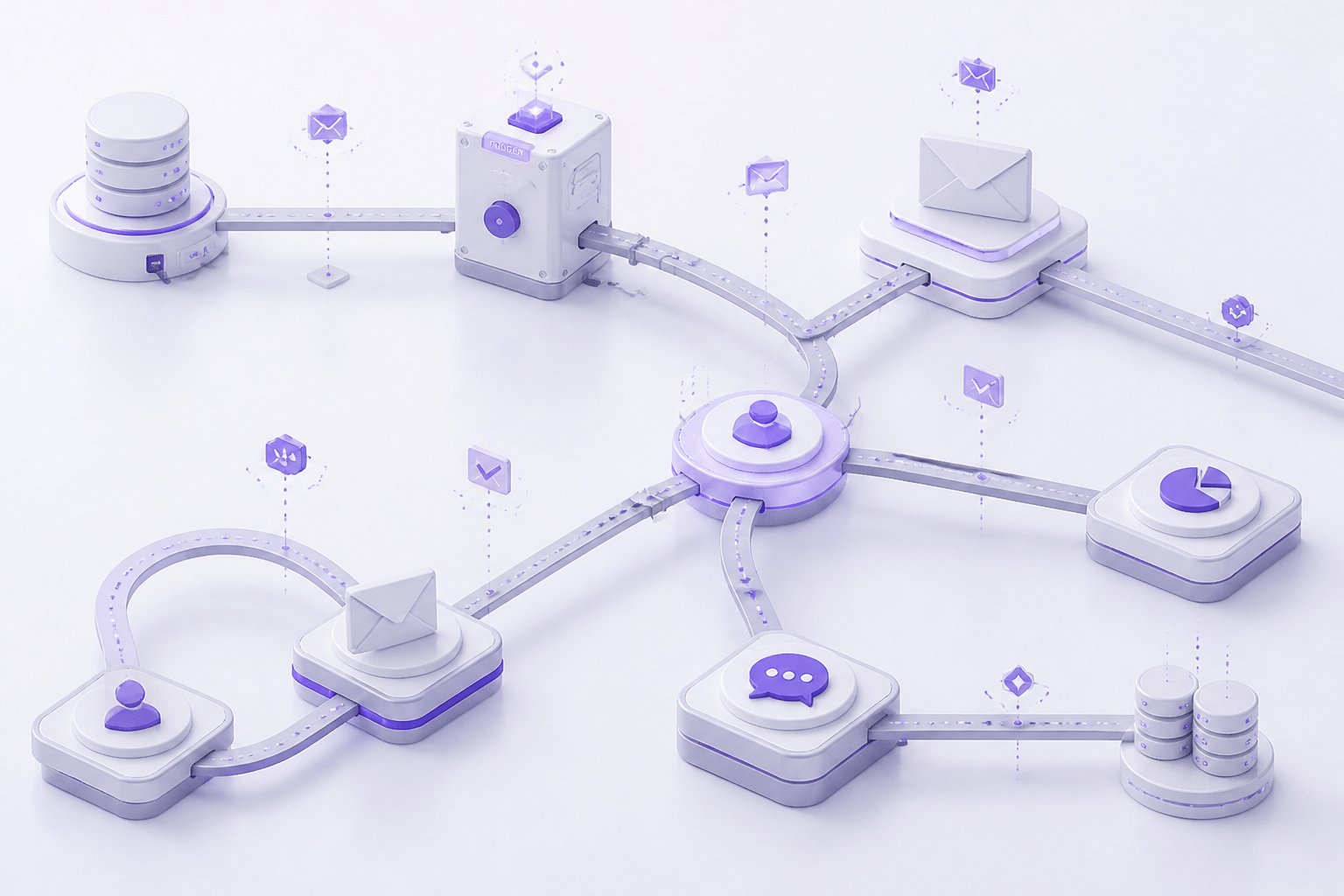
I'll be honest. Most small teams don't lose leads because reps are lazy. They lose them because the same five emails get typed out by hand, over and over, until somebody skips one.
That's where email automation helps. You set a rule once, and the software handles the routine chasing. Your people save their energy for calls, quotes and negotiation.
One vendor-reported range puts the lift from automated follow-up programs at 15 to 25% on lead-to-customer conversion. Treat that as a rough guide, not a promise. Your own baseline is what matters.
Start With the Instant Thank You
Picture an IndiaMart enquiry landing at 9:40pm. Nobody's at their desk. Without automation, that buyer waits until morning, and by then two competitors have already replied.
With automation, a thank-you email goes out within seconds. It can carry your company profile, a product catalogue and a line saying a team member will call shortly. The buyer feels noticed. Your rep still makes the real call the next day.
Speed is the whole point here. A 2025 to 2026 summary cites research saying leads contacted within five minutes are far more likely to convert than those contacted after ten or thirty.
Here's what a simple workflow looks like:
Step | What happens |
|---|---|
1. Trigger | New lead arrives from a Facebook ad |
2. Instant action | Welcome email goes out right away |
3. Wait | Pause for 2 days |
4. Follow-up | Email with a short case study is sent |
5. Stop rule | If the lead replies, the sequence pauses and a rep takes over |
That last row matters. Nobody likes getting a "just checking in" email after they've already answered.
A Simple 3-Part Drip for Website Enquiries
Not every lead is ready to buy on day one. A short drip campaign keeps you in their mind without any daily effort.
The Sapper Consulting guide for manufacturers shares a six-email nurture that got a 19% response rate and seven quote opportunities in 45 days. That's one case, not a benchmark. But the idea is easy to shrink down. Here's a 3-email version I'd try for a website form lead:
Day 0: Thank them, share your brochure, and say what happens next.
Day 3: Send a case study or photos of a similar order you've delivered.
Day 7: Ask a plain question, like "Would a quick call this week help?"
Three emails. That's it. Don't overbuild it.
Templates for the Questions You Hear Every Day
Automation covers the first touch. Templates cover the daily replies. Think pricing requests, product specs, minimum order quantities, delivery timelines. Your reps probably answer these 20 times a week.
Save each answer once, in clear language, with your branding and the right terms. Then a rep picks the template, changes the buyer's name and the product, and hits send. It takes seconds, not 15 minutes. Everyone sends the same approved wording too, so prices don't wander from rep to rep.
A word of caution: templates should start the conversation, not replace it. Review custom pricing before it goes out.
Lead Opal's drag-and-drop Automation Builder lets you set this up without a developer. Next, let's look at how you can tell which of those leads are actually getting warm.
From Guesswork to Growth: Using Email Tracking to Prioritize Hot Leads
Your rep has 40 open leads and one afternoon. Who gets the first call? Most teams go by gut feel, or by whoever emailed last. That's guesswork, and it burns hours.
Email tracking swaps the guess for a clue.
Want to stop losing leads?
See how Lead Opal helps you capture, track, and follow up on every lead — automatically, across WhatsApp, Email & SMS.
What Email Tracking Software Actually Tells You
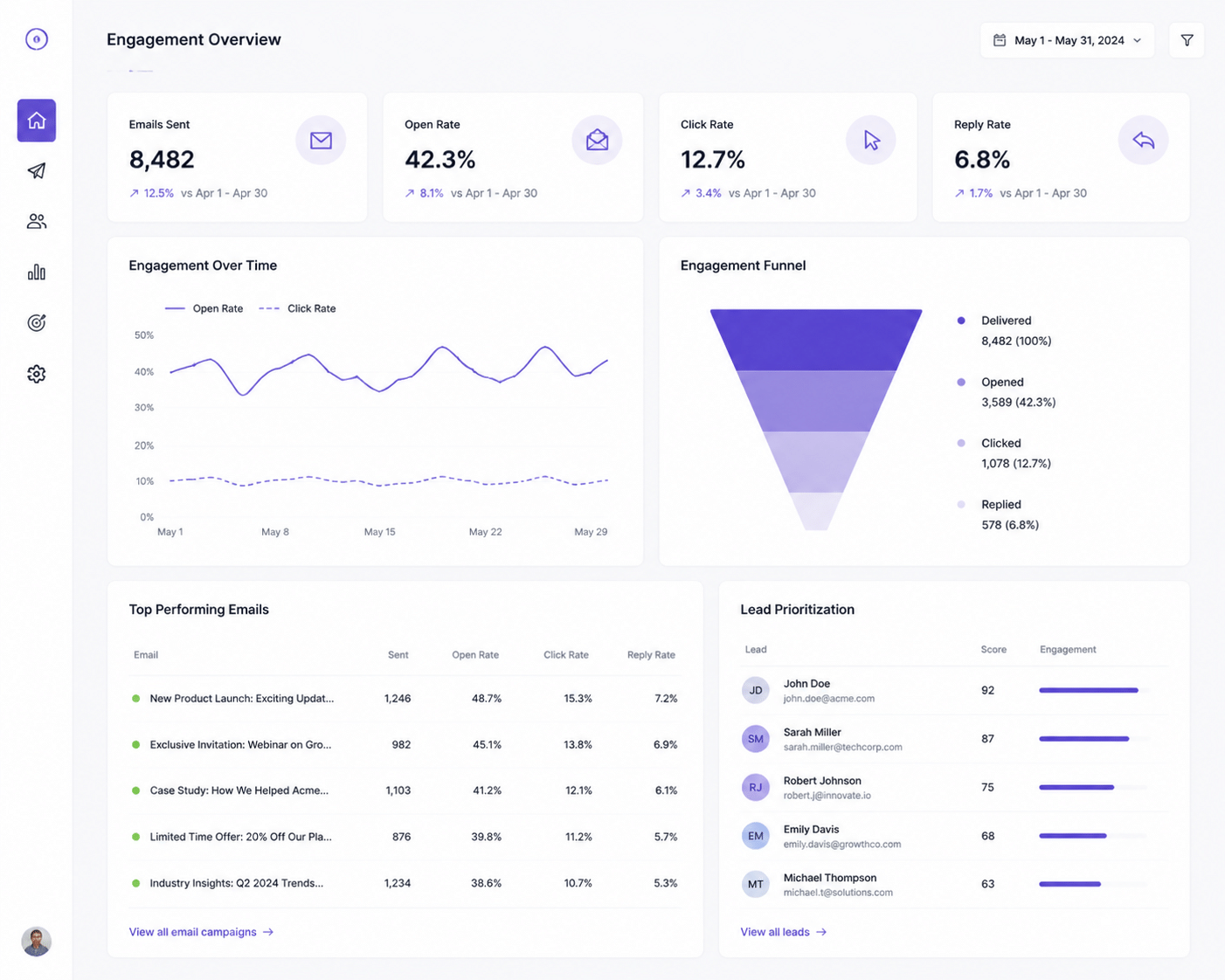
Email tracking software shows you three things: who opened your email, when they opened it, and whether they clicked any links. Nothing fancy. But when that data sits on the lead's record, it starts to mean something. Lead Opal has a dedicated email analytics dashboard, so these numbers live right next to your pipeline.
Here's what a simple view could look like (the names are made up):
Contact | Opens | Link clicks | Last activity | Smart next move |
|---|---|---|---|---|
Sharma Traders | 4 | 3 (price list) | Today, 11:20am | Call now |
Patel Industries | 2 | 0 | 3 days ago | Send a short follow-up |
Rao Enterprises | 1 | 0 | 9 days ago | Leave in the nurture sequence |
One warning, though. Opens are shaky. Sender notes that Apple Mail Privacy Protection can inflate open rates. And MailerLite's analysis of over 3 million campaigns found a 2025 average open rate of 42.35% but a click rate of just 2%. So clicks and replies tell you far more.
Quick tip: Read an open as "they saw it." Read a click as "they're curious." Read repeat clicks or a reply as "call them today."
Stop Chasing Cold Leads, Start Calling Warm Ones
This is where productivity jumps. A rep who sees that a buyer clicked your price list three times knows exactly who to ring first. The lead who never opened anything? They can wait. Let your automated drip keep nudging them while your rep spends time on people who are actually leaning in.
You don't need a complicated score either. Start with a plain rule: reply or repeat click means call within the hour. Silent for two weeks means a lighter touch.
Managers can keep it simple too. Smartlead suggests a weekly look at sends, open rate, reply rate, positive replies, bounce rate and meetings booked. Slower numbers, like deals closed, need a longer window because weekly samples jump around.
Which Lead Sources Bring the Most Engaged Buyers?
Here's the part marketing managers tend to love. Every lead carries a source tag: IndiaMart, JustDial, Facebook Ads, Google Ads or your website form. Compare email engagement by source and patterns pop out.
Say Facebook leads open your emails but never click, while IndiaMart leads keep clicking the catalogue. (That's a made-up example, so check your own data.) You'd probably rethink where the next ₹50,000 of ad spend goes.
One caution. Don't stop at clicks. HubSpot recommends tracking lead-to-customer rate and revenue per email, so you're judging sources by sales, not just curiosity. I couldn't find India-specific data linking opens to sales, so your own numbers are the best guide.
Once you know who's warm, the next question is how your emails look when they land. That's up next.
Build Credibility and Trust with Professional, Branded Communication
Picture this. A buyer in Pune gets a quotation from "sharmatraders2019@gmail.com." The email is one long block of text. No logo, no signature, no phone number. Would you send a ₹5 lakh order to that sender? Probably not. At least not without a few calls first.
Looks matter. Even in B2B.
Why a Custom Domain Beats a Free Address
A free Gmail or Yahoo address tells buyers you might be a one-person shop. An address like sales@yourcompany.in says you're a real, established business. It's a small change with a big effect on first impressions.
The numbers back this up, loosely. An Exclaimer breakdown of how business emails are judged found that 44% of people cited a professional company-domain address as a trust factor. And 24% were reassured by a clear logo or branding. These are survey results from general email recipients, not Indian MSME buyers, so treat them as a hint.
Lead Opal lets you set up a custom domain and sender identity for branded sending. So every rep's email comes from your company name, not a personal inbox.
Templates That Look Like You Meant It
Basic email makes good design hard. You paste a table from Excel, the fonts break, and the logo stretches. Email software fixes this with ready-made templates you build once and reuse.
Here's what a good set might include:
Quotation email: logo, quote number, product list, minimum order quantity, delivery time, GST details and payment terms
Order confirmation: PO number, quantities, dispatch date and transporter details
Product launch or newsletter: one strong photo, short specs and a "Request a sample" button
Announcements: new price list, holiday closures or a new warehouse address
Keep the layout simple. One column, clear headings, one main button. It also reads better on a phone, which is where plenty of buyers will open it.
5 Signs Your Emails Look Unprofessional
Quick self-check. How many of these sound like your team?
You send quotes from a free Gmail address.
Every email is a wall of plain text, with prices buried in paragraphs.
Signatures are missing, or different for every rep.
Subject lines say only "Quotation" or "Requirement."
Logos, fonts and contact details change from person to person.
Two or more? Your buyers have probably noticed. A named sender, your own domain, a specific subject line and a complete signature fix most of it.
Send the Right Message to the Right Group
Here's the other half of looking professional: not sending everyone the same email. A distributor in Nagpur doesn't care about a retail offer. A brand new lead doesn't need your dealer price list.
Audience segmentation solves this. You split contacts into groups, like "Distributors in Maharashtra" or "New Leads for Product X," and send each group something that fits. Lead Opal's email marketing includes audience segmentation, so lists come from your lead data instead of a messy spreadsheet.
Segment | What to send |
|---|---|
Distributors in Maharashtra | New stock, volume pricing, delivery timelines |
New leads for Product X | Brochure, case study, a quick intro call offer |
Dormant buyers | Updated catalogue and a simple "still interested?" note |
Repeat customers | Reorder reminders and early access to new products |
Relevant emails get read. Irrelevant ones get ignored, or worse, marked as spam. Next, let's figure out what to look for when you actually pick a tool.
Choosing the Right Email Software: Key Features for Indian MSMEs
So you're sold on the idea. Now every vendor claims to be the best email software for small business. How do you cut through the noise?
Start with what your team actually does all day. Not what a feature list says.
The Non-Negotiable Checklist
Here's the short list I'd print and stick next to the monitor. If a tool misses more than one or two of these, keep looking:
Marketplace integrations: Direct pipes from IndiaMart and TradeIndia (and ideally JustDial, Google Ads and Facebook Ads), so leads land without copy-pasting.
CRM and email together: Every message sits on the lead's record, not in a separate inbox.
WhatsApp and SMS built in: Plenty of Indian buyers answer on WhatsApp before they ever open an email.
A simple automation builder: Drag and drop, no developer needed.
Quotes and GST invoicing: More on this below.
Role-based permissions: Reps see their leads. Owners see everything.
Clear India pricing: Transparent limits on contacts, messages and users.
Why the stress on simple? Because setup is where many owners get stuck. In one 2025 survey of 2,879 MSMEs, 36.8% said navigating and setting up digital tools was somewhat or very challenging. A tool your team can't set up is just an expensive bookmark.
This is the all-in-one idea in plain terms. Lead Opal, for example, covers lead capture, email, WhatsApp, SMS, automation and billing in one login.
Why Quote-to-Invoice in One Place Matters
This one gets overlooked. Picture a rep who gets an enquiry, sends a quote from an email template, and the buyer replies "OK, go ahead." In many teams, someone now retypes the same products, rates and GSTIN into Word, Excel or a separate billing app.
That retyping is where typos creep in. It's also where payments get delayed.
With invoicing inside the same platform, the quote turns into a GST-ready invoice without starting over. Lead Opal's billing suite handles quotations with variations, sales and tax invoices, and QR codes for payment. The details stay attached to the lead, so nobody has to hunt for them. Faster quotes, fewer errors, quicker cash. Not flashy, but it adds up.
Standalone Tools vs. All-in-One Platform
Standalone tools | All-in-one platform | |
|---|---|---|
Lead integration | Connectors or manual uploads for each tool | Marketplaces and ad platforms feed one pipeline |
Data sync | Copy, paste or pay for connectors | One record per lead, shared by every module |
Total monthly cost | Roughly ₹5,500 to ₹10,000 for five users | Roughly ₹5,000 to ₹12,500 for five users |
Team training | Several logins and layouts to learn | One tool to learn |
Unified reporting | Reports split across apps | Sales, email, WhatsApp and SMS in one dashboard |
Those cost ranges are indicative list prices from a 2026 India CRM comparison, not an official market average. And no, all-in-one isn't automatically cheaper. The real saving is fewer duplicate subscriptions, less data cleanup and less admin time. Add up your own total, including GST, message credits and contact limits, before you decide.
Once you've picked a tool, there's one more step: making the case for it. Let's wrap this up next.
Conclusion: Transform Your Email from a Liability into Your Most Productive Asset
So here's where we land. Email isn't just a way to say hello to buyers. For a growing Indian MSME, it's part of the sales engine, and engines need proper parts.
A free inbox can't carry that load for long. Gmail is a fine notebook. But a team that chases IndiaMart, JustDial and website leads needs a shared control room.
Key Takeaways for Boosting Your Sales Productivity
Centralized control: One pipeline, one inbox, one history per lead. No more tab hopping, and no lost threads when a rep leaves.
Automation that works: Instant thank-you emails, a simple 3-part drip and saved templates handle the routine chasing.
Data-driven priorities: Clicks and replies show who's warm. Call them first.
A professional look: A custom domain, a named sender and clean templates build trust before the first call.
Fit for India: Marketplace integrations, WhatsApp and GST-ready quotes beat a low sticker price.
Your One-Week Email Audit
Here's the step I'd actually take. Don't buy anything yet. Just watch your own process for one week.
Note down:
How many places new leads arrive.
How long a new enquiry waits before the first reply.
How many minutes go to retyping quotes, searching old threads and writing the same answer again.
How many leads have no clear owner.
That's your baseline. It's also a nice reality check (a slightly painful one, I'll admit).
Then match each bottleneck to a fix. Slow replies? Look at automation. Lost history? Look at a unified inbox. Retyped quotes? Look for invoicing in the same tool. Even a list of five or six pain points will make your shortlist of email software much clearer.
No system fixes everything. But a team that sees every lead, replies fast and knows who's warm has a real edge.
Ready to see how an all-in-one platform can streamline your sales? Explore Lead Opal and see how email, WhatsApp and CRM can live together in one place.