

Stop Juggling Tools: Why Your Business Needs More Than Just 'Email Software'

A new IndiaMART enquiry lands at 10am. By the time someone replies, it's lunch the next day. That's not unusual. One 2026 benchmark found that Indian B2B companies have a median lead response time of about 42 hours, and only 7% reply within five minutes. Ouch.
No one has a perfect India-wide number for how many MSME leads get lost this way. But the direction is clear. Slow, scattered follow-up is where sales quietly leak out.
Here's what it looks like in real life. Leads come in from IndiaMart, TradeIndia, Google Ads, and your website form. Someone copies them into a spreadsheet. Someone else answers on a personal WhatsApp number. Emails go out from yet another tool. Nobody sees the full picture.
Small businesses already use about 4.8 digital tools overall, and sales and marketing alone often get spread over five to seven apps. Every extra tool is another silo. More copy-paste, more mistakes, more "wait, who called this guy?"
So a basic newsletter sender won't fix it. If you're searching for email software, you really want a sales and marketing engine that ties email to leads, chats, quotes, and follow-ups.
That's what this guide covers. We'll go through 9 features your email software should have, so it works like a true email marketing platform for small business, not just a mailing list tool. Ready? Let's start with the foundation.
1. Unified CRM and Lead Management Integration
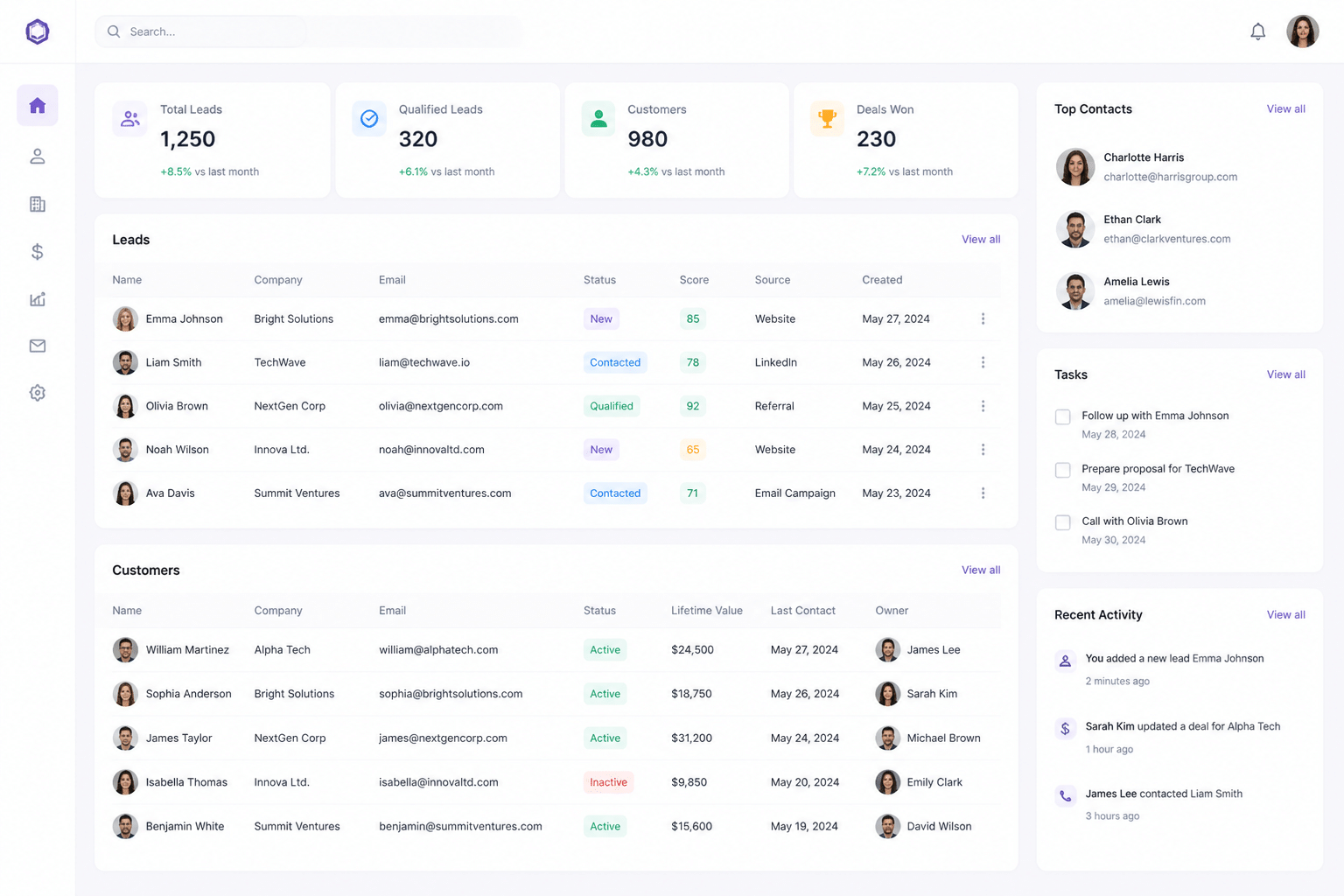
Picture a sales rep named Rahul at a pipe fittings trader in Ahmedabad. A buyer asked for a quote yesterday. Today Rahul opens a standalone email tool to send a follow-up. But the tool knows nothing about that buyer. No lead source. No deal stage. No past chats. He's writing blind.
Why a standalone email tool falls short
A lone email tool only knows names and addresses. Everything else lives somewhere else, like a CRM, a spreadsheet or someone's phone. So your team keeps hopping between apps just to send one message.
That hopping costs real time. Salesforce's 2025 sales survey, as reported by Outsales, found reps spend only 40% of their week actually selling. Manual data entry eats about 17%. Ouch again.
The best email software lives inside your CRM. Here's the difference in plain terms:
Disconnected setup | Integrated setup | |
|---|---|---|
Lead capture | Marketplace dashboards, forms, sheets | One pipeline, all sources |
Contact data | Copied by hand between apps | Already there |
Email history | In someone's inbox | On the lead's record |
Follow-up | Depends on memory | Tied to deal stage |
What reps see before they hit send
With integrated email and CRM software, every lead has a full history. Before Rahul writes a word, he can see:
The lead came from IndiaMart
Which product they asked about
Every past email and call
The deal stage, like "quote sent"
Now his email says, "Here's the updated quote for the 2-inch fittings you asked about." Not "Hi, just checking in." Buyers notice the difference.
No more copy-paste mistakes
Manual moving of contacts between apps creates typos, duplicates and missing fields. One 2025 data report found that 98% of organizations using manual processes reported inefficiencies. It's not just an MSME problem, but small teams feel it fast.
When leads flow in on their own, those hours come back. Leadopal, for example, pulls leads from IndiaMart, TradeIndia, JustDial and your forms into one pipeline, so your emails start from the full story.
2. Advanced Audience Segmentation Based on Real Business Data
Here's a question. If you sent the same email to your IndiaMART enquiry from this morning and your best customer in Surat, would that feel right? Probably not. One wants a price. The other wants to hear you remember them.
That's the problem with basic lists. Names and email addresses aren't enough.
Go beyond names and email addresses
Good email software lets you slice your audience using real business data. For a trading or manufacturing business, these filters matter most:
Lead source: IndiaMART, TradeIndia, JustDial, Facebook Ads, your website form
Quotation status: quote sent, sample requested, negotiation, gone quiet
Purchase history: last order date, product category, order size
Location: city, state, or delivery zone
Why does lead source matter so much? Because each one signals different intent. Someone who filled your website form read a bit about you first. A marketplace enquiry might be asking five suppliers the same question. They need different follow-ups.
In a segmentation builder, it looks like simple filters stacked together. Something like "Lead Source = IndiaMART" plus "Deal Stage = Quotation Sent." That's it. No spreadsheet gymnastics.
Two segments you can build today
Let's make this real. Here are two examples that take a few minutes to set up.
Segment | Filters | What you send |
|---|---|---|
Cold JustDial leads | Source = JustDial, Last contacted more than 3 days ago | A short check-in with your catalogue and a direct phone number |
Mumbai repeat buyers | City = Mumbai, Purchased = a specific product category | A restock reminder or a new variant offer for that category |
See the difference? The first one rescues leads that are slipping away. The second one grows the customers you already have. Both are nearly impossible to pull off if your data lives in five different places.
This is also where integrated email and CRM software pays off. The segment updates itself as deals move. Nobody has to rebuild a list every Monday.
Why this lifts conversions
I'm not going to promise a magic number here. Honestly, no one has a clean, independent figure for how much segmentation boosts ROI for Indian MSMEs. But Mailchimp's comparison, as summarized by Lite14, reports that segmented campaigns get roughly 14% to 15% higher open rates and about double the click rate.
The reason is simple. A buyer who asked about 2-inch fittings wants to hear about 2-inch fittings. Not a general company newsletter. Context makes your message feel like a reply, not a blast.
So start small. Pick three to five segments, track your own opens, replies and quote requests, and compare against your old broadcasts. Your own baseline is the only benchmark that counts.
Once your audience is sorted, the next step is making follow-ups happen without anyone remembering to do them.
3. A Drag-and-Drop Automation Builder for Sales Workflows
Let me guess. The word "automation" makes you think of a developer, a long quote, and a project that never ends. I've seen that story play out at a lot of small firms. Honestly, it doesn't have to go that way.
No coding, no developer
A good builder works like drawing on a whiteboard. You drop in a trigger, like "new lead from IndiaMART." Then you add steps: send an email, wait a day, check if they replied. Boxes and arrows. That's it.
If your team can use Excel, they can build this. And that matters, because most MSMEs don't have anyone technical on staff. Paying a freelancer every time a rule changes gets old fast.
Automate sales tasks, not just emails
Here's where plain email software stops and a real sales tool starts. The best builders handle the boring work around the email too. Think:
Assign a new lead to the right rep by city, product or workload
Send a welcome WhatsApp message and an email together
Create a follow-up task if a quote isn't opened in two days
Alert the manager when a big deal goes quiet
Speed is the whole game here. One IndiaMART-focused guide suggests replying within 15 minutes during business hours. Nobody hits that by hand at 7pm on a Friday. A workflow does.
It also gives time back. HubSpot's 2025 sales data, as reported on its own blog, puts the saving near 2 hours 15 minutes per rep, per day. That's vendor-reported, so treat it as a rough guide, not a promise.
Here's a simple flow you could build in about ten minutes:
Step | What happens |
|---|---|
Trigger | New lead arrives from a web form |
Action 1 | Lead is assigned to a rep |
Action 2 | Welcome email goes out |
Wait | 1 day |
Check | Has the lead replied? |
Action 3 | If not, a call task lands on the rep's list |
Why this keeps your team accountable
Without automation, your sales process lives in people's heads. One rep follows up on day two. Another forgets. A third has left the company.
With a workflow, your process runs the same way every time. No lead gets forgotten. No quote sits unopened with nobody noticing. And owners can finally see who did what, and when.
This is the kind of thing Leadopal's drag-and-drop builder is made for, with lead routing and follow-ups running in the background while your team talks to buyers.
Of course, buyers don't live in one inbox. Next, let's talk about reaching them where they actually reply.
4. Multi-Channel Integration (Email, WhatsApp, and SMS)

Here's a quick test. When did you last reply to a business email within an hour? Now think about the last WhatsApp message you answered. See the gap?
For Indian MSMEs, email is only one part of the conversation. Your buyers live on WhatsApp. They check SMS for quick alerts. And they open email when they want a catalogue or a proper quote. So your email software has to work with all three, not just one.
Why email alone misses buyers
One India-focused analysis puts WhatsApp open rates at roughly 95 to 98%, against about 18 to 22% for email. It also claims WhatsApp can bring around 5 times the response rate. That's an industry benchmark, not an audited national study, and open rates get fuzzy anyway (email apps can count automatic opens). Still, the direction matches what most sales teams tell me.
The smart move isn't picking a winner. Each channel has a job:
Channel | Best for |
|---|---|
Catalogues, detailed offers, quotes, receipts | |
Quick follow-ups, quotation nudges, support chats | |
SMS | Short alerts, delivery updates, time-sensitive notices |
And if you plan to send promotional SMS, keep in mind that India's TRAI rules around DND and registered sender templates apply. Personal numbers are a no-go for bulk promotions. A good platform handles DND-safe segments for you.
The campaign you actually want to run
Picture this. You send a quotation reminder email on Monday at 10am. The buyer doesn't open it. In the old way, nobody notices.
In the new way, the software waits one day. It sees the email is still unopened. Then it sends a short WhatsApp or SMS reminder automatically, with a link to the same quote. If the buyer replies on any channel, the sequence stops.
No one set an alarm. No one dug through three apps. It just happened.
This is also where your automation builder from the last section pays off. The same drag-and-drop flow can add a channel switch as one more box on the whiteboard.
One inbox, one thread
Now the pain point managers know too well. Rahul chats with a buyer on his personal WhatsApp. His colleague Priya emails the same buyer a quote. Neither can see what the other said. If Rahul quits, the whole history walks out with him.
The fix is a unified inbox. Every email and WhatsApp message with a lead should sit in one thread on that lead's record, even when different reps handled different parts. Here's how the two setups compare:
Old way | New way | |
|---|---|---|
Where messages live | Separate apps and personal phones | One shared inbox |
Conversation history | Scattered, easy to lose | One thread per lead |
Rep leaves the company | Chats go with them | History stays with the lead |
Manager visibility | Ask around | See everything at a glance |
Leadopal, for example, offers a WhatsApp Business module with a shared inbox for official API numbers and reps' own numbers, plus email and SMS in the same system.
Channels are sorted. But what happens when a buyer says yes and asks for a price in writing? That's next.
5. Integrated Quotation and Invoicing Capabilities
You know that sinking feeling when a buyer says "yes, send the invoice" and you realise the last quote is sitting in someone's Word file? Rahul has been there. He opens an old template, changes the buyer's name, fixes the rates, and hopes he didn't leave the previous customer's GSTIN in there. Twenty minutes gone. For one document.
This is where email software for sales teams should earn its keep. Not just sending the message, but building the thing the message is about.
Build the quote where you send the email
A good platform lets you create a professional quotation right inside the system. Pick the lead, add products, set the rates, and the details pull from the lead's record. Then you email it straight to the buyer. No saving, no attaching, no hunting for the right file.
Plus, you can make variations. Say a buyer wants one quote with 18% GST items and another with a bulk discount. You tweak a copy instead of starting over.
Want to stop losing leads?
See how Lead Opal helps you capture, track, and follow up on every lead — automatically, across WhatsApp, Email & SMS.
From opened quote to paid invoice
Here's the part I like most. Once the quote goes out, the software tracks it. You see when the buyer opens it. If two days pass and it's still unopened, an automated follow-up goes out (that's the workflow builder from earlier, doing its thing). When the buyer accepts, one click turns the quote into a GST invoice. Nothing gets retyped.
Here's what a sample document should show:
Field | Quotation | GST Invoice |
|---|---|---|
Your business name, address, GSTIN | Yes | Yes |
Buyer name, address, GSTIN | Yes | Yes |
Unique document number | Quote number | Consecutive invoice number |
HSN code and item description | Yes | Yes |
Quantity, rate, discount | Yes | Yes |
CGST/SGST or IGST split | Yes | Yes |
Place of supply | Optional | Yes |
Validity date or due date | Valid until | Payment due by |
Payment QR code and bank details | Optional | Yes |
Signature | Optional | Yes |
India's CBIC invoice rules list what a tax invoice must carry, like the supplier's GSTIN, a consecutive invoice number, HSN code, tax rate and place of supply. Software that fills these in for you, and picks CGST/SGST or IGST correctly, saves you from nasty rework.
Why it feels more professional (and gets you paid sooner)
Manual Word and Excel invoices invite typos, wrong tax splits and broken formatting. Buyers notice. A clean PDF with your branding and a payment QR code looks like a business that has its act together. And a QR code means the buyer can pay right from the invoice.
Speed matters for cash too. No one has a clean India number for hours lost on manual billing, so I won't invent one. But Intuit's 2025 late payments report found 50% of US small businesses with lots of overdue invoices had cash-flow problems, against 34% with fewer. Faster invoicing doesn't guarantee faster payment. It just removes avoidable delays before the clock even starts.
Leadopal, for example, handles quotations with variations, sales and tax invoices, multi-currency billing and embedded payment QR codes in the same system as your leads and emails.
Of course, once quotes and invoices flow, you'll want to know what's actually working. That's where reporting comes in.
6. Robust Analytics and Sales Performance Dashboards
Here's a scene I've seen too many times. The owner asks, "Which campaign actually got us orders this month?" The marketing person says, "We had a 24% open rate!" The sales manager shrugs. Nobody can say if a single rupee came back.
Opens and clicks are nice. But they don't pay salaries.
Look past opens and clicks
An open tells you someone saw your subject line. That's it. Open counts can also get fuzzy (some email apps open messages automatically). Swydo calls these vanity metrics: numbers that go up without changing any business decision.
So use opens and clicks as a quick health check. Then lead with numbers that tie email to sales:
Lead-to-customer conversion by source: Does IndiaMART bring better buyers than JustDial or Google Ads?
Revenue per campaign: Which email or WhatsApp blast led to actual orders?
Sales rep performance against targets: Who's on track, and who needs help this week?
Pipeline value and win rate: How much is open right now, and how much usually closes?
Response time: How fast does a new enquiry get its first reply?
I'll be honest, I can't give you a standard India benchmark for email revenue per campaign. Nobody has one that's reliable. So compare against your own numbers from last quarter.
What a good dashboard shows in one view
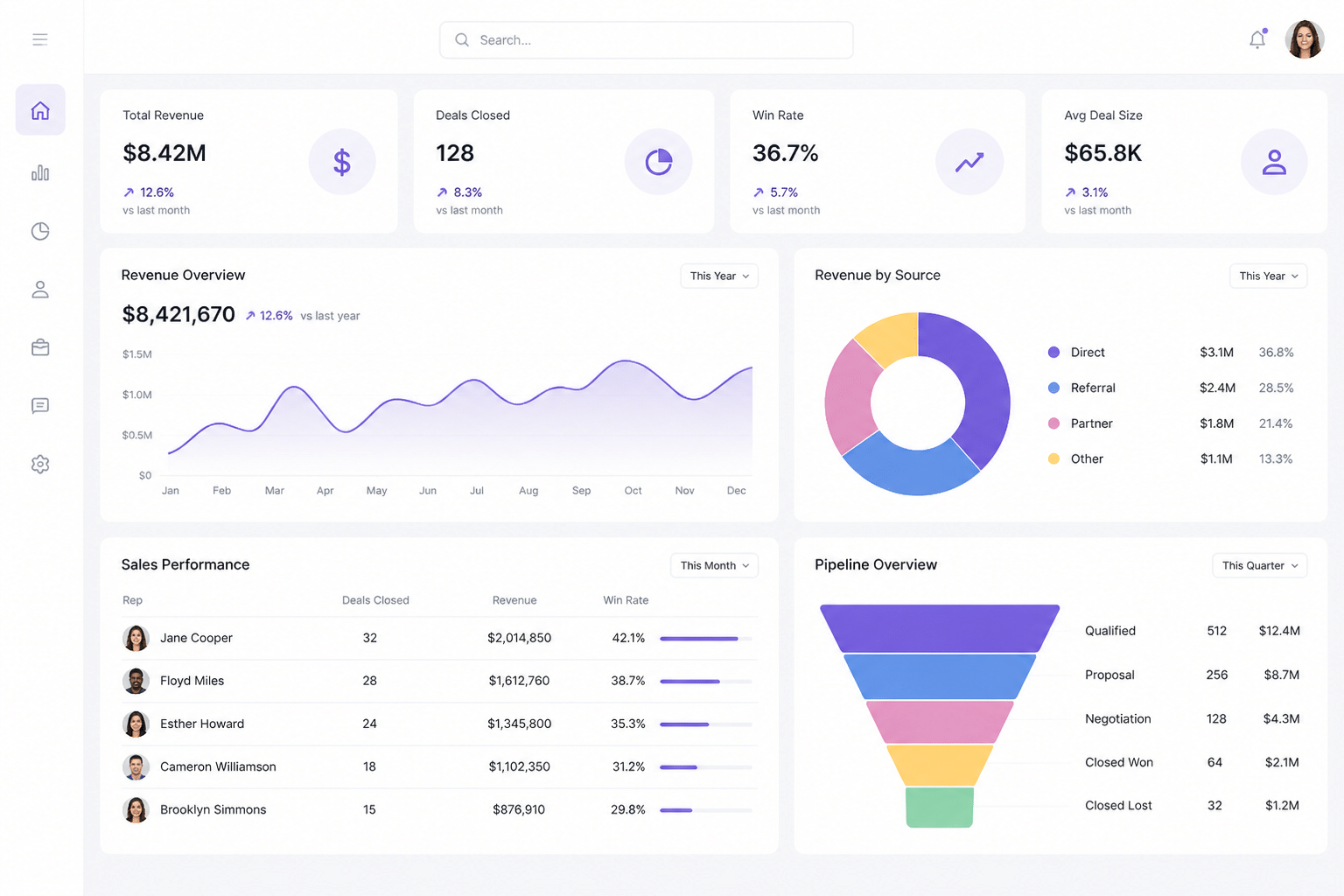
Imagine opening one screen on Monday morning. Here's roughly what you'd want to see:
Panel | What it shows | Sample reading |
|---|---|---|
Leads by Source | Leads, conversions and conversion rate per source | IndiaMART: 120 leads, 9 won. Website form: 30 leads, 6 won |
Sales Target vs. Achieved | Each rep's target against closed sales this month | Priya: 82% of target. Rahul: 54% |
Top Performing Email Campaigns | Campaigns ranked by quotes requested and revenue | "Mumbai restock reminder": 7 quotes, 3 orders |
(Those numbers are made up, just to show the idea.) Look at the first row. IndiaMART sends more leads, but the website form wins more often. That changes where you spend your next ad rupee.
What the owner actually gets
When marketing and sales data sit in one place, the guessing stops. You can see which source deserves more budget. You can spot a rep who's slipping before the month ends. And you can repeat the campaigns that bring orders, not just applause.
That's why dashboards work best inside the same system as your leads, emails and quotes. Leadopal, for example, has a central dashboard for overall performance, plus separate ones for email, WhatsApp and SMS, along with sales targets for each rep with weekly, monthly, quarterly and yearly views.
Next up: how your emails look and feel when they land in a buyer's inbox.
7. Custom Domain and Branded Sender Identity
Would you open an email from rahulsharma85@gmail.com asking you to approve a 4 lakh rupee order? Be honest. Most of us would squint at it, then Google the company first.
That's the trust problem with generic addresses. In B2B, buyers are often checking five suppliers at once. A Gmail or Yahoo address makes you look like a one-person side hustle, even if you've run a solid factory for 20 years.
What a branded sender actually is
It's simple. Your email software sends from your own domain, like rahul.sharma@abctraders.in, instead of a free mailbox. The buyer sees your company name in the "From" line. It matches your website, your visiting card and your invoice.
Don't do this | Do this | |
|---|---|---|
Sender address | ||
What the buyer thinks | "Is this legit?" | "This is a real company" |
Trust and replies | Lower | Higher |
Looks on a quote email | Casual | Professional |
A good platform lets you set this up inside the tool, along with a sender name and reply-to address. Leadopal, for example, supports custom domain and sender identity setup, so every campaign goes out under your brand.
SPF, DKIM and DMARC (the boring part that matters)
Here's where it gets a bit technical, but stay with me. Looking professional isn't enough. Your emails also have to reach the inbox.
Three DNS records do that job:
SPF: lists the servers allowed to send email for your domain.
DKIM: adds a digital signature, so the receiver knows the message really came from you and wasn't changed on the way.
DMARC: tells inbox providers what to do if SPF or DKIM checks fail. Add it after the first two are working.
If these are missing, mailbox providers get suspicious. Your quote may land in spam. And nobody sees it.
There's a 2026 example of a new domain whose campaign started below 10% opens, then reached about 45% after authentication, domain warming and content fixes. That wasn't a controlled study, and several things changed at once. Still, it shows why setup matters. Also, these records improve your odds, but they don't guarantee inbox placement.
So when you compare email software, ask one question: does it walk you through SPF, DKIM and DMARC, and tell you when something is wrong? If it does, you're in good shape.
Branded emails are sorted. But writing every one from scratch is a time sink, so templates are next.
8. Template Management for Sales and Marketing Teams
Last Thursday I watched a rep write the same "thanks for your enquiry" email for the fourth time that morning. Four versions. Four slightly different tones. One had a typo in the company name. We've all been there.
That's the problem template management fixes. Good email software gives your team a shared library of ready-made messages, so nobody starts from a blank page.
Let managers write it once and lock it
Here's the part that matters for a growing team. A sales manager should be able to create a template, approve it, and lock it. Reps can use it and fill in the blanks, like buyer name, product and rate. But they can't quietly rewrite your pricing terms or drop in a wrong claim.
It works for your team two ways at once:
Time saved: Reps pick a template, check the details, and hit send. A reply takes seconds, not ten minutes.
Consistency: Every buyer gets the same professional tone, the right brand name and the correct information, no matter who is typing.
New hires love it too. Instead of guessing how "we" write to buyers, they start with approved examples on day one.
Four templates every MSME should save first
You don't need fifty. Start with the four that cover most of your day.
Template name | When to use it | What it should include |
|---|---|---|
First Follow-Up to IndiaMART Lead | Within minutes of a new enquiry | Buyer's name, the product they asked about, catalogue link, your direct number |
Quotation Attached | After you build the quote | Quote number, validity date, short summary of rates, one clear next step |
Payment Reminder | When an invoice is near or past its due date | Invoice number, amount, due date, payment QR code or bank details |
Post-Sale Feedback Request | A few days after delivery | A thank-you, one simple question, and a reply link |
Picture a library inside your software with names like "Lead Follow-Up" and "Invoice Reminder" sitting in a tidy list. Your rep clicks one, and the lead's details fill in on their own. Pretty cool, honestly.
One caution though. Templates shouldn't sound like robots. Leave a spot for a personal line, like "Saw you're in Rajkot, we deliver there in two days." Buyers can smell a copy-paste a mile away.
Leadopal, for example, lets you save and reuse templates across email and WhatsApp, so your best messages work for the whole team.
But as more people join your team, a new question pops up: who should be allowed to see and change what? That's next.
9. Granular Team Permissions and Access Control
Here's a thought that keeps owners up at night. Your best rep just resigned. Last week he downloaded the entire customer list "to clean it up." Was that okay? Honestly, nobody knows.
When it's just you and two reps, trust does the job. But once the team grows to ten or fifteen people, trust alone isn't a plan. You need control. And you need it without turning into the office police.
Who should see what
Good email software lets you give each person only the modules they need. That's called role-based access. Think of it like keys on a keychain. The godown guy doesn't need the cash drawer key.
Here's how it might look for a typical MSME team:
Module | Sales Rep | Sales Manager | Admin | Owner |
|---|---|---|---|---|
Assigned leads | ✅ | ✅ | ✅ | ✅ |
All leads | ❌ | ✅ | ✅ | ✅ |
WhatsApp and email chats | ✅ (own) | ✅ (team) | ❌ | ✅ |
Quotes and invoicing | ❌ | View only | ✅ | ✅ |
Analytics and reports | ❌ | ✅ | ❌ | ✅ |
Data export | ❌ | ❌ | ✅ | ✅ |
Users and permissions | ❌ | ❌ | ✅ | ✅ |
So Rahul sees his own leads and chats. Priya, as admin, handles invoicing. The manager watches team reports. And only the owner and admin can pull a full export.
The risks this quietly stops
Most people picture a villain stealing data. Real life is usually messier. Fortinet's 2025 insider risk report found that 62% of insider data-loss incidents involved careless or compromised users, and only 16% involved confirmed bad intent. A wrong click. A shared password. A list sent to the wrong person.
Role-based access cuts down on all of that:
No accidental deletion of contacts by someone who shouldn't have the button
No bulk exports walking out the door with a departing rep
No junior staff peeking at pricing, margins or salary-linked performance data
Plus, when someone leaves, you switch off one account and the history stays with the lead.
Leadopal, for example, offers role-based team and permissions management, so you assign only the relevant modules to each user.
Access is under control. Now let's pull it all together and see what the full picture looks like.
The Verdict: Your Best 'Email Software' is an All-in-One Platform
Here's the short version. A standalone email tool creates more problems than it solves. It sends messages, sure. But it can't see your leads, your WhatsApp chats, your quotes or your targets. And that's where deals slip away.
For a growing Indian MSME, the real fix is integration. When everything sits in one place, your team stops hunting for context and starts selling. So the smartest move is to stop searching for plain "email software." Look for a sales and marketing automation platform built for how Indian businesses actually sell.
One more thing. India's SaaS market is growing fast, and one 2026 estimate says small and mid-sized firms are the fastest-growing group of buyers. Good tools are getting cheaper and easier. You don't need a big IT budget anymore.
Your final checklist
Print this out. Compare it against whatever you use today.
Check | Does your current setup do it? |
|---|---|
Pulls IndiaMART, TradeIndia, JustDial and form leads into one CRM | Yes / No |
Segments by lead source, quote stage and city | Yes / No |
Automates routing and follow-ups without a developer | Yes / No |
Handles email, WhatsApp and SMS in one shared inbox | Yes / No |
Turns a quote into a GST invoice with one click | Yes / No |
Shows revenue by source and rep, not just opens | Yes / No |
Sends from your own domain with SPF, DKIM and DMARC | Yes / No |
Keeps locked templates for the whole team | Yes / No |
Gives each person only the access they need | Yes / No |
More than three "No" answers? Your tools are probably costing you leads.
Leadopal brings all nine of these into one cloud platform, made for Indian MSMEs. Your next step is simple: see how it fits your pipeline.
Check your toolset against this list and see Leadopal in action