

Why Your Indian MSME Needs More Than Just an Email Tool in 2026

Picture a Tuesday afternoon. An IndiaMart enquiry lands on your phone at 2:10pm. A TradeIndia lead sits in another dashboard. A Facebook ad form is waiting in a sheet nobody opened since morning. By the time someone calls, it's the next day.
Sound familiar? We've all been there.
Here's the thing about speed. A 2025 study of 939 B2B companies found close rates of 32% when leads were contacted within five minutes. After 24 hours? Just 12%.
Quick stat: 32% close rate within 5 minutes vs. 12% after a full day.
The Mess Behind Slow Follow-Ups
Most Indian MSMEs I talk about this with run on a patchwork. Leads live in Excel. Sales reps chat from personal WhatsApp numbers. Emails go out from yet another tool. Nothing talks to anything else.
So what happens? Leads get missed. Nobody knows who called whom. And when a rep quits, the whole conversation history walks out the door with them.
One benchmark summary says around 23% of inbound leads never get a reply. That's money sitting in a spreadsheet, going cold.
Why a Basic Email Tool Won't Fix It
A simple newsletter app sends emails. Fine. But it can't pull in IndiaMart leads, alert your team, route enquiries or remind someone to follow up. That's where a lot of businesses get stuck.
What you really need is email marketing software that connects to lead capture, a CRM, and ideally WhatsApp and SMS too.
What This List Covers
This guide looks at 7 options through an Indian manufacturer, trader or distributor's eyes. We'll check integrations, pricing in rupees where we can, and sales features. Let's start with the first one.
1. Lead Opal: The All-in-One Sales & Marketing Platform
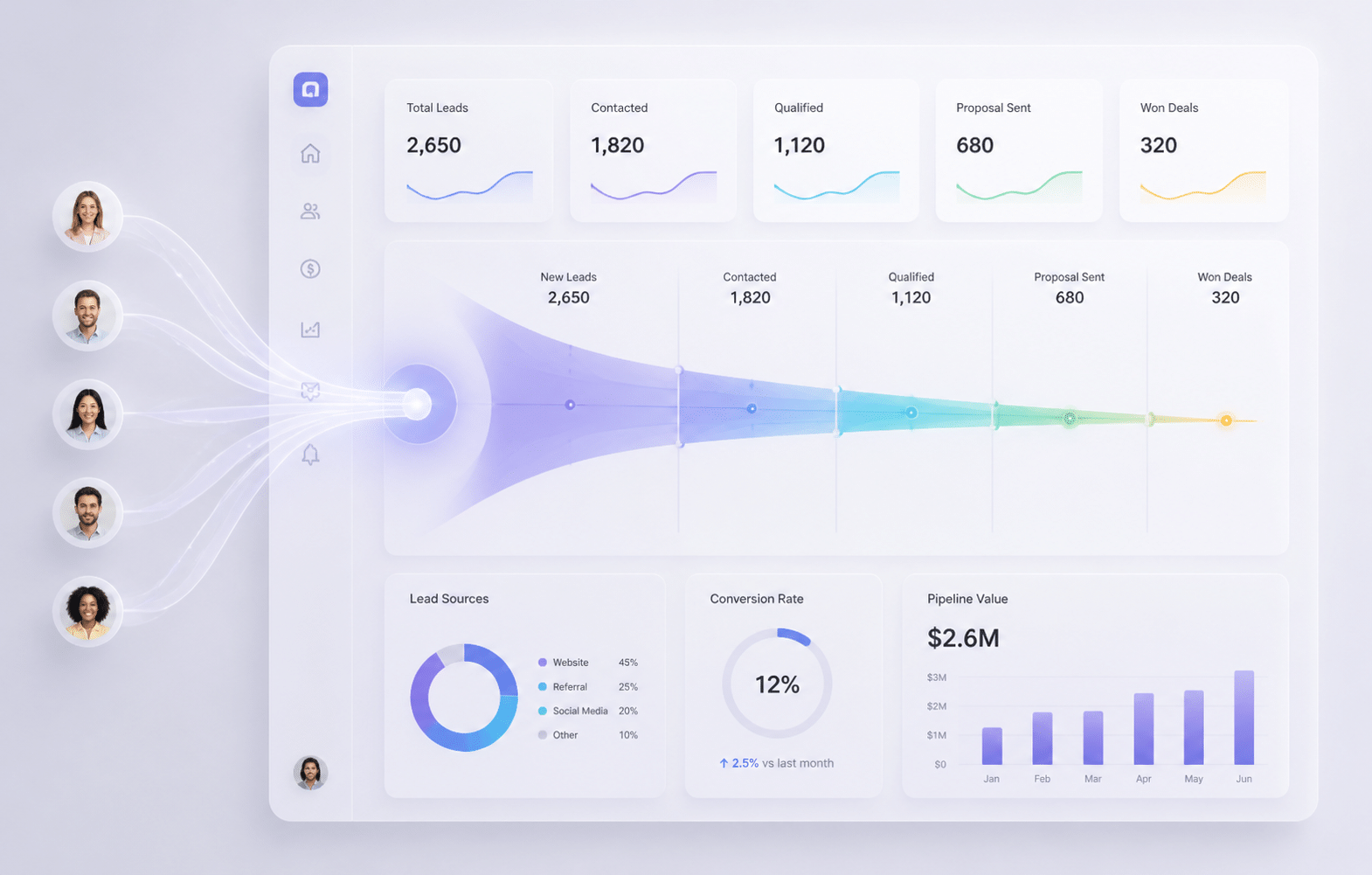
Let's start with the one that isn't really "just" an email tool. Lead Opal is built for Indian MSMEs, and it treats email as one piece of a bigger sales system. Think of it as an operating system for your sales team. Leads come in, reps follow up, quotes go out, invoices get paid. All in one login.
So why list it first? Because the problem we just talked about (slow, scattered follow-up) is exactly what it's made to fix.
Where Your Leads Actually Come From
Most Indian traders and manufacturers get leads from five or six places at once. Lead Opal pulls them into a single pipeline, so nobody checks four dashboards before lunch.
Here's what connects directly:
IndiaMart, TradeIndia and JustDial enquiries
Google Ads and Facebook Ads forms
Website forms (you can build them with a drag-and-drop form builder)
Custom webhooks for anything else
That's real IndiaMart lead management, not a copy-paste job. A new enquiry lands, gets assigned to a rep, and the follow-up starts. No spreadsheet in the middle.
Email, WhatsApp and SMS Under One Roof
This is where it gets interesting. The email module sits right inside the CRM. You can segment your audience, set up your own domain and sender name, and run campaigns without exporting a single list. Replies show up in a unified inbox, next to the customer's lead record.
WhatsApp is a big deal here too. Lead Opal offers official WhatsApp API access for broadcasts, plus a shared inbox for your reps' WhatsApp numbers, both personal and API-based. So when a rep leaves, the chat history stays. Management can finally see what's being said to customers.
Bulk SMS is in the mix as well, with template management and DND-compliant segments. Handy for regulatory-safe campaigns.
Automation, Invoicing and Targets
The drag-and-drop automation builder handles lead routing and follow-up reminders. You don't need a developer. Set a rule once, and every new enquiry gets treated the same way (fast).
Then there's the part most email tools skip entirely:
What you need | How Lead Opal handles it |
|---|---|
Quotations | Create them with variations, all inside the platform |
Invoices | Sales and tax invoices, multi-currency, with embedded payment QR codes |
Sales targets | Set per rep, with weekly, monthly, quarterly and yearly history |
Access control | Role-based permissions, so each user sees only their modules |
Reporting | One main dashboard, plus separate ones for WhatsApp, email and SMS |
Who It Suits Best
It's a strong fit if you're a manufacturer, wholesaler, distributor or B2B service business with a sales team and a steady stream of inbound leads. Especially if WhatsApp is how your deals actually get closed.
The real draw is cutting subscriptions. One platform instead of a CRM, a WhatsApp broadcaster, an email tool and invoicing software.
One honest note: I couldn't find a public pricing page for Lead Opal, so check current plans with their team before you budget. Next up, a tool many Indian businesses already know well.
2. Zoho Campaigns: The India-Centric Ecosystem Player
If your business already runs on Zoho, this one probably crossed your mind before you even started reading. Zoho is an Indian-born company, and Zoho Campaigns is its email marketing tool. It works best as one piece of the wider Zoho family, which includes Zoho CRM and Zoho Books.
So is it the right fit for you? Let's look.
What You Get for Your Money
The free plan is better than you'd expect. Zoho's official pricing page says it covers up to 2,000 contacts and 6,000 emails a month. That's three full sends to a 2,000-person list. The 14-day trial gives you the same limits, but with paid features switched on.
Paid plans start at 500 contacts. Here's the catch, though. I couldn't find a fixed rupee price. Capterra India lists starting plans at US$4 a month for Standard and US$6 for Professional. Your final bill can shift with taxes and exchange rates, so check the checkout screen before you commit.
For anyone hunting affordable email marketing solutions, that's a low entry point.
Features That Matter to MSMEs
The basics are solid:
Email automation, so welcome emails and follow-ups go out on their own
Audience segmentation, so you can send the right offer to the right buyers
A/B testing, to see which subject line actually works
Drag-and-drop editing with ready-made templates
The real draw is the link to Zoho CRM. Campaign activity and customer records sit side by side, so your team gets a fuller picture of every contact.
Now, a big question for traders: what about IndiaMart? Zoho Marketplace has an IndiaMART extension for Zoho CRM that pulls enquiries in as leads. It's a real connector, not just a Zapier workaround. But it's listed as paid, so check setup and pricing first. The flow looks like this: IndiaMart enquiry, then Zoho CRM lead, then a Zoho Campaigns follow-up email.
One more thing. WhatsApp isn't built into Campaigns. You'd need another Zoho product or a partner service such as Wati or AiSensy.
What Users Say
On Capterra India, Zoho Campaigns scores 4.3 out of 5 from 317 users. Ease of use gets 4.2 and support gets 4.3. Beginners tend to like the drag-and-drop editor.
But it's not all praise. Some reviewers mention slow support, with fixes sometimes taking two or three days. Teams new to Zoho may also need some patience or training.
Who Should Pick It
Zoho Campaigns suits you if you already use Zoho, or plan to. If you're weighing the Zoho One bundle, it's worth a look since Campaigns sits inside that family. It's a good pick when you want strong CRM plus email, and you're fine handling marketplace extras separately.
My advice? Start with the free trial. Next, we'll look at a global option that mixes email, SMS and WhatsApp.
3. Brevo (formerly Sendinblue): The International All-in-One Alternative
Brevo is the tool a lot of people know by its old name, Sendinblue. It started as an email sender. Now it's a bigger toolbox with email, SMS, WhatsApp campaigns, chat, landing pages and a simple sales CRM.
So is it a good middle ground? For many small teams, yes.
What You Get and What It Costs
The free plan lets you store unlimited contacts, but you can only send 300 emails a day. That's fine for testing. It's tight if you run big blasts.
Paid plans are priced by how many emails you send, not by how many contacts you have. According to one Indian pricing guide, Starter is about ₹625 a month (or ₹6,750 if you pay yearly), and Business starts near ₹1,345 a month. Add 18% IGST on top. Prices can shift by billing currency, so check the checkout screen first.
Here's how the main pieces fit together:
Module | What it does for you |
|---|---|
Campaigns, automation and email campaign management | |
SMS | Bulk messages for offers and reminders |
Campaigns on higher plans (Meta verification needed) | |
Conversations | Chat and shared inbox |
Sales CRM | Simple deal tracking |
The IndiaMart Question
Here's the catch. I couldn't find proof of a direct Brevo link to IndiaMart or TradeIndia. Third-party tools like LEDSAK list those connections, but that's not the same as a built-in one. You'd probably need a CRM in the middle, a webhook, or a CSV import.
Also, the CRM is basic. It tracks deals fine. But lead routing, rep targets and quotations? Not really its thing.
What Users Say
Brevo scores 4.6 on Capterra and 4.5 on G2 in one 2026 review. People like the clean builder and fair pricing. Complaints include slower support and higher costs as volume grows. These are global ratings, not India-only ones.
Who Should Pick It
Brevo suits budget-minded MSMEs that want more than email from a known international brand, without a heavy setup. Just don't expect it to run your whole sales floor. Next up, a tool that wins on simplicity.
4. MailerLite: The Champion of Simplicity and Ease of Use
Some email tools make you feel like you need a certificate to send one newsletter. MailerLite isn't one of them. Open it, drag a block, hit send. That's pretty much the whole learning curve.
It's widely seen as one of the friendliest email marketing software options out there. And for a busy owner who also handles quotes and calls, that matters a lot.
What Makes It So Easy
The drag-and-drop editor is the star. You pick a template, swap in your logo and product photos, and you're done. There's also a landing page builder for catalogue downloads or quote request pages, plus simple automation workflows like a welcome email or a follow-up after someone signs up.
Nothing fancy. Just the stuff small teams actually use.
The Free Plan and Pricing (Read This Part Carefully)
Here's where I'll correct a common myth. Some older guides mention a bigger free tier. But as of October 2026, the free plan covers 250 subscribers and 2,500 emails a month. You get three automations, one landing page and A/B testing, though MailerLite branding stays on your emails.
That's fine for testing the waters. Once your list grows, paid pricing is based on active subscribers:
Active contacts | Comfort plan | Power plan |
|---|---|---|
5,000 | $49/month | $69/month |
10,000 | $89/month | $129/month |
Prices are in US dollars, so your final bill can shift with taxes and currency conversion.
Where It Falls Short for Indian Sellers
Heads up: MailerLite is a marketing tool, not a CRM. There's no deal pipeline, lead owner or rep tracking built in. I also couldn't find a built-in IndiaMart or TradeIndia connector, so enquiries would need a separate system to reach it.
That's a real gap if your leads come from marketplaces and your team chases them on WhatsApp.
Who Should Pick It
MailerLite fits small businesses, startups and owner-driven MSMEs that care most about ease and low cost. If you mainly need clean newsletters and a few basic automated emails, it's a safe pick. Next up, a tool for people who want much deeper automation.
5. ActiveCampaign: The Powerhouse for Advanced Automation
Some tools do the basics. ActiveCampaign does the basics and then keeps going. If you've ever wished your email software could think a little ("if this buyer opens twice, send that"), this is the one that gets close.
It blends marketing automation with a built-in sales CRM. So it's a real step up from a plain sender, and it's the most advanced pick so far in this list.
Want to stop losing leads?
See how Lead Opal helps you capture, track, and follow up on every lead — automatically, across WhatsApp, Email & SMS.
What Makes the Automation So Deep
The visual builder is the star here. You drag steps onto a canvas and add if/then/else rules. Did the lead click the price list? Send one email. Did they ignore it? Wait three days, then try another angle.
A few features matter most for B2B sellers:
Lead scoring, so hot buyers rise to the top of your list
Deal pipelines inside the CRM, with stages you can name yourself
Strong segmentation using tags, lists and past behaviour
Personalised emails that change based on what each contact did
That's handy when your sales cycle runs weeks or months. A buyer asking about industrial pumps in March might not order until June. Good nurturing keeps you in their inbox without someone remembering to hit send.
What It Costs and How Hard It Is
The Plus plan, which includes the CRM, starts at $49 a month for 1,000 contacts. At roughly ₹85 per dollar, that's about ₹4,165 a month. Your real bill can shift with taxes, exchange rates and list size, and it rises as your contacts grow.
Now the honest part. Reviewers on G2 often mention a steep learning curve, especially around tags, lists and reporting. Capterra gives it 4.6 overall but only 4.2 for ease of use. My rough guess? Budget a few days for basic setup and a few weeks of practice before a sales manager builds complex flows alone. That's my estimate, not an official number.
Also, I couldn't find a verified native WhatsApp or IndiaMart connector. You'd likely need a third-party tool for both. And I didn't find solid, documented results from Indian B2B companies, so I won't make claims there.
The Pros and Cons at a Glance
Where it shines | Where it struggles |
|---|---|
Deep if/then/else automation | Higher cost than most tools here |
Built-in CRM with deal pipelines | Steeper learning curve |
Lead scoring and sharp segmentation | Billed in US dollars |
Great for long sales cycles | No verified native WhatsApp or IndiaMart link |
Who Should Pick It
ActiveCampaign suits larger MSMEs, or tech-savvy teams, that want to automate complicated sales and marketing steps. It's ideal when nurturing leads over a long sales cycle is the whole game. Tiny teams with a simple list will probably find it overkill.
Next, we'll look at a very different kind of tool, one built around messaging APIs.
6. MSG91: The Communications API-First Contender
Here's a different kind of pick. MSG91 started as an Indian company that helps apps send SMS, OTPs, voice calls and WhatsApp messages. Email came later. So it's less of a "newsletter tool" and more of a messaging engine that your systems plug into.
That's a big difference. Let's see who it actually helps.
Where MSG91 Is Strong
MSG91 has deep roots in the Indian telecom world. It has a strong foothold in transactional messaging here, think order alerts, payment confirmations and login codes. That experience matters because those messages have to land fast, every time.
It also puts SMS, email and WhatsApp on one platform, so you don't juggle three vendors for alerts and campaigns. Plus, an independent Software Advice profile positions it as a communications API platform first, which fits what I've seen.
Here's how the API-first idea works in practice:
Step | What happens |
|---|---|
1 | Your website or ERP triggers an event (new order, new enquiry) |
2 | A developer connects that event to MSG91 through an API |
3 | MSG91 sends the SMS, email or WhatsApp message |
4 | Delivery status flows back to your system |
How the Pricing Works
MSG91 is mostly usage-based. You top up a prepaid wallet and pay for what you send, with GST added on recharges, according to MSG91's own pricing page. That suits MSMEs with uneven sending. No big monthly commitment for a list you barely use.
One honest catch. I couldn't find a current, published per-email rate, so confirm the cost inside your account or with their sales team. Also, don't mix it up with Hello, their customer support product, which has its own ticket-based plans.
The Trade-Offs
It isn't built for marketers first. Reviews describe it as developer-led, and reporting can feel basic. G2 users say deeper analysis may need data exports. I also found no direct reviews comparing its email features with Brevo or Zoho Campaigns, so I won't pretend there's a scoreboard.
And there's no IndiaMart lead pipeline here. You'd need a CRM or custom work to connect enquiries.
Who Should Pick It
MSG91 suits teams with a developer, or a tech-minded person, who want messaging wired deep into their systems. It's also a good match if transactional alerts matter as much as marketing emails. If you want drag-and-drop campaigns with zero coding, look elsewhere. Next, we'll check a feature-rich suite with funnels and webinars.
7. GetResponse: The Feature-Rich Marketing Suite
GetResponse started as a plain email sender. Today it's more like a full inbound marketing kit. You get email, landing pages, a website builder, conversion funnels and even webinar hosting, all under one login.
Sounds like a lot? It is. Whether that's good news depends on how you sell.
What You Get Inside the Suite
The email side is solid. There's automation, list management and segmentation, so you can send the right message to the right group.
Then the extras kick in:
A conversion funnel builder with ready-made scenarios for list building, selling products or promoting webinars
Drag-and-drop landing pages and a simple website builder
Webinar hosting, tied right into your email follow-up
The funnel tool gets decent feedback from non-marketers. Reviewers describe it as beginner-friendly, with guided setup instead of a blank page. One review mentions around 30 ready-made scenarios. But (and this is a big but) "easy to build" isn't the same as "easy to improve." Offer ideas, follow-up timing and tracking still need some marketing sense.
What It Costs
GetResponse doesn't show a separate rupee price in the data I found. The Marketing Automation plan is about $59 a month for up to 1,000 contacts, which works out to roughly ₹4,900 to ₹5,000 before taxes. Bigger lists cost more, and annual billing can trim the bill. Check the checkout screen, because GST and currency conversion can shift the final amount.
Is It Right for an Indian Trader?
Here's my honest take. Webinar hosting is a nice extra, not a must-have, for most traders. Many small firms close deals through WhatsApp, phone calls, dealer visits and trade fairs.
But it can pay off if you sell technical or high-value products. Think machinery demos, dealer training or Q&A sessions for engineers and overseas buyers. Webinar sign-ups then roll straight into email follow-up.
Good fit | Probably overkill |
|---|---|
Service businesses focused on digital marketing | Traders whose main job is handling IndiaMart enquiries |
Firms running webinars, catalogue downloads or quote request pages | Teams that need rep targets, lead routing and sales follow-up |
Technical exporters with dealer networks | Small teams with simple product-email needs |
One more gap: I couldn't verify a native IndiaMart connector or a built-in WhatsApp API here. So your IndiaMart leads would still need a CRM in the middle.
Who Should Pick It
GetResponse suits MSMEs that care about digital marketing beyond lead management. If you want webinars, landing pages and automated sales funnels in one package, it's a fair pick. If your day is mostly chasing marketplace leads and sales reps, it's probably more tool than you need. Next, we'll put all seven side by side.
Feature Comparison: Which Email Marketing Software is Right for Your Business?

Seven tools, a lot of details. Let's squeeze it all into one place so you can scan it in a minute or two.
Quick key: ✅ means built in, ⚠️ means partly or with extra setup, ❌ means not found or not built in.
Tool | Best For | Pricing Model (INR) | Free Plan? | CRM Included? | WhatsApp? | IndiaMart/TradeIndia? | Invoicing? |
|---|---|---|---|---|---|---|---|
Lead Opal | Sales teams chasing marketplace leads | Not public, ask the team | Not listed | ✅ Full pipeline | ✅ Official API + shared inbox | ✅ Direct (plus JustDial) | ✅ Quotes and invoices |
Zoho Campaigns | Businesses already on Zoho | No fixed rupee price, about US$4/month to start | ✅ 2,000 contacts, 6,000 emails | ⚠️ Separate Zoho CRM | ❌ Needs Wati, AiSensy or another Zoho product | ⚠️ Paid CRM extension | ❌ |
Brevo | Budget teams wanting email, SMS and WhatsApp | About ₹625/month (Starter), ₹1,345 (Business), plus 18% IGST | ✅ 300 emails/day | ⚠️ Basic | ✅ Higher plans, Meta verification | ❌ No built-in link found | ❌ |
MailerLite | Simple newsletters on a tight budget | Billed in USD, $49/month at 5,000 contacts | ✅ 250 subscribers | ❌ | ❌ | ❌ | ❌ |
ActiveCampaign | Deep automation, long sales cycles | About ₹4,165/month (US$49, 1,000 contacts) | ❌ Trial only | ✅ Built in | ❌ Not verified | ❌ Not verified | ❌ |
MSG91 | Developer-led teams, alerts and OTPs | Pay as you go, prepaid wallet plus GST | Not confirmed | ❌ | ✅ API-based | ❌ | ❌ |
GetResponse | Webinars, funnels, landing pages | About ₹4,900 to ₹5,000/month (US$59, 1,000 contacts) | Not confirmed | ❌ | ❌ Not verified | ❌ | ❌ |
Prices shift with taxes and exchange rates, so always check the checkout screen.
How to Read It Fast
Chasing IndiaMart and TradeIndia enquiries? Look at the fifth and sixth columns first.
Short on budget? Zoho Campaigns, Brevo and MailerLite have free plans.
Need CRM, WhatsApp and invoicing together? Only Lead Opal ticks all three.
Pick the row that matches how you actually sell, not the one with the longest feature list. Next, let's turn this table into a decision.
Making Your Choice: Moving from a Simple Tool to a Growth Engine

So which one should you pick? Honestly, there's no single winner. It depends on where your business is right now.
Just starting out with a small list? MailerLite is a friendly place to begin. Got a team that loves building if/then flows and has weeks to learn them? ActiveCampaign goes deep. Already on Zoho? Zoho Campaigns fits right in.
But here's what I keep coming back to. For most Indian traders and manufacturers, the real problem was never just email. It's the mess around it: leads in three dashboards, chats on personal phones, quotes in Word, and nobody sure who called whom.
Shwetank Dixit, Chief Growth Officer at Justdial, put it simply: "The biggest hurdle for most MSMEs isn't lack of ambition. It is lack of visibility." A newsletter tool won't give you that. A connected system will.
How to Choose Your Software
Match your stage. Simple newsletters? Start light. Long sales cycles and a trained team? Go for advanced automation.
Check the connections. Can it pull in IndiaMart and TradeIndia enquiries, and does it handle WhatsApp properly? If not, expect extra tools and extra cost.
Look at the whole sales flow. Leads, follow-ups, quotes, invoices and rep targets. If those live in different places, you'll keep losing deals.
The Logical Next Step
If you've nodded along to the scattered-leads problem, an all-in-one platform is probably where you're headed anyway. Lead Opal brings lead capture, email, WhatsApp, SMS, automation, invoicing and sales targets into one login. So you're not just sending emails. You're replying faster and keeping track of every deal.
My advice? Pick the simplest tool your team will actually use today, but make sure it can grow with you.
Ready to see it in action? See how Lead Opal unifies your sales process and ask the team about current plans.