
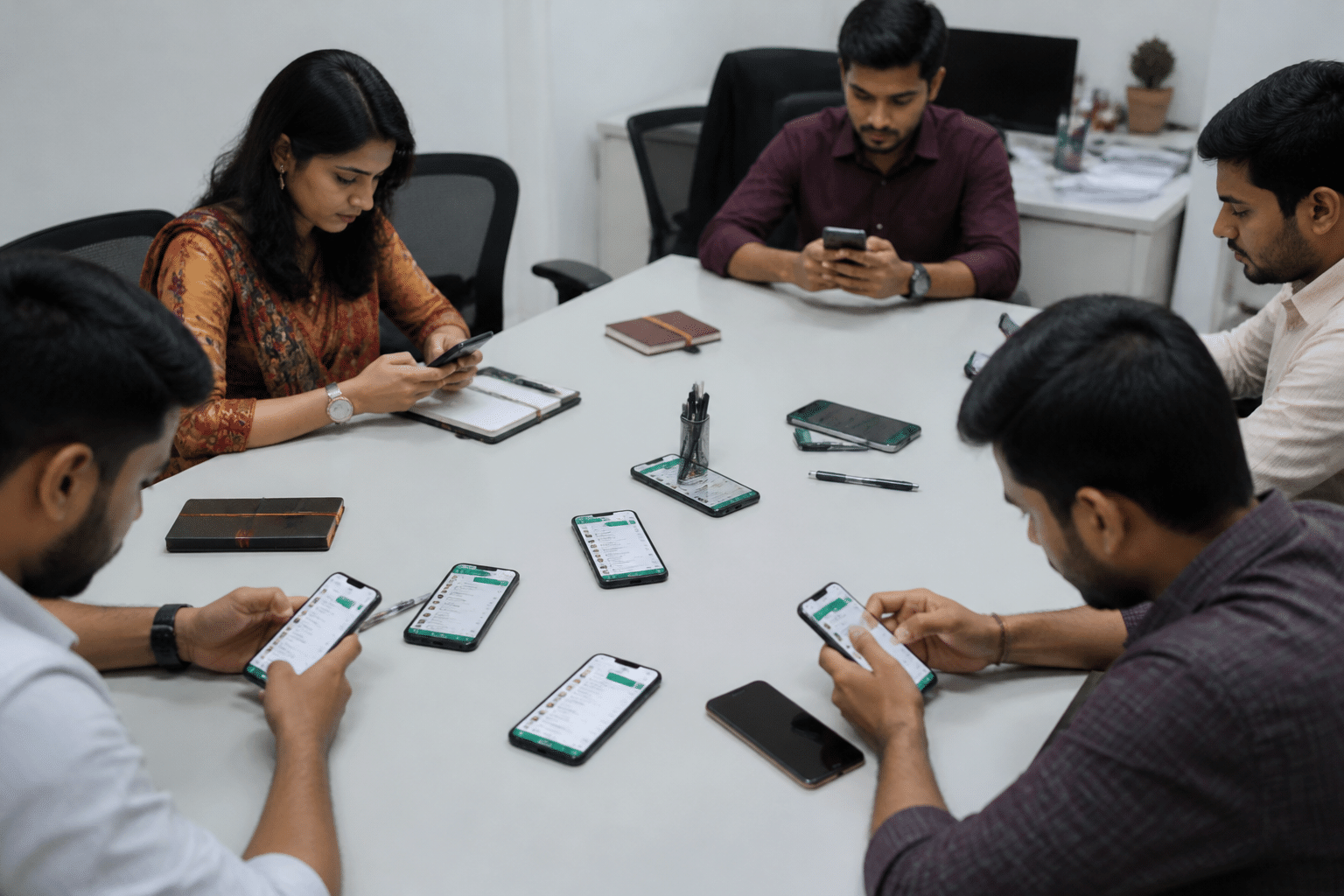
Introduction: Why Your Sales Team's Personal WhatsApp is Costing You Business
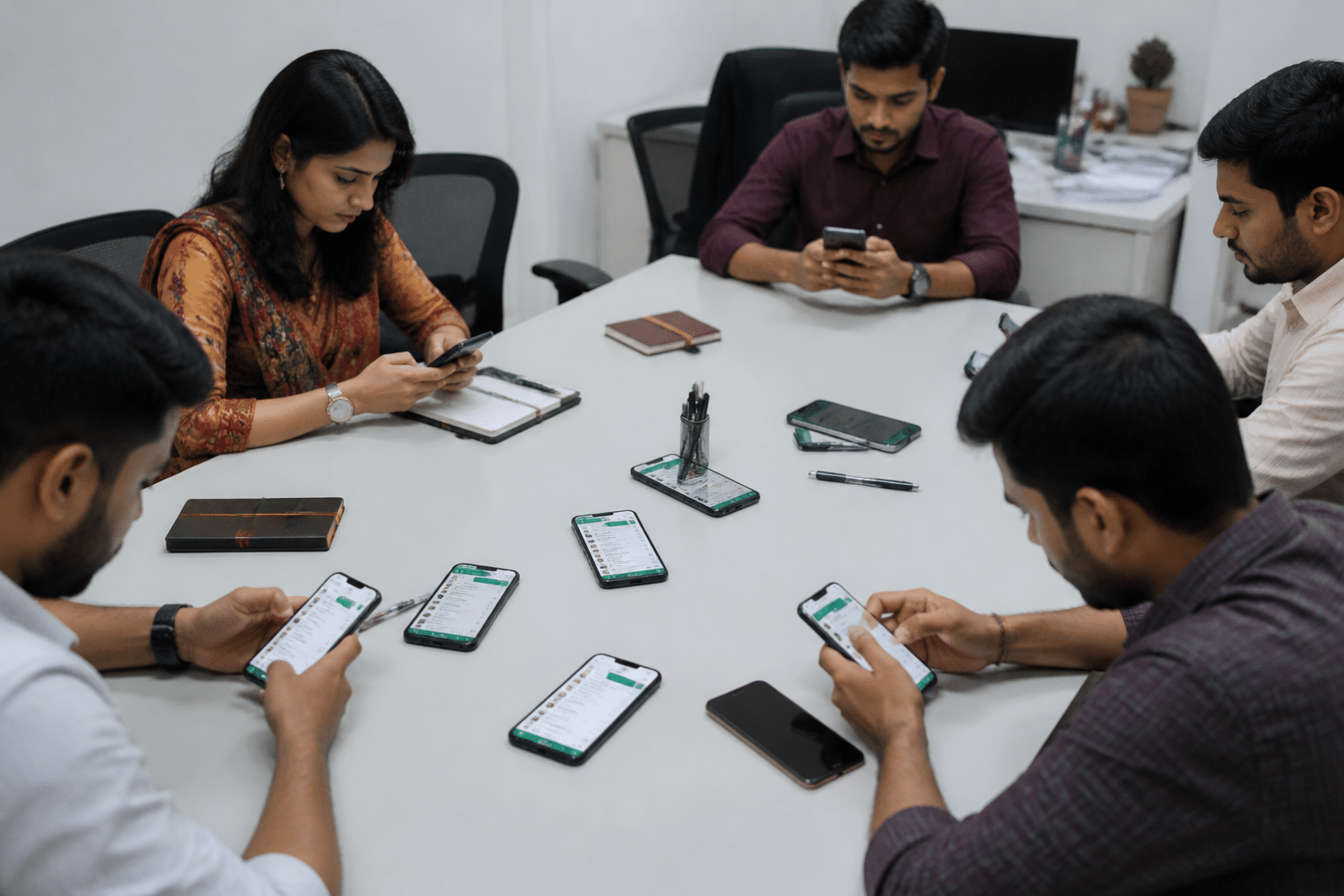
Here's a number that should make you sit up. In 2025, 91% of Indian online adults said they chatted with a business on WhatsApp every week. Every week. So your customers are already there, waiting for you to reply.
But where are those replies coming from? If you run a factory, a trading firm or a distribution business, I'd bet they come from your reps' personal phones. Mixed in with family groups, wedding photos and good-morning forwards.
We've all been there. A buyer from IndiaMart sends a message at 6pm. The rep is on the road. By the time anyone looks, it's the next afternoon and the buyer has already talked to two of your competitors.
The Chaos Nobody Tracks
India's MSMEs sell on WhatsApp. That part isn't the problem. The problem is what happens around it:
Leads pour in from IndiaMart, TradeIndia, JustDial and Facebook or Google ads, then land in different places.
Chat history sits on one employee's phone, so when that person quits, the customer relationship walks out too.
Owners can't see who replied, who didn't, or what was promised.
Follow-ups depend on someone's memory. (Mine isn't great, and I doubt yours is either.)
And the cost is real. One 2026 industry estimate says the average small business loses about $127,000 a year from missed follow-ups. That's a global figure, not an India-only one, so take it as a direction, not gospel. Still, it matches what many owners quietly suspect.
So What's the Fix?
A WhatsApp marketing CRM. It pulls every lead into one place, keeps all conversations in a shared inbox, and sends follow-ups automatically. Your team keeps using the channel customers love. You just stop losing business to it.
Tools like Leadopal are built for exactly this Indian MSME setup. Before we get to features, let's look at what a WhatsApp marketing CRM actually is, and why your spreadsheet can't do the job anymore.
What is a WhatsApp Marketing CRM? (And Why Spreadsheets Are Obsolete)
Let's keep this simple. A WhatsApp marketing CRM is one platform that connects the official WhatsApp Business API to a customer database. Leads, chats, follow-ups and campaigns all live in the same place. No more hunting through phones.
You'll also hear it called a WhatsApp CRM for business. Same idea, different label.
The Four Parts That Make It Work
Not every tool with "WhatsApp" in its name qualifies. Look for these four pieces:
Official API access. Messages go through Meta's approved route, not a QR code scan on someone's laptop.
A shared team inbox. Your whole sales team replies from one business number. Every chat can be assigned, tagged and seen by the owner.
Automation. Welcome messages, reminders and follow-up sequences go out without anyone typing them again.
A unified lead database. Every enquiry, from IndiaMart to your website form, sits in one list with its full chat history.
The free WhatsApp Business App is fine for a tiny shop. But Meta's own guidance describes it as built for a single device, which gets messy once three or four reps share the same leads. The API is the version made for teams.
The Old Ways (And Where They Break)
Most MSMEs start with one of three setups. I get why. They're free, and they feel familiar.
Spreadsheets. Someone logs numbers in Excel. Then the sheet gets 4,000 rows, three versions float around, and nobody knows which one is current. There are no reminders either.
WhatsApp Web on one PC. Only one person can use it at a time. If that PC is off, the leads wait.
Unofficial bulk senders. These browser tricks and extensions look cheap. But Meta's Business Messaging Policy bans unauthorized messaging at scale, and Meta can limit or remove your access. Some businesses get barred from WhatsApp products for good. Losing your main sales channel for saving a few rupees? Not a great trade.
A quick note: a spreadsheet isn't illegal. The trouble starts when you pair it with unofficial sending software or message people who never opted in.
Spreadsheets vs. WhatsApp CRM
Here's how they compare day to day:
Area | Spreadsheet + personal WhatsApp | WhatsApp marketing CRM |
Lead capture | Typed in by hand, often late or never | Pulled in automatically from marketplaces, ads and forms |
Follow-up reminders | Depends on memory | Automatic reminders and scheduled messages |
Team visibility | Owner sees nothing until someone reports | Every chat and owner visible in a shared inbox |
Automation | None | Welcome messages, routing and drip sequences |
Reporting | Manual counting at month end | Live dashboards for replies, conversions and response time |
Scalability | Breaks at a few hundred leads | Handles growing volume without extra paperwork |
See the pattern? The spreadsheet isn't wrong, it's just old. It was never built to chat with customers.
Leadopal, for example, adds the official WhatsApp API and a shared inbox on top of lead capture, so reps can keep their usual way of selling while you keep the records. Next, let's see how to get your leads flowing into one place the right way.
Best Practice #1: Centralize Lead Capture for Instant WhatsApp Engagement
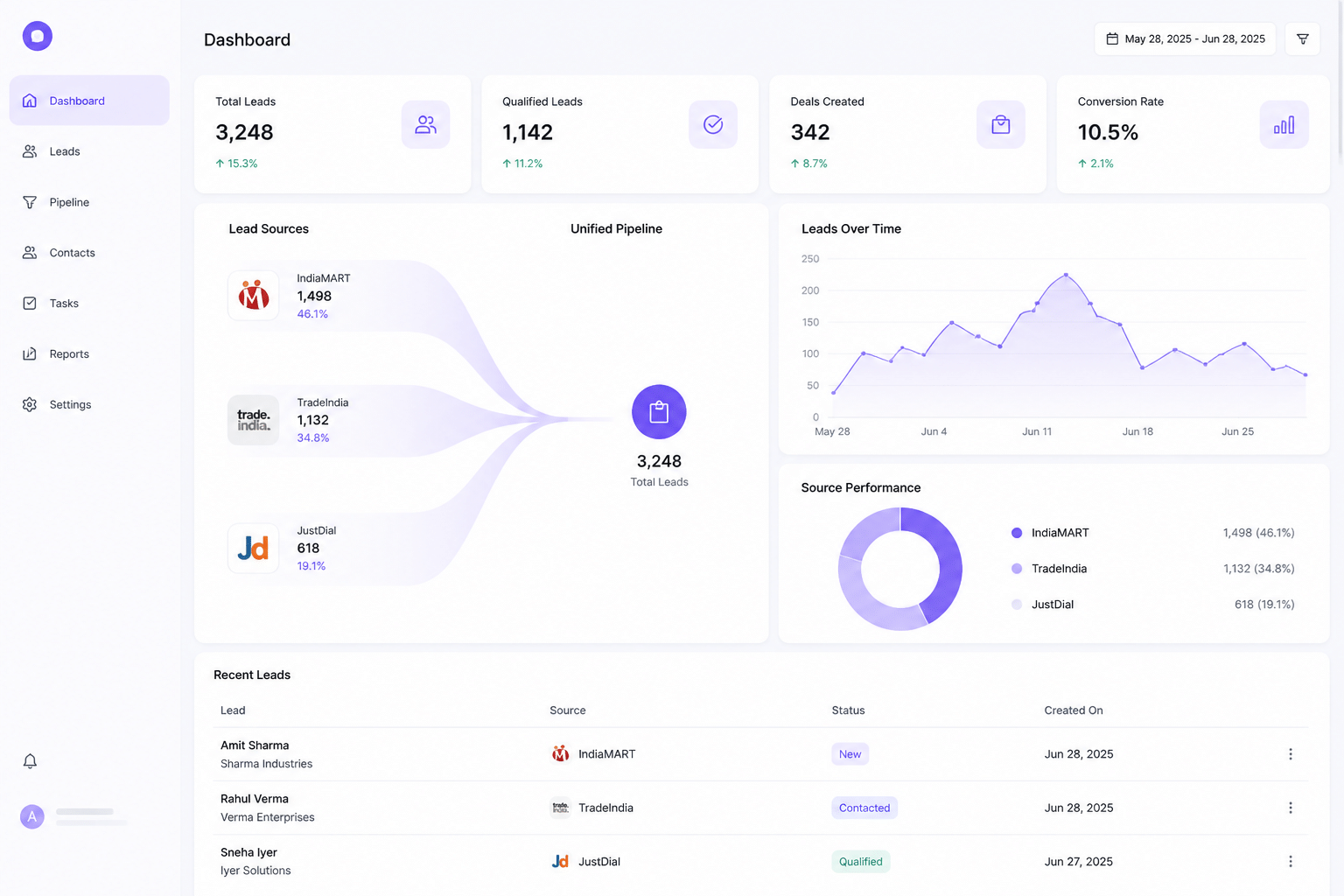
Picture Monday morning. You open IndiaMart and find 14 new enquiries. Then TradeIndia has six more. JustDial pinged you twice, and your Facebook ad form quietly collected nine over the weekend. Where do you even start?
This is the first thing to fix, because a WhatsApp marketing CRM can't help leads it never receives.
Why Scattered Leads Hurt So Much
Most MSMEs I talk about this with check each portal by hand. Someone logs in, copies a name and number, and pastes it into a sheet. Or a rep screenshots it and forwards it on a group. (We've all seen that group.)
The delay is the real killer. One benchmark from Kraya AI, based on more than 600 clients, found a median response time of 4.2 hours among Indian SMBs. It's a vendor number, not a national census, so treat it as a rough guide. But a buyer who sent an enquiry at 6pm has probably called someone else by 10.
And speed matters a lot. The widely quoted InsideSales research looked at 5.7 million inbound leads. It found that leads contacted within 5 minutes converted at about 8 times the rate of leads contacted at 30 minutes. Different industries will see different results, so don't promise yourself an eightfold jump. The direction is still clear. Faster wins.
One Pipeline for Every Source
A CRM with WhatsApp integration fixes this by pulling every enquiry into one pipeline the moment it arrives. No copying. No pasting. No "I'll add it later."
With Leadopal, for example, you connect your sources once, and new leads flow in on their own. Here's what that looks like:
Lead source | What happens | What your team does |
IndiaMart | Enquiry lands in the pipeline with name, number and product | Nothing. It's already there |
TradeIndia | Same, tagged with its source | Nothing |
JustDial | Lead is captured and assigned | Nothing |
Form fills enter the pipeline directly | Nothing | |
Website form or QR code | Submission is saved as a new lead | Nothing |
All of them feed one list. Then the system can assign each lead to a rep and trigger the first WhatsApp message right away.
Plus, every lead keeps its source tag. So your marketing manager can finally see whether IndiaMart or Google Ads is actually bringing buyers, not just clicks.
Set Up Your First-Touch Message
OK, this next part is the one I'd do first. An automated first-touch WhatsApp message goes out within seconds of a lead entering the system. Your rep still follows up personally, but the buyer already knows you're alive.
Keep it short. Name the product, promise a next step, and ask only one or two questions. A simple version for an IndiaMart lead might read:
Hello {{Name}}, thanks for your enquiry on IndiaMart for {{Product}}. Here's our catalogue. To suggest the right option, could you share the quantity you need and your delivery city? Our team will message you shortly.
For wholesale, you could offer a quick menu: reply 1 for catalogue, 2 for pricing, 3 for a callback.
A few things to get right:
Hold off on blasting your whole catalogue before you know what the buyer wants.
Use an approved template, since this is a business-started message.
Make sure the person actually enquired. Don't treat a number from a public listing as consent for marketing.
Add a stated callback time for after-hours leads, like "We'll call you by 10am."
Test it for two weeks. Watch reply rate and how many leads get to a quotation. Then tweak the wording.
Once leads arrive instantly and get greeted instantly, the next question is what happens on day two and day five. That's where automated follow-ups come in.
Best Practice #2: Build Automated Follow-Up Sequences with a WhatsApp Automation CRM
You know that sinking feeling when you find a quotation you sent three weeks ago. No reply. No reminder. Nobody chased it. The deal just quietly died.
That's the second big leak in most MSME sales teams. Leads arrive fine now (thanks to Best Practice #1), but then they sit. Reps are busy, and "I'll follow up tomorrow" turns into never.
What Reps Waste Time On (And What a Machine Can Do Instead)
I couldn't find a solid India-wide survey ranking how reps spend their day, so I won't invent percentages. But the usual suspects are easy to spot:
Typing the same follow-up again and again.
Copying lead details between WhatsApp, Excel and the CRM.
Answering the same questions about price, delivery and stock.
Figuring out which rep should get which lead.
Every one of these can be handled by a WhatsApp automation CRM in India. And the tools are less scary than they sound. Most use a drag-and-drop builder, so you don't need a developer. WallzaOS, for example, supports drip sequences like Day 1, Day 3 and Day 7 follow-ups.
Leadopal has a similar automation builder. You pick a trigger, add a message, set a delay, and add a rule. That's it.
How a Simple Workflow Looks
Here's one for a TradeIndia lead. Think of it as boxes joined by arrows:
Step | Block | What happens |
1 | Trigger | New lead arrives from TradeIndia |
2 | Delay | Wait 2 hours |
3 | Action | Send approved template message 1 |
4 | Condition | Did the lead reply within 24 hours? |
5a | If yes | Stop the sequence and alert the assigned rep |
5b | If no | Create a task for the rep to call |
See? No code. Just logic you already use in your head.
Three Workflows Worth Setting Up First
Start small. Pick these three and run them for a month.
The 48-hour nudge. If a lead hasn't replied in 48 hours, send a short, friendly check-in. Something like: "Hi {{Name}}, just checking if you still need {{Product}}. Happy to share a revised quote." Then stop if they answer.
The quotation reminder. Two days before a quote expires, send a reminder with the valid-till date. A one-line message often wakes up a quiet buyer.
Region-based routing. Leads from Gujarat go to Rakesh, leads from Punjab go to Simran. The system assigns them and pings the right rep. No more group-chat confusion about "who's taking this one?"
Because these run on their own, your reps stop being reminder machines. They get to do what you actually hired them for: talk to buyers, negotiate, close.
Don't Make These Mistakes
Automation can go wrong fast. A few guardrails help:
Sound human. Use the buyer's name and product. Don't send the same sentence at every step.
Cap the messages. Three or four touches is plenty. Stop the moment someone replies, buys or books a call.
Offer an opt-out. A simple "Reply STOP to stop updates" works. Honor it every time.
Hand over to a human. For complaints, payment issues or tricky quotes, let a rep take the chat.
Skip late-night sends. Nobody loves a 2am ping about cement prices.
Also, measure replies and qualified leads, not just "delivered."
Follow-ups are now running on their own. But once buyers start replying, your whole team needs one clear place to answer them. That's where a shared inbox comes in.
Best Practice #3: Unify Your Team with a Shared WhatsApp Inbox

Here's a scene I'd bet you know. A buyer asks a rep for the revised quote. The rep is on leave. Nobody else has the chat, because it lives on his personal phone, somewhere between a cousin's wedding video and a good-morning forward.
So the quote never goes out. The buyer moves on.
This is what personal WhatsApp numbers do to a sales team. Every conversation is locked inside one person's pocket. A shared inbox opens that lock.
Want to stop losing leads?
See how Lead Opal helps you capture, track, and follow up on every lead — automatically, across WhatsApp, Email & SMS.
What a Shared Inbox Actually Changes
A shared inbox puts your team on one official business number. Every chat shows up on one screen. You can see who owns it, what was said, and what happens next.
For an owner, that's a big deal. No more asking "Did anyone reply to that Surat buyer?" You just look. Leadopal's WhatsApp module includes a dedicated shared inbox, and it can also bring in your reps' existing numbers (personal and API-based) so you're not starting from zero.
Here's what to look for in any inbox, based on what Zoho's team inbox guide and similar tools describe:
Agent assignment. Every chat has a named owner, either picked by hand or routed by rules.
Private notes. Internal comments the customer never sees, like "wants 500 units, price sensitive."
Tags and statuses. Labels such as new lead, quote sent or payment pending, plus open and resolved states.
Full searchable history. Anyone allowed can read what was promised before.
Role-based permissions. Reps see their chats. Managers see everything.
Why Your Sales Team Will Like It Too
I'll be honest, some reps hate the idea at first. It feels like being watched. But once they see the upside, most come around.
Three wins show up quickly for a WhatsApp CRM for sales team use:
Seamless handover. When a rep is on leave or sick, a manager reassigns the chats in a click. The new person reads the full history and carries on. The buyer never has to repeat themselves.
Collaborative selling. A rep can tag a senior colleague, drop a private note about a tricky price, and get help without leaving the chat.
Consistent messaging. Approved quick replies and templates mean every buyer hears the same pricing terms and the same tone. No more three reps quoting three different delivery times.
Plus, you stop doubling up. Two reps chasing the same lead is awkward for everybody.
Who Owns the Conversation?
Now the part owners tend to skip. If a rep chats with 200 customers on a personal number, who owns that list? Practically speaking, the rep does. When he quits, the contacts and history go with him, sometimes straight to a competitor.
There's a legal side too. Customer names, numbers and messages count as personal data under India's DPDP Act, 2023. A 2026 compliance guide on WhatsApp and the DPDP Act says companies need reasonable safeguards like access controls, backups and a way to remove access when staff leave. That's hard to do on phones you don't control. (I'm not a lawyer, so check specifics with yours.)
A company-controlled inbox fixes the basics:
Chats belong to the business, not the employee.
You can cut a leaver's access in minutes.
Permissions limit who can view or export contacts.
History stays put, ready for the next rep.
Watch a quick demo of a shared inbox before you pick a tool, and test it with your real team for a week. If assigning, noting and handing over a chat feels easy, you've found a good one.
With everyone working from one inbox, you'll soon want to send smarter campaigns to the right groups. That's next.
Best Practice #4: Use Segmentation for Compliant & Effective Campaigns
Follow-ups are running. Your inbox is shared. Now comes the fun part: reaching out first, before the buyer asks.
But hold on. This is where many MSMEs go wrong.
Bulk Blasting vs. Smart Campaigns
A bulk WhatsApp sender with CRM features sounds great. One message, 5,000 contacts, done by lunch. Thing is, the same offer going to everyone means a Surat distributor gets a retail discount, and a cold lead gets a "thanks for your repeat order" note. People block. Meta notices.
Money matters too. Since 1 October 2026, marketing messages in India cost about ₹0.86 each, based on one provider's rate summary. Sending to the wrong people is now literally paying to annoy them.
So think "right message, right group." That's segmentation.
Three Ways to Slice Your List
You don't need fancy data. Start with what your WhatsApp lead management setup already knows:
By source. An IndiaMart buyer wants specs and MOQ. A Facebook lead might respond to a festival offer.
By product interest. Tag someone who asked about steel pipes, and don't pitch them paint.
By pipeline stage. A quote-sent lead needs a nudge. A paying customer needs a reorder reminder.
Here's how one MSME list could split into buckets:
Segment | Who's in it | Campaign idea |
Hot leads | Asked for a quote in the last 7 days | Quote reminder with valid-till date |
Past customers | Bought in the last 12 months | Reorder reminder or new product alert |
Distributors | Tagged as dealer or distributor | Launch pricing, stock update |
Cold leads | No reply in 60+ days | One gentle check-in, then rest |
IndiaMart enquiries | Source tag = IndiaMart | Catalogue plus a callback offer |
Leadopal's WhatsApp module includes audience segmentation, so these buckets can be built from the tags and source data already sitting in your pipeline.
Templates and Opt-In: Your Safety Net
And now the boring-but-vital rules. Skip them and you'll lose the number.
On the official API, a business-started message needs a Meta-approved template. According to Courier's guide to WhatsApp message types, you can reply freely only inside the 24-hour window after a customer writes to you. Outside it, templates only. WhatsApp's marketing policy also expects clear opt-in that names your business and the kind of messages people will get.
That's why a proper WhatsApp business API CRM beats browser tricks. It handles template approval, opt-in records and opt-outs in one place.
A quick checklist before every campaign:
Is everyone on this list opted in?
Does the template match its approved purpose?
Is there a simple "Reply STOP" option?
Is the offer right for this segment only?
Segments are set. Next, let's measure whether any of this is paying off.
Best Practice #5: Track Performance, Manage Targets, and Measure ROI
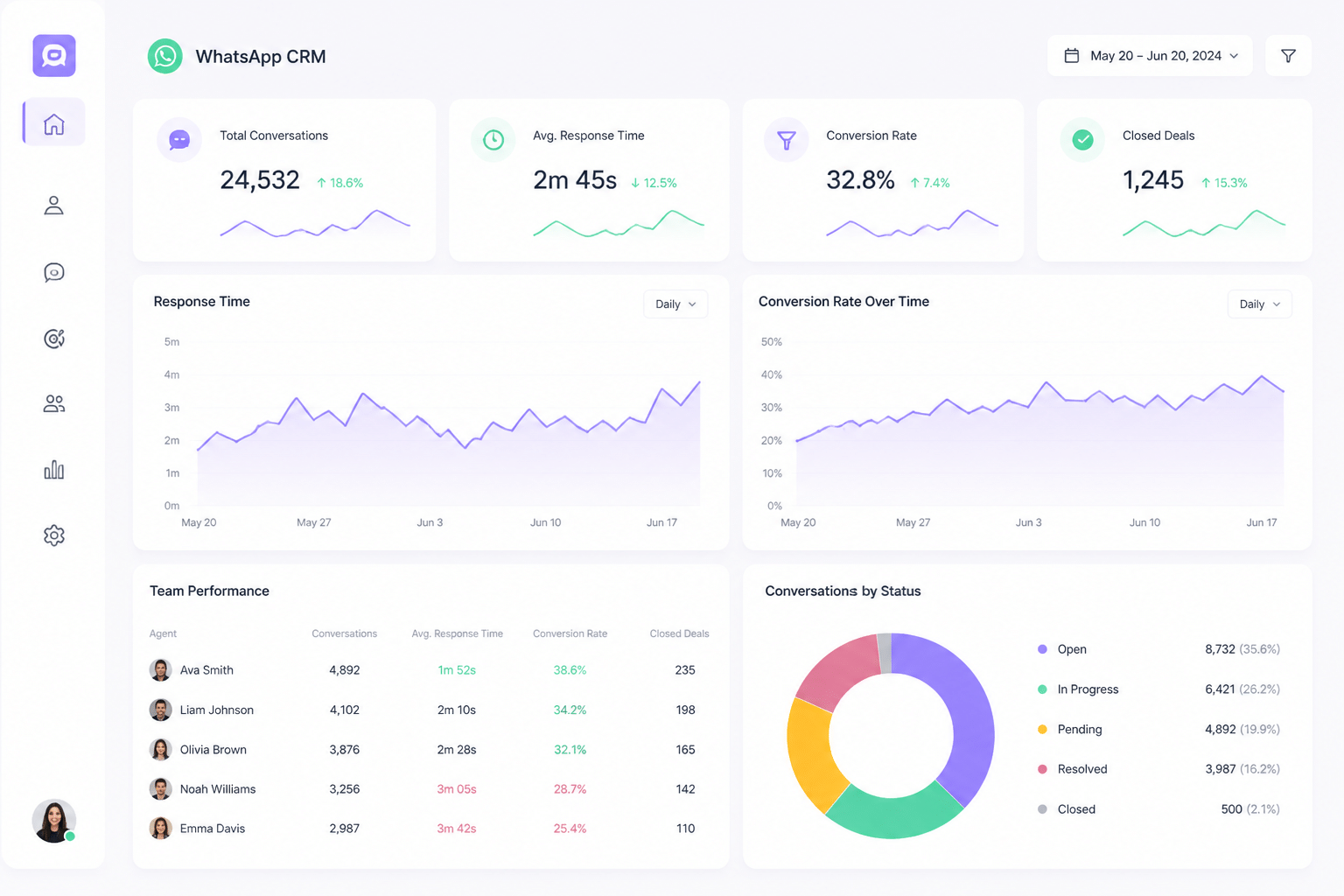
Here's a question I like asking owners. "How many leads did WhatsApp turn into paying customers last month?" Most go quiet. Some guess. A few say, "Ask my sales manager."
That silence is the problem. If you can't measure it, you can't fix it. And all the work from the first four practices (capture, follow-up, inbox, segmentation) only pays off if you can see the results.
The Numbers Worth Watching
Don't drown in charts. A good WhatsApp marketing CRM should show a handful of numbers that tie straight back to sales:
Metric | What it tells you |
Delivery and read rate | Whether your messages are actually reaching and being opened |
Reply rate | Whether the message made people want to talk |
Campaign conversion rate | How many recipients became quotes or orders |
First response time | How fast your reps reach a new lead (use the median, not the average) |
Follow-up completion | How many due follow-ups were really done |
Opt-out rate | Whether you're messaging too often or to the wrong group |
Revenue from WhatsApp | The money that came from chats and campaigns |
That last one matters most. Reads and clicks feel nice, but rupees pay salaries.
Leadopal has a unified dashboard for the whole business, plus a separate analytics view for WhatsApp campaigns. So you can check a broadcast on Tuesday and see who replied by Tuesday evening.
Targets, Leaderboards and Honest Conversations
Now the people side. Once chats and deals sit in one system, you can assign a target to each rep and watch progress week by week, month by month, even year by year. No more verbal check-ins where everyone says "going well, sir."
A rep leaderboard also shows things you'd miss otherwise:
Who answers new leads fastest.
Who closes the most from the same lead pool.
Who has quotes sitting untouched.
Who needs coaching, not blame.
Use it kindly. The goal is to copy what your best rep does, like how quickly they reply or how they word a quote reminder, and teach it to the rest.
Which Lead Source Is Actually Worth It?
Because every lead keeps its source tag, you can finally compare IndiaMart, TradeIndia, JustDial and your ads on results, not guesses. Say IndiaMart sends 120 leads and 6 buy, while Google Ads sends 40 and 5 buy. That changes where your next ₹10,000 goes.
A simple way to check ROI: take the extra gross profit WhatsApp brought in, subtract what you spent on software, Meta message fees and ad spend, then divide by that spend. Compare a few months before and after, and don't count repeat customers who would have bought anyway. Not perfect. But far better than a hunch.
Numbers in hand, you're ready for the big question: which tool deserves your money? Let's look at that next.
How to Choose the Right WhatsApp Marketing CRM for Your Indian MSME
So you're sold on the idea. Now comes the part where every vendor says "we do it all." Do they? I wouldn't take anyone's word for it, mine included.
Here's a simple checklist. Print it, bring it to every demo, and tick boxes as you go.
The Five-Point Checklist
Feature to look for | Why it matters | Ask the vendor |
|---|---|---|
Direct IndiaMart, TradeIndia and JustDial integrations | Leads should flow in without copy-paste | "Do enquiries arrive on their own, with source tags?" |
Official WhatsApp Business API | Keeps your number safe and campaigns compliant | "Is this Meta's approved route, or a QR code trick?" |
Built-in quotation and invoice module | Quote, invoice and payment stay with the chat | "Can my rep send a GST-ready quote from inside the lead?" |
Drag-and-drop automation builder | Your team sets up follow-ups without a developer | "Can a non-technical person build a workflow in an hour?" |
Clear, India-specific pricing | No dollar surprises or hidden markups | "What's the monthly cost in rupees, and do you add a margin on Meta's fees?" |
Leadopal ticks all five: marketplace integrations, official WhatsApp API access, a quotation and invoicing suite, a drag-and-drop automation builder, and India-focused pricing.
Watch the Money Closely
Pricing is where people get burned. For Indian SMBs, one 2026 pricing review shows plans like Lead Pattern's ₹1,500 a month Starter and ₹3,500 Growth plan with five agents, with Meta's fees passed through without markup. Bigger, feature-heavy platforms can run ₹5,000 to ₹10,000 or more each month. Those are vendor-published numbers, so get written quotes before you decide.
Also ask three things:
Is GST included, or added on top?
Does the vendor mark up Meta's message charges?
Can you export your customer data if you leave?
Pick One Platform, Not Five
Here's the trap I see most. An owner buys a WhatsApp broadcaster, then an email tool, then an SMS tool, then invoicing software. Four logins. Four bills. Data in four places. You've just rebuilt the disconnected mess you started with.
Look for one platform that joins WhatsApp with email, SMS and lead management. Then a lead's chat, quote and email history all sit on one screen. Leadopal, for example, bundles all of these, plus sales targets and role-based access, into a single login.
Before signing anything, run a live demo with a real quotation-to-order case from your own business. If it feels clunky in the demo, it'll feel worse on a busy Monday.
Picked your tool? Good. Let's wrap this up.
Conclusion: Transform WhatsApp from a Liability into Your Biggest Sales Asset
Let's go back to that 6pm IndiaMart enquiry. The one that sat on a rep's personal phone until the next afternoon. With the five practices we covered, that story ends differently.
Here's the quick version:
Centralize. Every lead from IndiaMart, TradeIndia, JustDial and your ads lands in one pipeline, with a first message going out in seconds.
Automate. Follow-ups, reminders and routing run on their own, so nobody relies on memory.
Unify. One shared inbox on a business-owned number means chats stay with the company, not the employee.
Segment. The right offer reaches the right group, using approved templates and real opt-ins.
Track. Response times, targets and revenue show you what's actually working.
None of this is fancy. Honestly, it's just selling with the lights on.
The core message is simple. Staying on personal WhatsApp and spreadsheets might feel free, but it caps your growth. It looks messy to buyers, it hides problems from you, and it breaks the moment your team grows. A structured WhatsApp marketing CRM makes you faster, more professional and ready to scale.
The opportunity is only getting bigger. One forecast expects India's conversational commerce to grow from US$22.6 billion in 2023 to US$53.5 billion by 2028. It's a 2023 estimate, so treat it as a direction, not a promise. But the direction is clear.
Your Next Step
You don't need to fix everything this week. Start with one thing, like getting your leads into one place. Then add the rest.
If you'd like all of it under one login (leads, WhatsApp, email, SMS, quotations and invoicing), see how Leadopal works for Indian MSMEs. Book a free demo of Leadopal's WhatsApp CRM and watch how your own enquiries can be captured, followed up and converted automatically. Bring a real quotation-to-order case. Your future repeat customers will thank you.