

Introduction: Why Your Business is Leaking Money Without an SMS CRM

Picture this. It's 11:40 on a Tuesday morning, and a buyer on IndiaMart sends an enquiry for 500 units of your product. That's a good order. Your sales rep sees the notification, thinks "I'll call after lunch," and jots the number on a notepad. By 3pm, the buyer has already spoken to two of your competitors. Gone.
Sound familiar? I'd bet it does.
This happens in Indian MSMEs every single day. Leads land in IndiaMart, JustDial, Facebook ads and website forms. Then they get copied into Excel sheets, saved on personal phones, or just remembered (badly). Nobody tracks who replied, who didn't, and who forgot.
Slow follow-up costs real deals
Here's the thing. Buyers in 2026 expect an answer fast. A 2025 survey of 939 B2B companies found a 32% close rate when leads got a response within five minutes, versus 15% when they waited up to 24 hours. Roughly half the results, just from being slower.
Leads answered within five minutes closed at 32%. Leads that waited a day closed at 15%.
I should be honest: I couldn't find a solid 2025 or 2026 study that measures this for Indian MSMEs specifically. Global B2B data suggests replies can take around two days, though. If your competitor texts back in five minutes, that's your gap.
Why personal phones and spreadsheets can't keep up
A sales rep's WhatsApp can't send an instant reply at 9pm. A spreadsheet can't remind anyone to follow up. And when a rep quits, the customer chats often leave with them.
That's lead leakage. Quiet, slow, and expensive.
The fix: one place, automatic replies
An SMS CRM puts every lead into one pipeline and sends a text the moment someone enquires. It also reminds your team about the next step. No guessing, no lost notes. Platforms like Leadopal pull leads from IndiaMart, JustDial and ad accounts into one system, so nothing slips through.
But what exactly is an SMS CRM, and why does it fit Indian businesses so well? Let's start there.
What Exactly is an SMS CRM and Why is it Critical for Indian Businesses?
Let's keep this simple.
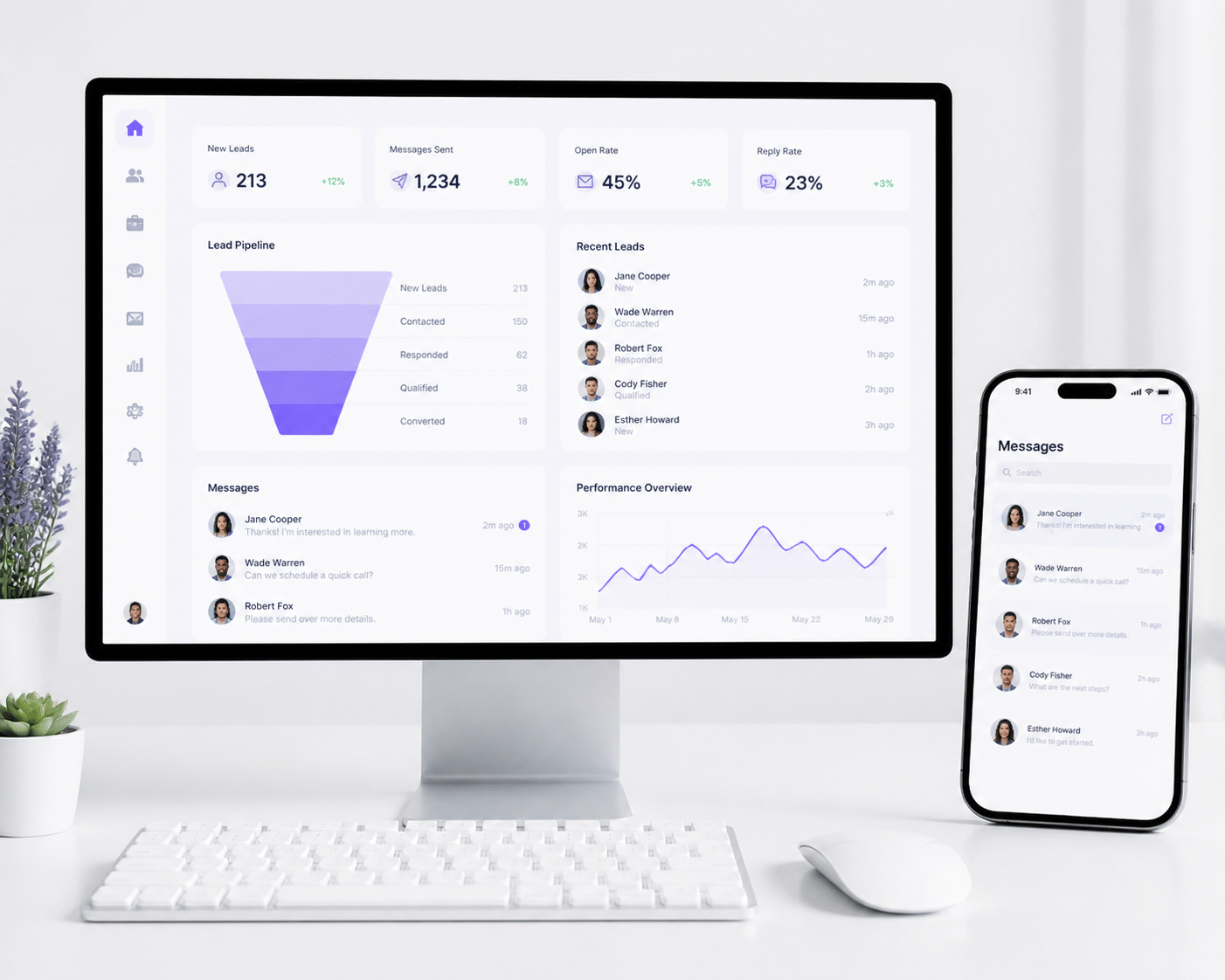
An SMS CRM is one platform that does two jobs. It stores your customer and lead details (that's the CRM part). And it lets you send, receive and automate text messages from the same screen—no jumping between an Excel sheet and a messaging panel.
Think of it like a shop counter with a smart notebook attached. The notebook knows who walked in, what they asked for, and when you last spoke. It can even say "thanks for your enquiry" on its own.
Bulk SMS panel vs. a real SMS CRM
Many owners already use a bulk SMS panel. Fair enough. But a panel only blasts messages. It doesn't know who your customer is, whether they replied, or what should happen next.
Here's the difference side by side:
Simple bulk SMS panel | Intelligent SMS CRM | |
|---|---|---|
What it does | Sends the same text to a list | Sends the right text to the right person |
Customer details | Just a number list | Full history, source, deal stage |
Automation | Almost none | Auto replies, reminders, follow-up flows |
Personalisation | Maybe a name | Name, product, last chat, lead source |
Replies | Often lost | Two-way, tracked, assigned to a rep |
Reporting | Sent count | Delivered, replied, converted |
So a panel is a loudspeaker. An SMS CRM is a conversation. That's what makes sms marketing automation actually useful for a small sales team, because the system handles the repeat work while your reps handle the talking.
Why it fits India so well
OK, here's where it gets interesting. India runs on phones. Most of your buyers, whether a factory owner in Surat or a shop owner in Ludhiana, check a text or a WhatsApp message far faster than an email. (I'm not 100% sure of an exact split, and I couldn't find a solid, audited India-wide study comparing all three channels. But that's what most Indian business owners tell me.)
Here's a practical way to split the work:
SMS: OTPs, payment alerts, delivery updates, quick sms alerts for leads
WhatsApp: quotations, product photos, back and forth selling
Email: long documents, invoices, contracts
That's why a whatsapp and sms crm setup makes sense. Use each channel for what it does best.
The scale is real too. TRAI reported 660.71 billion commercial SMS messages sent by registered telemarketers in one three-month period, with 11.09 billion promotional messages blocked after preference checks. Big numbers. And a lot of blocked ones.
The compliance part nobody enjoys
That blocking is the catch. India has strict rules, mainly under TRAI's TCCCPR framework. Businesses must register on a DLT platform, get an approved sender header and register every message template. Promotional texts must also respect DND preferences and consent.
A plain panel leaves most of this on you. A good crm with sms integration india should keep consent records, separate promotional from transactional messages, and skip opted-out numbers automatically. Mix marketing copy into a transactional alert, and the whole message can be treated as promotional. Ouch.
So an SMS CRM isn't just a nice extra. It keeps your messages fast, personal and legal, all at once. Next, let's look at what happens to your money when you skip it.
The Hidden Costs of Manual Communication: How Spreadsheets and Personal WhatsApp are Hurting Your Growth
Nobody plans to lose leads. It just happens slowly, one forgotten follow-up at a time.
What spreadsheets can't do
Excel is great for adding up numbers. For tracking people? Not so much.
A spreadsheet won't remind your rep to call back on Thursday. It can't tell two reps they're chasing the same buyer. And it can't send a single text on its own. Everything depends on someone typing, remembering and updating, which means one wrong digit in a phone number can quietly kill a good enquiry. Add a third rep and a fourth tab, and the file turns into a guessing game.
The personal WhatsApp problem
I get why reps love it. It's quick and everyone already has it. But when chats live on personal phones, you've got three headaches:
No visibility. Managers can't see who replied, who ghosted, or what price was promised.
Chats walk out the door. When a rep quits, the customer history goes with their phone.
It looks informal. A quote typed into a chat box isn't the same as a proper, numbered quotation or invoice.
There's a data side too. WhatsApp's own help page explains that business chats are encrypted, but once a message arrives, how it's handled depends on the business's own privacy practices. With personal phones, that's pretty much up to each rep.
What a leaky pipeline actually costs
Here's the scary part. A Harvard Business Review audit of 2,241 companies, summarised here, found that 23% never responded to a web-generated lead. That isn't an Indian MSME number, so treat it as a warning, not a verdict.
Let's do some quick math with made-up but realistic figures. Say you get 200 leads a month, and 23% slip through. That's 46 leads. If you'd normally close 10% of them at an average order of ₹50,000, you've lost about 4.6 deals. That's roughly ₹2.3 lakh every month. Over a year? Around ₹27.6 lakh. Gone, and nobody even noticed.
Your numbers will differ, but plug them in. It's a sobering ten minutes.
Manual vs. automated, side by side
Factor | Manual process (spreadsheet + personal WhatsApp) | Automated SMS CRM |
|---|---|---|
Lead response time | Hours or days, whenever someone checks | Instant text the moment a lead arrives |
Data security | Scattered across phones and files | One system with role-based access |
Sales visibility | Manager asks, rep "remembers" | Live pipeline and full chat history |
Follow-up reminders | None, or a sticky note | Automatic, assigned to a rep |
Scalability | Breaks as leads and staff grow | Handles more leads without more chaos |
So the fix isn't working harder. It's removing the manual steps where leads fall through. Next, let's look at five practical ways to do that.
5 Powerful Ways to Use an SMS CRM to Automate Sales & Marketing

So you've got the idea. But what do you actually automate first?
Here are five jobs that quietly eat your team's day, plus a sample text for each. Edit them to fit your business. And before you send anything, register each one as a template on DLT.
Catch and nurture new leads
1. Instant welcome and a qualifying question
The first minutes matter most. When an enquiry lands, your SMS CRM should text the buyer right away. IndiaMART has a Lead Manager CRM Push API that pushes leads to third-party CRMs in real time, so the welcome text can go out in seconds. Website forms and ad leads work the same way. (JustDial access depends on what they give you, so ask for their written setup details.)
Keep it to one question. Don't interrogate people.
Hi [Lead Name], thanks for your enquiry on IndiaMart. Our expert, [Sales Rep Name], will call you in 15 mins. Want the quote on WhatsApp instead? Reply 1 for WhatsApp, 2 for call. - [Your Company]
That reply tells your rep how to reach the buyer. It also tags the lead for the right follow-up.
2. Follow-up sequences for buyers who aren't ready
Most enquiries don't buy on day one. Some are just comparing prices. A short drip of texts keeps you in their mind without pestering them.
A US brand called Puresport sent an offer right away, then a reminder after 24 hours, and another two days later. It reported an 11% click rate. That's an e-commerce case, not an Indian MSME, so treat it as a pattern to copy, not a promise.
Here's a simple lead nurturing sms flow:
When | What the text does |
|---|---|
Minute 1 | Welcome and one qualifying question |
Day 1 | Share a price list or catalogue link |
Day 3 | Ask if they need a sample or a call |
Day 7 | Send a short case or customer result |
Day 10 | Final polite check-in, then stop |
If the buyer replies at any step, the sequence should pause and hand over to a rep. Always.
Hi [Name], still looking at [Product]? Here's our latest price list: [link]. Reply STOP to opt out. - [Your Company]
Collect payments and bring buyers back
3. Payment reminders and invoice alerts
Chasing money is awkward. A text does it politely, and nobody has to feel pushy. A 2022 Chaser survey reported that firms using both SMS and email reminders were 56% more likely to be paid before or within a week of the due date. It's an older survey, so measure your own days-to-payment before and after.
Send one text a few days before the due date, one on the day, and one gentle overdue note. Then a human takes over.
Hi [Customer Name], invoice [No.] for ₹[Amount] is due on [Date]. Pay here: [payment link]. - [Your Company]
Keep these messages purely about the bill. Slip in an offer and the whole text can be treated as promotional.
Want to stop losing leads?
See how Lead Opal helps you capture, track, and follow up on every lead — automatically, across WhatsApp, Email & SMS.
4. Bulk campaigns and new stock alerts
This is where bulk sms software for smbs earns its keep. Don't blast everyone, though. Split your list by city, product or last order, then send what each group actually cares about. Diwali greetings for all. Fresh stock alerts only for people who bought that item before.
Promotional texts must respect DND and consent. Leadopal's SMS module handles DND-compliant segments, so opted-out numbers stay out.
Hi [Name], new [Product] stock just arrived. Special rate till [Date]. Call [Number] or reply YES for a quote. Reply STOP to opt out. - [Your Company]
5. Feedback and review requests
Wait a few days after delivery. Let the box get opened first. Then ask one easy question.
Hi [Name], your order [No.] should have reached you. How did we do? Rate us 1 to 5 here: [link]. - [Your Company]
Happy buyers can be nudged toward a Google review. Unhappy ones reach you before they reach the internet. Not bad for one text.
Start with just one of these, probably the instant welcome. Then add the rest. Next, we'll look at adding WhatsApp and email on top.
Beyond SMS: Integrating WhatsApp & Email for a True All-in-One Strategy
Here's something I've noticed. Most owners pick one channel and try to make it do everything. SMS for all of it. Or WhatsApp for all of it. And then wonder why some messages fall flat.
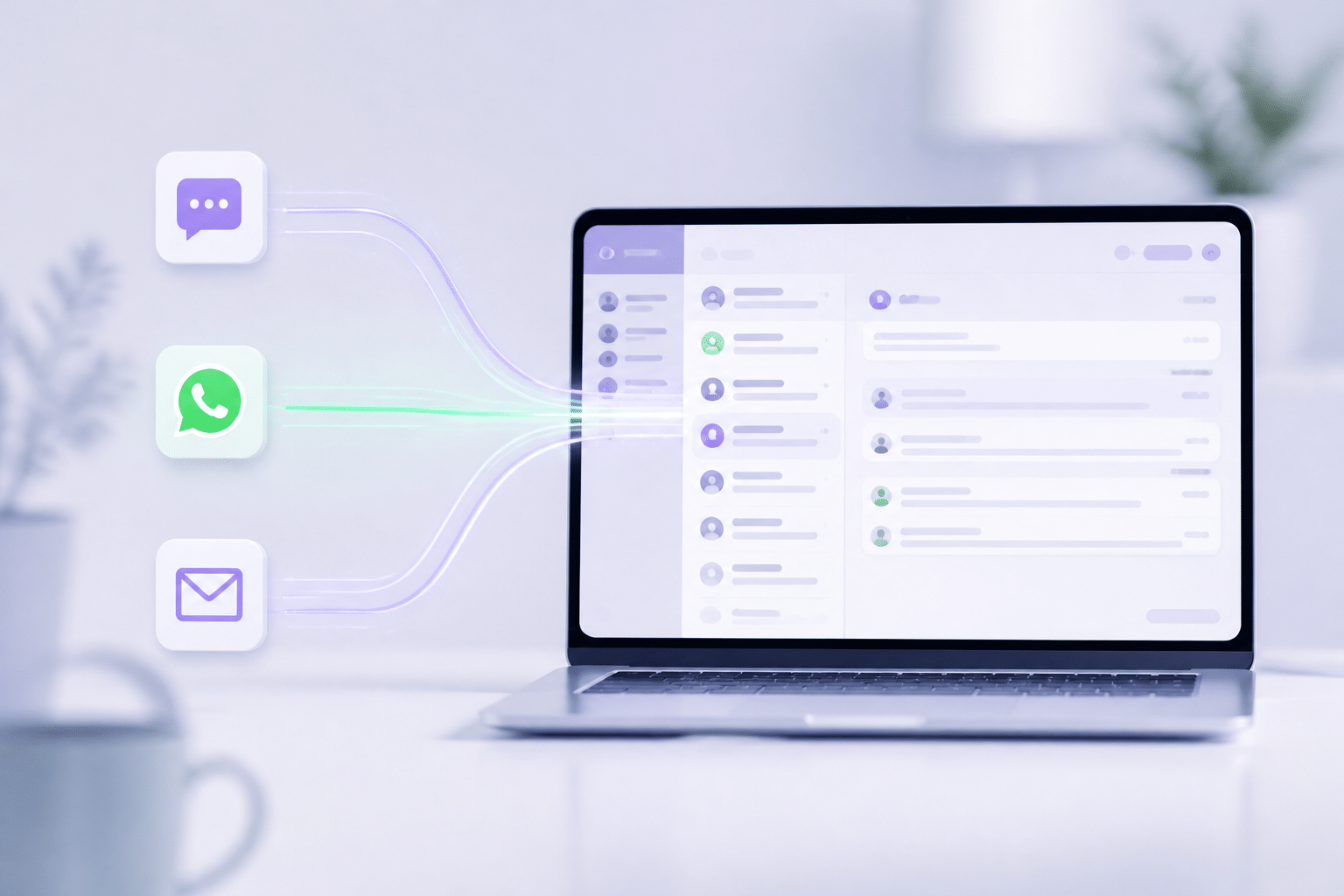
SMS is powerful, no doubt. But it's one piece of a bigger puzzle. The real goal is unified communication, where every message to a buyer, on any channel, lives in one place and follows one plan.
Give each channel its own job
I couldn't find a recent, audited study that ranks SMS, WhatsApp and email for Indian trading businesses. So I won't pretend there's a magic ranking. What I can share is a pattern that makes sense and matches what most experts suggest: use each channel for what it does best.
One 2026 benchmark roundup puts opted-in WhatsApp messages at an 85 to 98% open rate in India. Email sits around 15 to 25%. Treat those as industry estimates, not official numbers. SMS figures swing wildly depending on who's counting. Still, the direction is clear: WhatsApp gets seen, email gets filed, and SMS gets read on any phone.
Here's a simple view of the right channel for the right message:
Moment in the customer journey | Best channel | Example |
|---|---|---|
New enquiry lands | SMS | "Thanks, our rep will call in 15 mins" |
Qualifying and chatting | Product photos, quick price questions | |
Sending a detailed offer | Formal quotation, catalogue PDF | |
Order confirmed | SMS | Payment received alert |
Goods shipped | SMS | Dispatch notification with tracking |
Back and forth negotiation | Samples, voice notes, quick answers | |
Invoice and records | Tax invoice, contract copy | |
Payment due | SMS, then WhatsApp | Reminder with a UPI link |
So a dispatch alert goes by SMS. It's short, urgent and works even when someone's data is off. A conversation about bulk pricing? That's WhatsApp. And a 12-page catalogue with specs? Email, every time.
Why consent still matters on every channel
One quick warning. WhatsApp needs opt-in and approved templates too. Don't assume a number you got from IndiaMart means "yes" to everything. Ask politely, record the consent, and respect opt-outs on all three channels.
The real power: one trigger, three channels, one inbox
OK, here's the part I like best. When these channels are separate tools, your team copies data by hand. Again. That's the same leak we talked about earlier, just wearing a different hat.
With an all-in-one platform, a single trigger sets off a whole workflow. Let's say a new lead arrives from IndiaMart:
Minute 1: An SMS goes out with a welcome and one question.
Minute 5: A WhatsApp message follows with a product photo and a callback option.
After the call: An email carries the detailed quotation and catalogue.
Day 3: If there's no reply, a reminder pings the rep (and the buyer).
If the buyer replies on any channel, the automation pauses. A human steps in. And every reply, whether it came by text, WhatsApp or email, lands in one shared inbox, tagged to the same lead.
That's the idea behind Leadopal. It brings lead capture, SMS, the official WhatsApp API, email and a drag-and-drop automation builder into one system. Your manager sees the full history. Nothing sits on a rep's personal phone. And when someone quits, the conversation stays.
A quick tip before you build anything: start small. Pick one lead source and one simple flow, like the one above. Get it working, then add more.
But how do you pick a tool that actually fits your business? That's next.
Checklist: How to Choose the Right SMS CRM for Your Indian MSME
You've seen what an SMS CRM can do. Now comes the part where most owners get stuck: picking one. There are dozens of tools, and every demo looks shiny.
Here's a simple checklist. Print it, tick the boxes, and don't sign anything until most of them are green. (I'll mention a PDF version at the end.)
The non-negotiable features
These are the basics. If a tool misses two or three, walk away.
Feature | What to look for | Tick |
|---|---|---|
Indian lead sources | Direct links to IndiaMart, TradeIndia, JustDial, Google Ads, Facebook Ads and website forms | ☐ |
Automation builder | Drag-and-drop flows for routing, welcome texts and follow-ups, no coding needed | ☐ |
Official WhatsApp API | Real API access, not a workaround on a personal number | ☐ |
Shared inbox | Every rep's chats visible to the manager | ☐ |
Invoicing | Quotations, GST tax invoices and payment QR codes in the same system | ☐ |
Reports | Delivered, replied and converted, by rep and by lead source | ☐ |
Roles and permissions | Each user sees only the modules they need | ☐ |
One thing I'd press on: ask to see the IndiaMart connection live. Don't accept "yes, we support it." And for JustDial, ask for the setup details in writing, since access depends on what they offer you.
Why integrated invoicing? Because a quote that jumps from one app to another is just another place for errors. Leadopal, for example, keeps quotations, invoices and lead chats in one system. That's the idea you want, whichever tool you pick.
Compliance checks that protect your sender name
This is the boring part. It's also where cheap tools hurt you most.
A vendor might advertise "DLT support" but leave entity registration, template approval and consent records to you. Then messages get blocked, and you only find out when leads go quiet. Ask these questions:
Does the tool scrub numbers against DND automatically?
Does it store consent with a source and a time stamp?
Can it keep promotional, service and transactional texts apart?
Does it pass your PE ID, header and template ID with every message?
Does it stop opted-out numbers from getting another text?
Can you see operator-wise delivery reports, not just "submitted"?
TRAI is clear that mixing promotional content into a service or transactional message can make the whole message promotional. Good software should stop you doing that by accident. Persistent violations can lead to blocking or even disconnection, so this isn't a nice-to-have.
Pricing and support: read the fine print
A ₹0.10 per SMS headline can hide a lot. Published 2026 rates for Indian providers mostly sit between ₹0.14 and ₹0.20 per message, and that's before GST. Some quotes leave out DLT fees, platform fees or setup charges. Long or Unicode messages can also count as more than one SMS.
So do this simple math:
messages × parts per message × SMS rate + platform fee + setup charges + GST
Then check three more things:
Per-user pricing that scales. Can you add a fifth rep without the bill doubling?
Data export. Can you take your contacts and chat history with you if you leave?
Local support. Is there a person in India who picks up, speaks your language and understands DLT headaches?
Test a 30-day sample before committing. Most good vendors won't mind.
Want all of this on one page? Grab the printable checklist PDF and take it along to your next software demo. Once you've picked a tool, there's just one thing left: turning all this into action.
Conclusion: Stop Managing Leads, Start Converting Them with Automation
Let's go back to that Tuesday morning enquiry. The 500-unit order. The notepad. The "I'll call after lunch."
That story doesn't have to end the same way anymore.
Here's the plain truth. Manual follow-up just can't keep up in 2026. Buyers compare three suppliers before your rep finishes lunch. A spreadsheet won't nudge anyone, and a personal WhatsApp chat walks out the door with the employee. An SMS CRM flips that around. Instead of chasing leads after the fact, your system replies in a minute, reminds your team about the next step, and keeps every chat in one place. Reactive chore becomes a proactive sales engine.
What you actually get
No fancy promises here. Just three things most MSME owners care about:
More conversions. Fast replies and steady follow-ups mean fewer leads quietly slipping away.
A more accountable team. You see who replied, who didn't, and what's still open. No more "I think I called him."
Professional customer chats. Texts, WhatsApp and email go out from official, trackable channels, with proper quotations and invoices behind them.
And the money side? One 2026 summary citing Nucleus Research reported $5.44 returned for every $1 spent on marketing automation over three years. Treat that as a benchmark, not a guarantee. Your own numbers will differ, which is why you should track replies, quotations and closed deals from day one.
Your 15-minute first step
You don't need to rebuild your whole business. Please don't try.
Take 15 minutes this week to map your current lead follow-up process. Where does a new enquiry land? Who sees it first? How long before someone replies? Then pick one step you can automate, like the instant welcome text. Small-business automation guides, like this one from Skyline Digital, suggest starting with a single follow-up workflow and expanding only after it works.
Once you've found that step, look at an all-in-one platform built to handle it for you. Leadopal brings your IndiaMart, TradeIndia, JustDial and ad leads, SMS, WhatsApp, email, automation and invoicing into one system made for Indian MSMEs. Run a 30-day test with one lead source and see what changes.
You don't need a bigger team or a longer day to win more deals. You just need one smart step, taken this week.