

Introduction: From Lead Chaos to Controlled Growth

How many leads from TradeIndia did your team miss last month? Be honest. Nobody really knows.
Here's a scene you might recognize. A new IndiaMART enquiry pings at 11am. One rep sees it. Another rep gets a WhatsApp message about the same buyer, on his personal phone. A third follow-up lives in an Excel sheet that only one person understands (and she's on leave this week). By evening, the buyer has already talked to your competitor.
That's the cost of fragmented lead handling. Slow replies, lost sales, and zero visibility for you as the owner. And speed matters more than most of us think. A 2025 survey of 939 B2B companies found a 32% close rate when teams replied within five minutes, versus 15% when they took up to a day. That's roughly double.
I can't give you a neat national number for how many Indian MSMEs still run on spreadsheets and personal chats. Nobody has reliably measured it. But if you're reading this, you probably already know the feeling.
So here's the promise. This guide gives you a simple, step-by-step way to pick the right lead management CRM for your business. One that pulls everything into a single place and helps you grow without the daily scramble. Let's sort it out together.
What is a Lead Management CRM (and Why It's Non-Negotiable for MSMEs)
So what is it, in plain words?
A lead management CRM is one piece of software that catches every enquiry, tracks it, helps you talk to the buyer, and moves it toward a sale. That's it. Think of a shared notebook that never forgets and never goes on leave.
It does four jobs:
Capture: pulls leads from IndiaMART, TradeIndia, JustDial, ads, website forms and WhatsApp
Track: shows who owns each lead and what happens next
Engage: sends reminders and keeps every message in one place
Convert: follows the lead through quote, negotiation and closing
How it differs from big, generic CRMs
Here's the catch. Tools like Salesforce were built for large teams with their own admins. Enterprise CRMs often need specialist setup, and rollouts can take months. That's a lot for a 6-person sales team.
A CRM built for Indian MSMEs works differently. It connects to local marketplaces, handles WhatsApp properly (not just a chat button), and works on a phone. Leadopal is one example of this kind of tool. Simple setup, India-friendly pricing, no consultant needed.
What doing nothing really costs
Let's put some weight on this. Lead leakage means a lead that has no owner, no next step, or no recorded outcome. It's quiet. You never see the invoice for it.
One industry source claims 30 to 50% of portal enquiries can go cold within 24 hours when follow-up is late. That's a vendor-reported estimate, so treat it as a rough signal, not gospel. Still, it matches what many of us see.
Then there's the typing. Copying leads from a portal into Excel strips out the original source and context. Say each rep spends 30 minutes a day on it (just an example). That's about 11 hours a month, per rep, spent on data entry instead of selling.
And when a rep quits? His personal WhatsApp chats walk out with him.
Before and after, side by side
Factor | Spreadsheet & WhatsApp | Integrated lead management CRM |
|---|---|---|
Visibility | Scattered across sheets and personal phones | One pipeline everyone can see |
Response time | Depends on who notices the enquiry | Instant alerts and automatic assignment |
Lead ownership | Unclear, sometimes two reps chase one buyer | Every lead has one owner |
Follow-ups | Remembered (or forgotten) | Reminders and task lists |
Reporting | Manual, slow, often outdated | Source-wise and rep-wise numbers on demand |
If a rep leaves | Chats and notes disappear | Full history stays with the business |
So what should you check first in your own business? That's where we go next.
Step 1: Audit Your Current Sales Process, Identify the Bottlenecks

Before you look at a single CRM demo, look at your own business. Seriously. You can't fix what you haven't seen.
This audit takes about 15 minutes. Grab a pen, or open a blank sheet, and answer honestly.
Start with where your leads come from
List every single source. IndiaMART, TradeIndia, JustDial, your website form, Facebook Ads, Google Ads, WhatsApp, phone calls, trade fair visiting cards, that one distributor who sends referrals. Most owners I talk to find two or three sources they forgot about.
Next, ask three things for each source:
Where does the lead land first (a portal, an inbox, someone's phone)?
Who sees it, and how fast?
Does the original source survive when it's copied somewhere else?
Then look at assignment. How do new leads reach your reps right now? Does someone forward them by hand? Do reps just grab whatever they spot first? And how do you track follow-ups and chats: a sheet, a notebook, personal WhatsApp? If the answer is "it depends on the rep," that's your first bottleneck.
Spot the slow and painful parts
Now find the tasks everyone quietly hates. Copy-pasting enquiry details into Excel. Building each quotation from scratch in Word. Chasing a rep to ask, "Did you call him?" Write them down, and guess how many minutes each one eats per day.
Pick a sample of 20 to 30 recent leads and check what happened to each. Note the source, how long the first reply took, who owned it, and how it ended. Sounds boring. It's also eye-opening.
Map the journey from enquiry to invoice
Draw the whole path on one page: enquiry, assignment, first call, requirement check, quotation, approval, follow-up, order, invoice. Livespace's sales process guide suggests mapping every step in order, then comparing results by rep, product and lead source to find where deals drop off.
Mark every spot where a lead waits, gets re-typed, or has no clear owner. Those marks become your CRM wish list in the next step.
Your 15-Minute Sales Process Health Check
Tick "Yes" only if it's true for every lead, not just on a good day.
Area | Question | Yes / No |
|---|---|---|
Sources | Can you name every lead source in under a minute? | |
Capture | Do all leads land in one place, with the original source kept? | |
Assignment | Does every lead get exactly one owner and a reply deadline? | |
Speed | Do you know your average time to first reply? | |
Follow-up | Is the next follow-up date recorded for every open lead? | |
Conversations | Are chats and call notes visible to you, not stuck on personal phones? | |
Quotations | Are quotes numbered, linked to the lead, and easy to find? | |
Reporting | Can you see conversion by source and by rep without building a report by hand? | |
Exit risk | If a rep left today, would the lead history stay with you? |
Count your "No" answers. Three or more? You've found real bottlenecks, and you're ready to turn them into must-have features.
Step 2: Define Your Must-Have Features for the Indian Market
Your audit probably left you with a messy list of problems. Good. Now we turn each one into a feature you can ask a vendor about.
Here's the trap, though. Most CRM demos show you 50 shiny things. You need maybe 10. So let's decide what those 10 are before anyone shows you a slide.
Centralized lead capture: kill the copy-paste
This is the big one for most Indian MSMEs. If your leads come from IndiaMART, TradeIndia and JustDial, plus Google and Facebook ads, your CRM must pull them in by itself. No exporting. No retyping. No "I'll add it to the sheet tonight."
Look for direct integrations, not just a CSV upload button. Also check for website forms and webhooks, so a lead from a new channel next year doesn't need a developer. Leadopal, for example, connects to all the marketplaces above and to ad platforms, so every enquiry lands in one pipeline with its source attached.
That source tag matters more than it sounds. It's how you'll later learn which portal actually brings paying buyers (and which one just brings tyre-kickers).
WhatsApp first, then email and SMS
Let's be honest. Your buyers live on WhatsApp. Your reps do too, usually on personal numbers. That's the problem.
A personal WhatsApp or the free Business App works for one person. The official API is different. According to Ozonetel's guide, the API supports automated workflows and multiple agents, which the free app doesn't. In a CRM, that means:
A shared inbox, so the owner can see who said what
Broadcasts to a segmented list, not a random contact dump
Conversation history that stays when a rep leaves
Delivery and reply tracking tied to each lead
But it isn't magic. Peko's breakdown notes that outbound messages need Meta-approved templates and are billed per message, roughly ₹0.86 for a marketing message in one 2026 estimate, before GST and provider fees. So ask about message costs upfront.
Also check email and SMS. A unified email inbox helps with quotes and formal follow-ups. Bulk SMS is useful too, but make sure the tool handles DND rules so you stay compliant.
Pipeline, assignment, targets and GST-ready quotes
Now the daily running of sales. Four things, really.
A visual pipeline. Drag a lead from New to Contacted to Quoted to Won. If you can't see the whole board in ten seconds, it's not doing its job.
Automatic assignment. New leads should go to the right rep by product, city or turn, with a reply deadline. This alone fixes the two-reps-one-buyer mess from your audit.
Sales target tracking. Targets per rep, with weekly and monthly history. Verbal check-ins don't leave a record.
Quotations and invoices in the same place. And here's where India is different. Your documents need GST basics: GSTIN, HSN or SAC codes, correct CGST, SGST or IGST split, and place of supply. The CBIC's invoice guide lists the mandatory fields. If your turnover crosses the e-invoicing threshold, ask whether the software generates the IRN and QR code, or whether it just exports to another tool.
Core Features for an MSME Lead Management CRM
Take this table to every demo. Add your own rows from the audit.
Feature | Why It Matters | Question for Vendor |
|---|---|---|
IndiaMART, TradeIndia, JustDial integration | Stops lead leakage and manual entry | Is it native, and how fast do leads arrive? |
Ad platform and form capture | Keeps the source on every lead | Do Google and Facebook leads sync without a developer? |
Official WhatsApp API and shared inbox | Gives you visibility and keeps chat history | Who handles template approval, and what are the per-message costs? |
Email and SMS | Covers formal follow-ups and bulk reminders | Is there DND-compliant SMS and a unified inbox? |
Visual sales pipeline | Shows stuck deals at a glance | Can I make separate pipelines per product? |
Automatic lead assignment | One owner per lead, faster first reply | Can rules use product, city or workload? |
Target tracking | Rep accountability with history | Can I see weekly, monthly and yearly trends? |
GST-ready quotes and invoices | Less rework, fewer errors | Does it support HSN/SAC, e-invoicing and credit notes? |
Role-based access | Reps see only what they need | Can I limit modules per user? |
Tick the rows that match your "No" answers from Step 1. Those are your must-haves. Everything else is a nice-to-have, and it can wait.
Next, we'll use this list to judge actual providers.
Step 3: How to Evaluate CRM Providers (Without Getting Overwhelmed)

You've got your must-have list. Now comes the part where every vendor sounds amazing. Slick demos, big promises, a discount that "expires Friday."
Here's the trick. Judge every provider on three things: what it really costs, whether your team will use it, and who picks up the phone when something breaks. Everything else is noise.
Want to stop losing leads?
See how Lead Opal helps you capture, track, and follow up on every lead — automatically, across WhatsApp, Email & SMS.
Look past the sticker price
A low monthly number on a pricing page is only the start. It's like buying a car and finding out the seats cost extra.
First, understand how the vendor charges. Per-user pricing is simple, but it gets pricey when you add part-time reps, managers or a back-office person. Platform-based pricing (one fee for the whole team, sometimes with usage limits) can be cheaper as you grow. Neither is always better. It depends on how many people touch leads.
Then hunt for the hidden stuff. Based on what IT Negotiation Services and others report, common extras include:
Setup, training and data migration fees
Storage limits, with overage charges
Paid connectors or API limits
Premium support, sometimes 15 to 25% of the yearly licence value
Higher tiers that lock away automation or extra pipelines
Renewal hikes and annual prepayment rules
And don't forget WhatsApp. Messages are billed per message, plus provider fees, so a busy broadcast month can surprise you.
My advice? Ask for a written first-year quote and a three-year quote. Give them a real scenario, say 10 users, two years of lead history, WhatsApp, migration and GST. Then compare the cost per active user.
Do a quick ROI check
You don't need a finance degree for this. Try a back-of-the-envelope version.
Time saved: If each rep saves 30 minutes a day on data entry (use your own audit number), that's roughly 11 hours a month per rep. Multiply by their hourly cost.
Extra sales: Take your current monthly leads, add a modest conversion bump (say 2 percentage points, not 20), and multiply by your average order value.
Compare: Add both, subtract the full yearly cost from your quote.
Be careful with big promises. Vendor case studies, like the HubSpot ROI Report 2025 claiming 89% of customers saw productivity gains, are useful signals. But they aren't guarantees for your business. Use conservative numbers and you'll rarely be disappointed.
Ease of use decides everything
A CRM nobody opens is just an expensive logo. Failure is common, and analysts often put it between 50% and 70%, mostly because of weak adoption, not weak software.
So test it like your least techy rep would. During the trial, check:
Can someone add and assign a lead without help?
How many taps does it take to update a status?
Does it work smoothly on the phones your team actually owns?
Are people still using it after two weeks?
Let two or three reps try it with your own lead file. Their reaction tells you more than any feature list.
Support and onboarding for teams with no IT person
Most MSMEs don't have an IT department. That's you, on a Sunday, trying to fix an import error.
So test support before you sign. Send a real technical question (not a sales one) and time the reply. Ask whether help comes from India-based staff, in Hindi or your regional language, during your working hours. Check whether setup, data migration and training are included or billed separately. TechTarget also suggests reviewing SLAs and running a pilot with the people who'll use the tool daily.
A low price with no hand-holding gets expensive fast. Leadopal, for instance, is built around quick setup by connecting your existing lead sources, which is the kind of approach worth asking every vendor about.
10 critical questions to ask every CRM vendor
Copy these into your next demo call. Write down the answers, since memory fades after the third vendor.
What is the total cost for my team in year one and year three, including setup, migration, storage and GST?
Is pricing per user or per platform, and what happens when I add a rep?
Do you integrate directly with IndiaMART, TradeIndia and JustDial, and how fast do leads arrive?
Is the WhatsApp API official, and who handles template approval and per-message billing?
Can my reps start using it with no training, and can I test it on real leads first?
Does it work well on mobile?
Is support based in India, and what are your hours, channels and response times in writing?
Do you help with data migration and setup, and is that free or paid?
Can I export all my data anytime, and what happens if I cancel?
Can you share two references from Indian MSMEs on the same plan?
If a vendor dodges more than two of these, that's your answer.
Once you've narrowed the list, it's time to plan how your team will actually switch over.
Step 4: Planning a Smooth Implementation and Team Onboarding
You picked a tool. Great. Now comes the part where most CRM projects quietly go wrong.
The software rarely fails. The rollout does. So let's treat this like a small, boring, very doable project.
Start Small, Scale Fast
Don't move your whole business over in one weekend. (I've watched that go badly.) Pick one main lead source, say IndiaMART, and connect only that. Then add one simple automation, like auto-assigning every new enquiry to a rep with a reply deadline and a follow-up reminder.
Teamgate's implementation checklist warns against overcomplicating the first release. Start with name, phone, source, owner, stage, next action and follow-up date. That's enough for now.
Once the first source runs smoothly for a week or two, add TradeIndia, JustDial, ads and WhatsApp.
Get Your Sales Team on Your Side
Here's the honest bit. Reps hear "CRM" and think "the boss is watching me." So don't pitch it that way.
Pitch it as help, because it really is:
No more copying leads into Excel at night
Reminders, so no promising lead gets forgotten
Fair lead sharing, so nobody gets stuck with only the junk
A clear record of their work when target and incentive time comes
Ask two respected reps to test it first. They become your go-to people, and the rest of the team trusts them more than they trust you (sorry). Then set a date after which the CRM is the only official record. If the notebook and the spreadsheet stay alive, people will keep using them.
Your First 3 Steps After Buying
Import your existing leads. Clean them first. Remove duplicates, fix phone numbers, mark who owns what. Data migration was the top hurdle for 63% of businesses in a 2025 SMB survey cited by Cogenta, so don't rush it.
Connect your primary lead source. For many of you that's IndiaMART. Send a test enquiry and confirm it lands with the source tag attached.
Train the team on the daily workflow. Keep it short: open the lead, call or WhatsApp, log a note, set the next follow-up, move the stage. Two 20-minute sessions beat one long lecture.
A 30-Day Go-Live Plan
Here's a simple timeline you can copy.
Week | Focus | What gets done |
|---|---|---|
Week 1 | Setup and integration | Import cleaned leads, connect one lead source, set pipeline stages and one assignment rule |
Week 2 | Team training | Run short role-based sessions, pick two super-users, share a one-page checklist |
Week 3 | Pilot run | One manager and 2 or 3 reps use it for real leads, collect problems, fix them |
Week 4 | Full rollout | Add remaining reps and sources, retire the old spreadsheet, start weekly pipeline reviews |
It won't be perfect. That's fine. A working 80% beats a perfect plan nobody uses.
Once it's live and people are using it daily, you can think about where it goes next.
Future-Proofing Your Choice: Beyond Basic Lead Tracking
Here's a question worth asking before you sign anything. Will this tool still fit your business in two years? Not just today, with six reps and three lead sources. But later, when you've got fifteen reps, a new marketplace and a boss who wants numbers by Monday morning.
A good lead management CRM doesn't just store leads. It grows with you. Three things matter most.
Analytics that tell you what's actually working
Gut feeling is fine for small decisions. Not for where your ad budget goes.
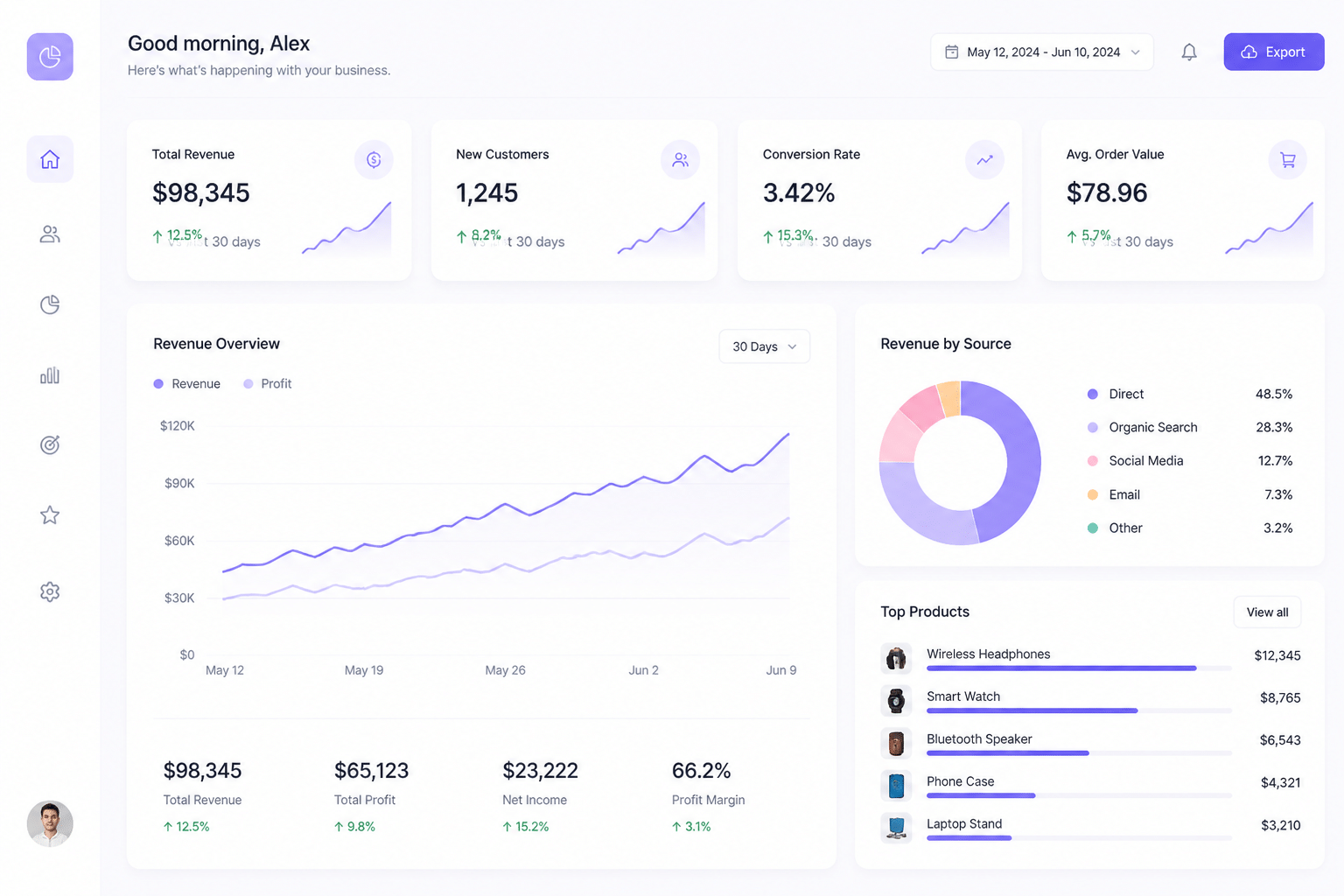
A decent dashboard answers questions you'd otherwise argue about in meetings. Which source brings buyers who actually pay? Which rep closes the most deals? Is your conversion rate going up or sliding down over the last three months? If you have to build these reports by hand in Excel, you'll stop checking them. Most of us do.
Here's what to look for on the dashboard:
Metric | What it tells you | Why you'll care |
|---|---|---|
Leads by source | Volume from IndiaMART, TradeIndia, JustDial, ads and forms | Shows where to spend more (and where to stop) |
Deal conversion rate | Share of leads that become customers | Spots weak sources and weak follow-up |
First response time | How fast reps reply to new leads | Fast replies close more deals |
Rep productivity | Calls, follow-ups and wins per person | Fair coaching, fair incentives |
Target vs. achieved | Progress against weekly and monthly goals | No more guessing at month end |
Pick a tool that shows trends over time, not just today's snapshot. A single good week means little. Six months of data tells a story.
Room to grow without starting over
Switching CRMs later is painful. Ask about growth now, so you don't repeat this whole buying process in 2028.
Check these before you commit:
Can you add users without a big jump in price?
Can you connect a new lead source, like another ad platform, with a webhook and no developer?
Can you build separate pipelines for different products?
Can you control what each user sees, so a new rep doesn't get your full customer list?
Can you export everything if you ever leave?
That last one gets skipped a lot. Don't skip it.
Automation that does the boring follow-up for you
OK, this part is where an integrated system really starts to pay off. Start simple, like auto-assigning new leads. Later, you can build multi-step follow-up sequences.
Imagine this. A new enquiry arrives. A WhatsApp message goes out in seconds with your catalogue. Two days later, if there's no reply, an email follows. After five days, a task pops up for the rep to call. If the buyer replies at any point, the sequence stops. Nobody has to remember anything.
Leadopal's drag-and-drop automation builder, for example, handles lead routing and follow-ups this way, with WhatsApp, email and SMS all working from one place. You don't need to be technical to set it up, which matters when there's no IT person on staff.
One caution: don't automate a messy process. Fix the basics first, then add the clever stuff.
So you now know how to judge a CRM for the long run. Time to pull it all together.
Conclusion: Your Blueprint for Choosing the Right Sales Engine
Think back to that 11am IndiaMART ping from the start. Same enquiry, same buyer. The only thing that changes is whether your business catches it or drops it.
Choosing a lead management CRM isn't about finding the tool with the longest feature list. It's about picking one that fits how your team really sells. And you've now got a way to do that.
The 4 Steps, Side by Side
Step | What you do | What you walk away with |
|---|---|---|
1. Audit your process | Check lead sources, owners, reply times and follow-ups with a 15-minute health check | A clear list of bottlenecks |
2. Define your features | Turn each bottleneck into a must-have, like marketplace capture, WhatsApp API and GST-ready quotes | A short, honest checklist |
3. Evaluate vendors | Compare real cost, ease of use and support, then ask the 10 questions | A shortlist you trust |
4. Plan the rollout | Start with one source, pick two super-users, follow the 30-day plan | A CRM your team actually uses |
From Scramble to System
Here's the real prize. You stop reacting. No more guessing who called the buyer, no more digging through personal chats, no more month-end surprises.
Instead, every enquiry lands in one place with an owner and a next step. Your reps sell. Your system remembers. That's what growth without the daily scramble looks like.
Your Next Move
You don't need to fix everything this week. Run the audit, write your must-have list, and book two or three demos.
Now that you have the framework, start looking at platforms built for the way Indian businesses actually sell. Look for one that unifies, automates, and grows with you. If you'd like to see what that looks like in practice, take a look at Leadopal and test it against your own checklist.