
Stop Drowning in Leads: How Lead Automation Software Can Revolutionize Your Business
Picture a Tuesday morning at a textile distributor's office. One person is refreshing IndiaMart. Another is scrolling through a WhatsApp group. A third is hunting for last week's enquiry in a spreadsheet that nobody fully trusts. Sound familiar?
You're not short on leads. You're short on hands, time and a clear view of what's happening. Enquiries land from IndiaMart, TradeIndia, JustDial, Facebook ads, Google, your website and plain old phone calls. One report says Indian SMBs commonly juggle four to six channels at once, often with spreadsheets holding it together.
And the cost is real. One 2026 industry estimate says Indian SMBs lose 60 to 70% of their leads because follow-up is poor or inconsistent. (It's a vendor estimate, not a government number, so take it as a signal rather than gospel.) Even so, most owners I'd guess can feel it in their gut. A lead comes in, gets buried, and a competitor replies first.
That's where lead automation software steps in. It pulls enquiries from every source into one place, assigns them to the right person, and sends follow-ups without anyone remembering to do it. Less lead leakage. A calmer sales team. Growth that doesn't need a huge hiring spree.
So what does that look like in real life? Below, we'll walk through 8 practical benefits that touch your bottom line and your daily workload. No fluff, just what actually changes when your leads stop living in ten different places.
1. Consolidate Every Lead Source into a Single, Unified Pipeline
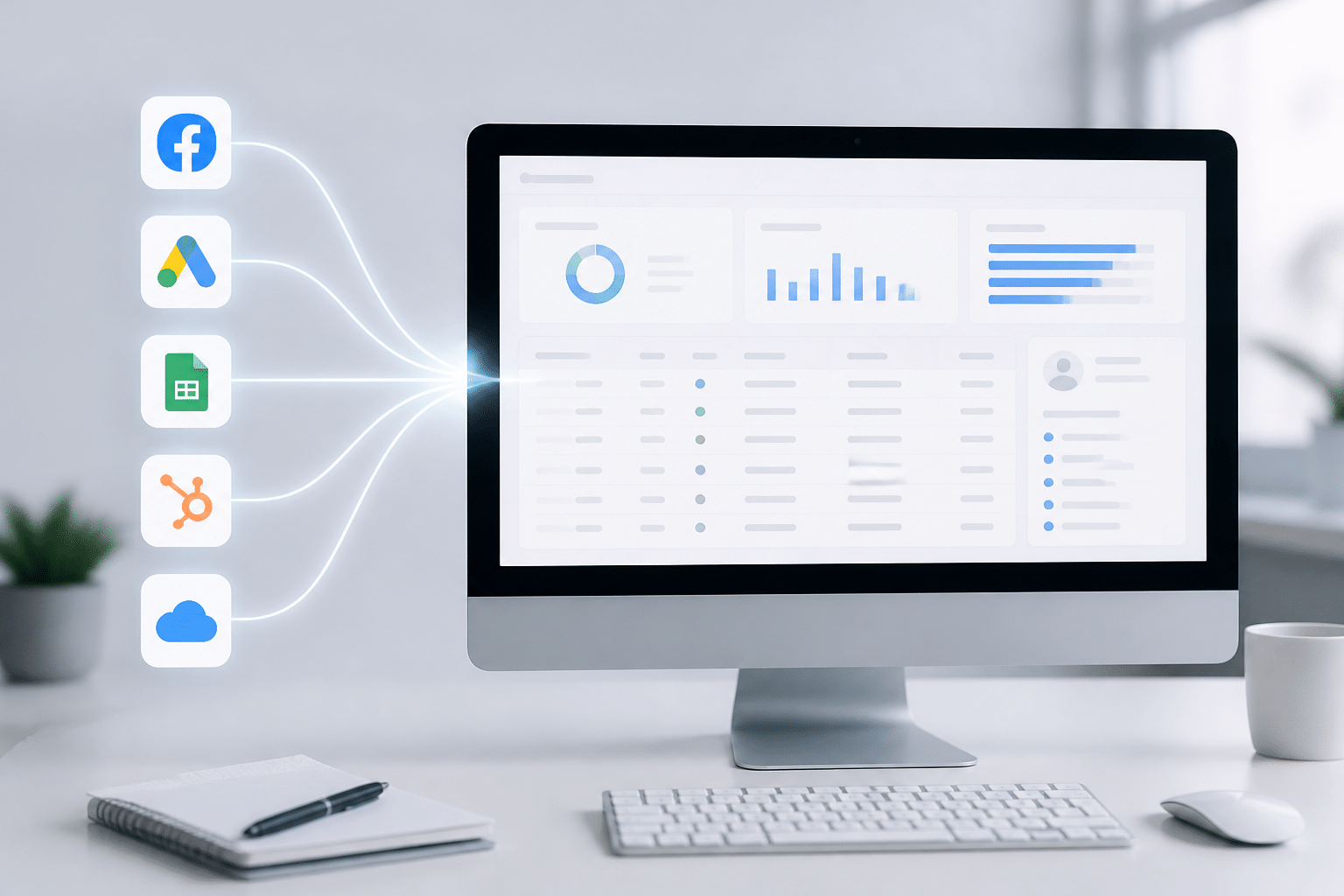
Think of a digital collection box. Every enquiry drops into the same slot, no matter where it started. Nobody has to go fishing for it.
How the Collection Box Actually Works
Behind the scenes, it's simpler than it sounds. Lead automation software connects to your lead sources through integrations, usually APIs and webhooks. (A webhook is just a tiny message one app sends to another the moment something happens.) A buyer fills in a form, and seconds later that lead sits in your pipeline with the name, number, product and source already filled in.
Lead Opal, for example, plugs straight into IndiaMart, TradeIndia, JustDial, Google Ads and Facebook Ads. It also takes in website forms and custom webhooks. Here's the picture:
Where the lead starts | What lands in your pipeline |
IndiaMart, TradeIndia, JustDial | Buyer details and product enquiry |
Google Ads, Facebook Ads | Form fills with campaign source tagged |
Website forms, QR code forms | Submissions with the form name attached |
Custom webhooks | Leads from any other tool you use |
All of it ends up in one place: a single unified lead pipeline.
No More Copy-Paste, No More Forgotten Leads
Manual data entry is the quiet killer here. Someone copies a number from a marketplace dashboard into Excel, mistypes one digit, and that buyer is gone. Or a hot enquiry gets buried under 200 unread emails. Automated lead management ends both problems. Nothing gets retyped, and nothing hides in a separate login.
Does It Really Cut Leakage?
Here's a real example. Petpooja, an Indian software company, ran its sales on Excel and Google Sheets, and lead leakage was around 67%. After moving to a centralized system, leakage fell to about 2%, and conversions rose 13% within six months. It's one company's story, published by the vendor, so your numbers will differ. Still, the direction is hard to ignore.
Once every lead lands in one spot, the next question is how fast you reply to it. That's where things get interesting.
2. Automate Follow-Ups to Respond Instantly & Nurture Leads 24/7

You know that sinking feeling when you see an enquiry has sat unanswered since last night? By then, the buyer has probably called three other suppliers. Speed decides a lot of deals. Honestly, more than most owners want to admit.
Why Speed to Lead Matters So Much
"Speed to lead" just means how fast you reply after someone shows interest. One 2026 India-focused benchmark says B2B companies often take 8 to 16 hours to respond during business hours. The same benchmark says a reply within five minutes converts at about 21%, versus 2.3% after 24 hours. (I can't verify the original report, so treat it as a rough signal.)
A 2025 survey of 939 B2B companies backs up the direction. Replying within five minutes gave a 32% close rate, against 15% for those who took up to a day. Different numbers, same story. Faster wins.
No human can reply in five minutes to every lead at 11pm. Software can.
The Instant Welcome Message
With lead automation software, the moment a lead lands, a personalized message goes out on WhatsApp, SMS or email. Here's a simple one:
Hi {{First Name}}, thanks for contacting {{Company}} about {{Product}}. We've got your request. Would a quick call today at {{Time 1}} or {{Time 2}} work?
It confirms receipt, uses their name and asks one easy question. WhatsApp matters here. One 2026 India benchmark puts WhatsApp read rates near 98%, versus about 22% for email. That's for opted-in contacts, so get consent first.
Build a Simple Nurturing Sequence
Not every buyer is ready on day one. A basic lead nurturing platform flow keeps you in their mind without anyone setting reminders by hand. Here's one that works for a distributor getting an IndiaMart enquiry:
When | What happens | Who does it |
Minute 1 | Instant WhatsApp welcome message | Automation |
Day 3 | Company brochure or product catalog sent by email | Automation |
Day 7 | Follow-up call reminder created as a task | Sales rep |
Start small. Three steps are plenty. You can add a gentle "is this still a priority?" nudge later, with simple reply options like 1 for a call or 2 for pricing.
It Never Clocks Out
Here's the part I like most. Automation works at 2am, on Sundays and during Diwali week. Your team sleeps, and your leads still get a reply. That consistency is a real edge over the competitor who answers on Monday.
And it's not only about conversions. Indian buyers care about speed too. ServiceNow's India 2025 report found 49% of customers rank speed as the top service factor. Fast replies feel professional.
Once a lead is warm, the real conversation usually moves to WhatsApp. So let's look at how to keep that channel under control.
3. Manage and Scale WhatsApp Sales Without Losing Control
Here's a scene I'd bet you've lived. Your best rep, Rohit, closes deals over WhatsApp from his own phone. Great numbers. Then one Friday he resigns, and every chat, quote and promise goes out the door with him.
That's the quiet risk of running sales on personal WhatsApp.
The Problem With Personal WhatsApp Numbers
WhatsApp is where Indian buyers actually talk. So of course your reps use it. But when each person chats from a private number, you get a few headaches fast:
Managers can't see who said what to which buyer.
Chat history lives on one phone, not in your business.
If a rep leaves, the leads and the context leave too.
Nobody can tell if a message went unanswered for two days.
I couldn't find an expert quote on this specific risk, so I won't invent one. But the pattern is easy to spot. A personal account has no shared ownership, no customer records and no reports for managers. It works fine for a solo shopkeeper. It gets messy with a team.
Here's the picture most owners know well:
Personal WhatsApp on rep phones | Shared team inbox in software |
Chats scattered across 8 phones | All chats in one organized inbox |
Manager has no visibility | Manager sees every conversation |
History lost when a rep quits | History stays with the lead |
No tags, notes or lead status | Chats tied to the lead record |
What the Official WhatsApp Business API Changes
Meta splits things into two. The free WhatsApp Business app is built for small businesses chatting manually. The WhatsApp Business Platform, once commonly called the API, supports software-driven conversations at scale. Think of it as moving from a single phone to a proper control room.
With a system built on the official API, you typically get:
A shared team inbox. Several reps work from one number, and chats get assigned to the right person.
Segmented broadcasts. Send approved message templates to opted-in lists, like all Surat buyers who asked about cotton fabric last month.
Central tracking. Delivery, read and reply data sit next to each lead, so you can see what's working.
CRM connection. Every chat links back to the lead's record, source and status.
One catch. There's usually a Meta message charge plus any software fee, so it's not free. Honestly though, for a team with several salespeople, it's usually worth it. A single operator with a few chats a day can stay on the basic app.
Pro Tip: Keep Reps' Own Numbers Under Watch Too
Some teams can't switch every rep overnight. Lead Opal handles that with a shared inbox that manages sales reps' WhatsApp numbers, both personal and API-based. So you can move step by step instead of flipping a switch.
Why This Matters for Growth
WhatsApp is probably your most important sales channel. Treating it like a casual chat app is where leaks start. Put it inside a system and it becomes trackable, scalable and secure. You can add reps without losing sight of conversations. You can hand over a lead in seconds when someone is on leave.
And once the chats are organized, you can finally see how your team is doing. That's next.
4. Boost Sales Team Performance with Automated Routing & Tracking

Who gets the new lead? In a lot of offices, the honest answer is "whoever grabs it first." Or whoever the owner remembers to ping on WhatsApp. That's not a system. That's luck.
Let the Rules Pick the Right Rep
With lead automation software, you set the rules once and the software does the sorting. A bulk enquiry for cotton fabric from Surat goes to the rep who handles Gujarat. A pump enquiry goes to the person who knows pumps. Nobody argues about it.
There's no single perfect rule, so most teams mix a few. One routing guide suggests a simple order: existing account first, then territory or product, then a fair rotation. Keep it to three to five rules. More than that gets messy.
Rule | Best used for |
Location or pincode | Field sales and regional teams |
Product interest | Reps with specific product knowledge |
Round-robin | Fair sharing of general enquiries |
Existing customer | Repeat orders go to the account owner |
Fallback alert | Lead untouched? Manager gets pinged |
That last row matters more than it looks. If a rep sits on a lead, the software can flag it or move it to someone else. Fast.
Set Targets and Watch Progress Live
Now the fun part. Inside Lead Opal, you can set a monthly or quarterly sales target for each rep. Rohit gets one number, Priya gets another. Then a dashboard shows progress as it happens, like a bar filling up against each person's goal.
Picture it this way: Rohit at 82% of his quarterly target, Priya at 47%, and a new joiner at 20% in week four. You see it in seconds. No meeting needed. You can also look back across weekly, monthly, quarterly and yearly views to spot trends.
From Gut Feel to Real Accountability
Here's the shift. Without data, a performance check-in sounds like "How's it going?" followed by "Good, sir, a few deals are close." Everyone nods. Nobody knows.
With numbers on screen, the talk changes. You can ask why a rep's conversion from IndiaMart leads is lower, or whether someone needs help with follow-ups. It becomes coaching instead of guessing.
I'll be honest, I couldn't find a solid study proving dashboards boost motivation by a set percentage. So test it yourself. Compare eight weeks before and after you start, looking at response time, conversions and target progress. Your own numbers will tell you more than any report.
Once your team is selling well, the next headache is usually getting paid for it. That's where billing comes in.
Want to stop losing leads?
See how Lead Opal helps you capture, track, and follow up on every lead — automatically, across WhatsApp, Email & SMS.
5. Streamline Your Billing: From Quotation to Payment in Minutes
You finally close the deal. Great. Now someone has to open last month's Word file, change the buyer's name, fix the rate, and hope nothing breaks. Half an hour later, the quote goes out with the old company address still on it. We've all been there.
Billing is where a lot of good sales go to slow down.
The Word and Excel Problem
Most small teams build quotes and invoices from scratch, or from a copied file. It's slow, and it's easy to slip. Recent industry evidence suggests a plain invoice can take 10 to 25 minutes when staff type every detail by hand. (There's no official India-wide average, so treat that as a rough range.)
And the usual mistakes? A wrong GSTIN. A wrong HSN code. A broken invoice number. A total that doesn't add up. Any one of these can make a buyer put your invoice on hold until you fix and resend it. That's days of waiting, for a typo.
Here's how the two ways compare:
Word or Excel | Billing inside your lead system |
Copy an old file, edit by hand | Pick a ready, professional template |
Retype buyer and product details | Details pulled from the lead record |
Manual GST and total checks | Tax and totals calculated for you |
Payment details typed each time | Payment QR added automatically |
Sent as a separate attachment | Sent from the same place you chat |
Billing Features Indian MSMEs Actually Need
Generic invoice tools often miss the Indian basics. Lead Opal's invoicing suite covers the ones that matter day to day:
Quotations with variations. Buyers love to compare. Send one quote with different quantities, grades or price options, so they can pick without a long back and forth.
GST-compliant tax invoices. Company logo, GSTIN, tax breakup and invoice numbers sit in a clean, professional format.
Sales and tax invoices in one system. Turn an accepted quote into an invoice in a few clicks, no retyping.
Multi-currency billing. Handy if you also sell to export buyers.
Embedded payment QR codes. The buyer scans, pays and you're done.
Picture the finished invoice. Your logo sits at the top. The GST details are clearly laid out in the middle. And at the bottom is a payment QR code, ready to scan. Nothing to explain on a call.
Why the QR Code Is a Bigger Deal Than It Looks
Indian buyers already pay this way. A November 2026 Government review reported that 94% of small merchants had adopted UPI. That figure covers small merchants overall, not B2B alone, so I won't oversell it. Still, paying by scan is clearly normal now.
So when the QR sits right on the invoice, the buyer doesn't hunt for your bank details or ask for them on WhatsApp. They just pay.
Think of It as a Cash Flow Fix
This isn't only about neat paperwork. Faster invoices mean earlier payments. Fewer errors mean fewer holds. Easier payment means fewer "will pay tomorrow" replies. For a small business where one late payment can stall the next purchase order, that matters a lot.
Track it for yourself. Note how long invoices take to create and how many days they take to get paid, before and after the switch. Your own numbers beat any report.
Once quotes, invoices and payments all live next to your leads, you'll have a lot more data to look at. And that's where it gets useful.
6. Make Data-Driven Decisions with Unified Analytics
Quick question. Which of your marketing channels actually makes you money? Not which one sends the most enquiries. Which one brings in paying customers?
If you had to think about it, you're in good company.
The Problem With Scattered Numbers
Here's how it usually looks. Your ad spend sits in Facebook Ads Manager. Your marketplace leads sit in IndiaMart. Your actual sales sit in a spreadsheet, or in somebody's head. Three places, three logins, and zero connection between them.
This is what people call data silos. And it leads to some pretty expensive guessing.
Maybe you see 300 enquiries from one source and 60 from another, so you pour more money into the first. But what if those 60 turned into most of your orders? Without the sales data sitting next to the lead data, you'd never know. Raw enquiry counts can fool you.
How Connecting the Dots Changes Things
When your lead automation software tracks every lead from first contact to closed deal, each sale stays tied to its source. Lead Opal does this with a unified analytics dashboard for overall business performance. It also has separate dashboards for WhatsApp, email and SMS marketing. So you're not stitching reports together by hand on a Sunday night.
Here's what a good dashboard should show you:
What you see | What it tells you |
Lead source by revenue | Which channels bring in real money |
Sales conversion rate | How many leads turn into paying buyers |
Campaign performance | Which ads are worth keeping or cutting |
Notice the first row. Revenue by source matters more than lead count. A channel can look busy and still lose you money.
A Real Question You Can Finally Answer
Say you spent ₹50,000 on Google Ads last quarter. You also pay for an IndiaMart premium listing. Which one earned more?
With separate tools, that's a long afternoon of copying numbers and arguing about them. With connected data, it's a quick look. Maybe Google Ads brought fewer leads but bigger orders. Or maybe IndiaMart quietly carries the business and the ads barely break even. Either way, you'd know. (And you might be surprised. I usually am when I see these reports.)
This is also the idea behind the basic marketing ROI formula: revenue from marketing, minus the cost, divided by the cost. It only works when revenue is linked to the right channel.
Start Small, Then Adjust
You don't need a fancy setup. Pick two or three numbers and check them every month: conversion rate by source, revenue by source and cost per qualified lead. Move a little budget toward what works and watch what happens for eight weeks. Your own results beat any guesswork.
Once you know where your money is going, the next question is how many tools you're paying for just to find out. Let's talk about that.
7. Cut Costs by Replacing 5+ Disconnected Tools
Here's a quick test. Open your company card statement and count the software lines. Five? Seven? Nobody warns you how fast those small monthly charges pile up.
The Usual Tool Pile
Most MSMEs I'd guess end up with something like this:
A basic CRM for contacts and deals
An email marketing service
A WhatsApp broadcasting tool
Invoicing software
A few spreadsheet subscriptions to hold the gaps together
That's not unusual. One 2025 to 2026 analysis says small businesses run an average of 16 software tools, with only 28% of them connected. (It's an industry report, not a government study, so read it as a pattern.)
What the Bills Add Up To
Let's use a made-up 10-person team. The CRM number is based on Freshsales listing roughly ₹749 per user per month on annual billing. The rest are my own rough guesses, and the all-in-one price is purely an example, not a Lead Opal quote. Prices are per month, before GST.
Fragmented Tool Stack | Monthly cost | All-in-One Platform | Monthly cost |
Basic CRM (10 users) | ₹7,490 | One platform with leads, WhatsApp, email, SMS and invoicing | ₹8,000 (example) |
Email marketing tool | ₹1,000 | Included | Included |
WhatsApp broadcasting tool | ₹2,500 | Included | Included |
Invoicing software | ₹800 | Included | Included |
Spreadsheet subscriptions | ₹1,200 | Included | Included |
Total | ₹12,990 | Total | ₹8,000 |
That's about ₹4,990 saved a month, or nearly ₹60,000 a year. Your numbers will differ, so get real quotes before you decide.
The Cost Nobody Puts on an Invoice
Subscriptions are the easy part to count. Time is where it really leaks.
When your tools don't talk to each other, someone has to carry data between them. Copy the lead here. Paste the number there. Retype the product into the invoice. A 2025 survey of 500 professionals found people spend more than nine hours a week moving data between systems. It was a U.S. survey, so it won't match an Indian MSME exactly. Even a third of that is a lot of selling time gone.
Plus every manual hop is a chance for a typo. One wrong digit and a lead disappears.
So the saving isn't only rupees. It's hours and mistakes you stop paying for.
Cheaper tools are nice, but what do your buyers actually notice? That's next.
8. Enhance Customer Experience with Professional & Prompt Communication
Look back at the last seven benefits. Notice something? Every one of them ends up in front of your buyer. Not as a feature. As a feeling.
The buyer doesn't care about your webhook or your routing rules. They care that someone answered, remembered them and sent a clean invoice. That's it.
Two Journeys, Same Buyer
Picture one buyer, Meera, who sends an enquiry on a Monday evening. Here's how her week can go, depending on how your business runs.
Step | Manual path | Automated path |
|---|---|---|
Enquiry arrives | Sits in a marketplace login nobody checks | Lands in the pipeline within seconds |
First reply | Two days later, from a rep's personal number | WhatsApp welcome message in minutes |
Follow-up | Forgotten (dead end) | Brochure on day 3, call reminder on day 7 |
Quote | Old Word file, wrong address | Clean quote built from the lead record |
Invoice | GSTIN typo, sent as a separate attachment | GST-ready invoice with a payment QR |
Result | Meera orders from a faster supplier | Meera pays and orders again |
Same product. Same price. Totally different experience.
Why Experience Wins in a Crowded Market
On IndiaMart, your buyer sees five or six similar suppliers. Prices are close. So what separates you? Often it's who feels easier to deal with.
KPMG's India CX Report 2025 gives a hint of how fragile loyalty is. It found that 98% of surveyed distributors were satisfied with their FMCG brands, yet 49% said they might stop working with those brands if expectations weren't met. Satisfied isn't the same as staying. (It's an FMCG finding, so read it as a pattern, not a rule for every trade.)
Consistency Is the Hard Part
Here's the thing. Any good rep can give a great experience once. A tired team on a busy Friday can't do it every time.
Automation fixes that. Lead Opal sends the fast reply, keeps the nurturing going and builds the invoice the same way each time. Your people then spend their energy on real conversations, where they're actually needed.
Big companies have always had call centres for this. Now a team of five can match them. And once the experience is smooth, the last question is simple: is this the right move for you?
The Verdict: Is Lead Automation Software the Right Move for Your MSME?
Short answer? For most Indian MSMEs with a sales team and steady enquiries, yes. Let's boil it down.
Three wins matter most. First, you stop lead leakage, because every enquiry lands in one pipeline and gets a fast reply. Second, your team sells more and chases less, since routing, reminders and WhatsApp chats run inside one system. Third, cash flow speeds up. Clean quotes, GST-ready invoices and a payment QR mean fewer holds and earlier payments.
This isn't big-company tech anymore. It's cloud-based, priced in rupees and built around IndiaMart, WhatsApp and GST. A team of five can now answer as fast as a team of fifty. And in 2026, with buyers expecting quick replies, that's less a luxury and more a basic need.
But don't try to fix everything on day one. Pick one bottleneck, maybe leads scattered across marketplaces. Run a trial for 60 days. Track response time, conversions and invoice payment days before and after. Your own numbers will tell you if it's working.
Ready to see it with your own leads?
### See Automation in Action
Connect your IndiaMart, ad and website leads, set up your first follow-up, and watch your pipeline sort itself out. Book a Free Demo with Lead Opal